

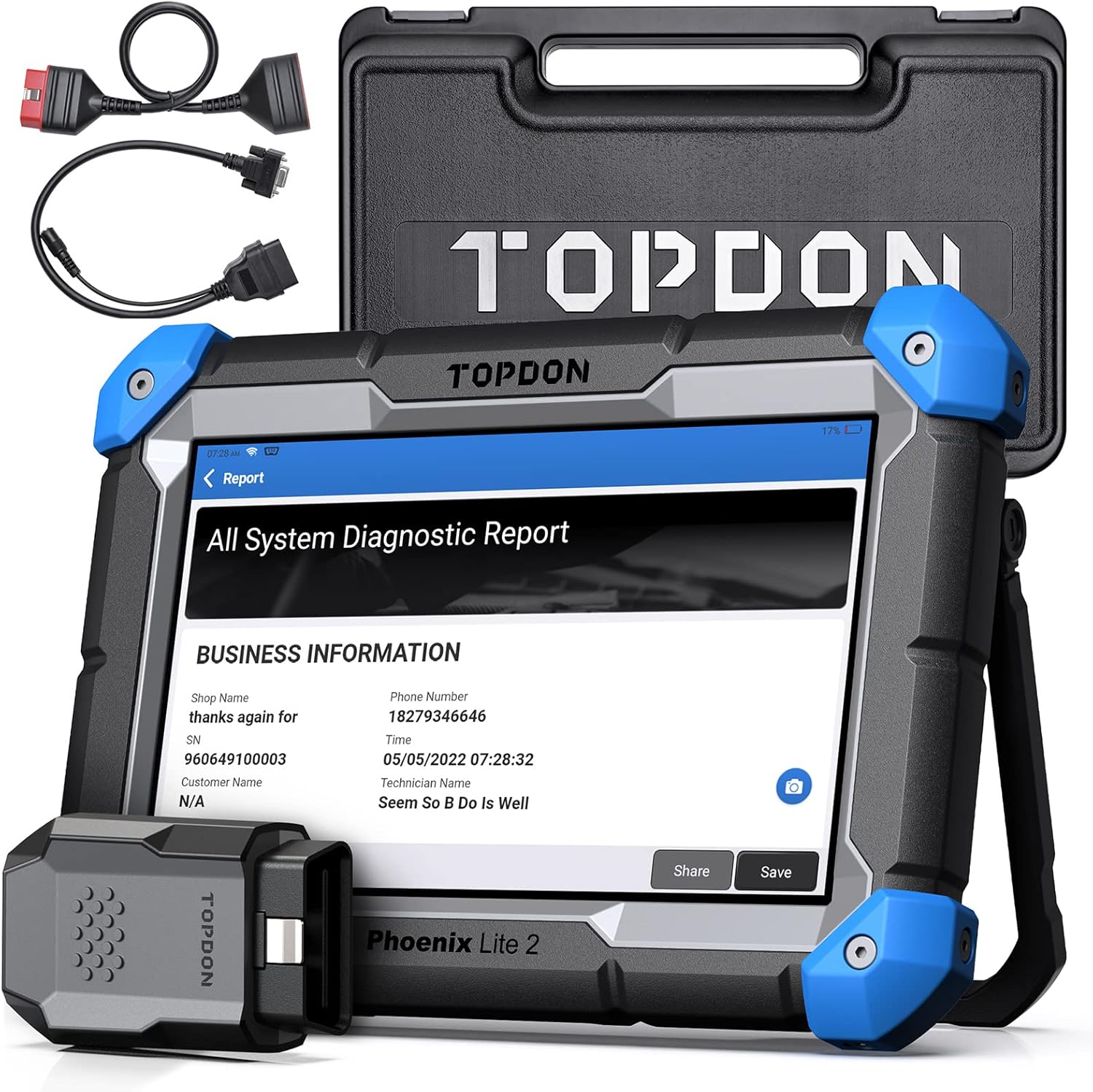



Diagnostic tool for technician
TOPDO Tool for you!
TOPDON TopScan Pro
ONLINE/ECU CODING For VEHICLE MODIFICATION: The Phoenix Lite 2 scan tool supports Online/ECU coding for vehicles, compatible with VW, SEAT, SKODA, PORSCHE, BENZ, BMW, and more, which can help to match and code after ECU replacement, including Light Module, ABS Module, and can also unlock hidden functions such as movement pointer and horn alerts when locking/unlocking the car. The TOPOLOGY MAP is not supported. Warm Tips: Please backup your data before coding
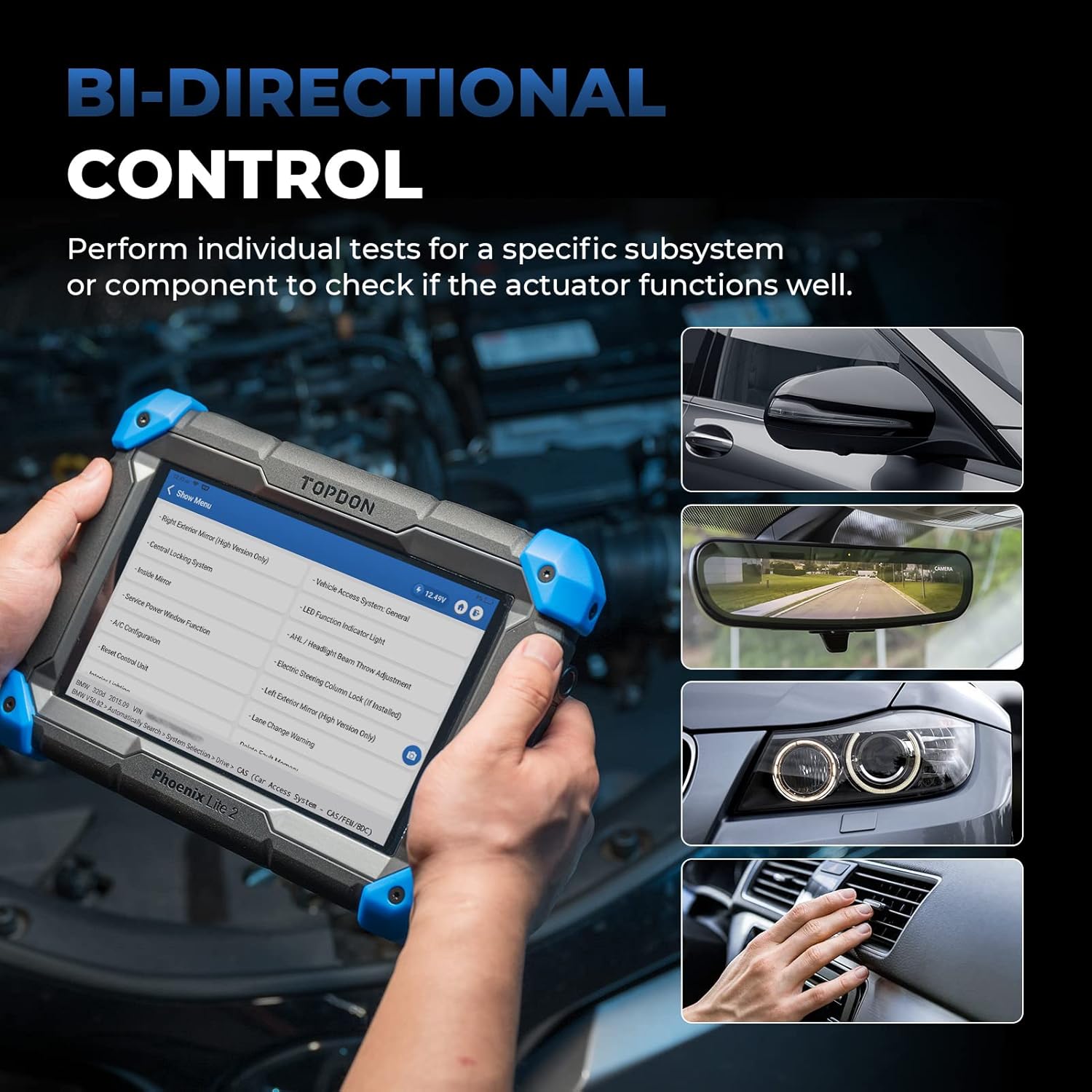
BI-DIRECTIONAL CONTROL: As a Bi-Directional Control Scanner, the Phoenix Lite 2 can be used to verify diagnosis and pinpoint repairs needed with powerful active actuator tests, locating problem areas including Fuel Injector, Coolant Fans, Coolant Pump, Windshield Wipers, EGR Valve, Sunroof, Windows and more.***NOTE: Some compatible vehicle models about “Active Test” need to be connected to the Internet to use
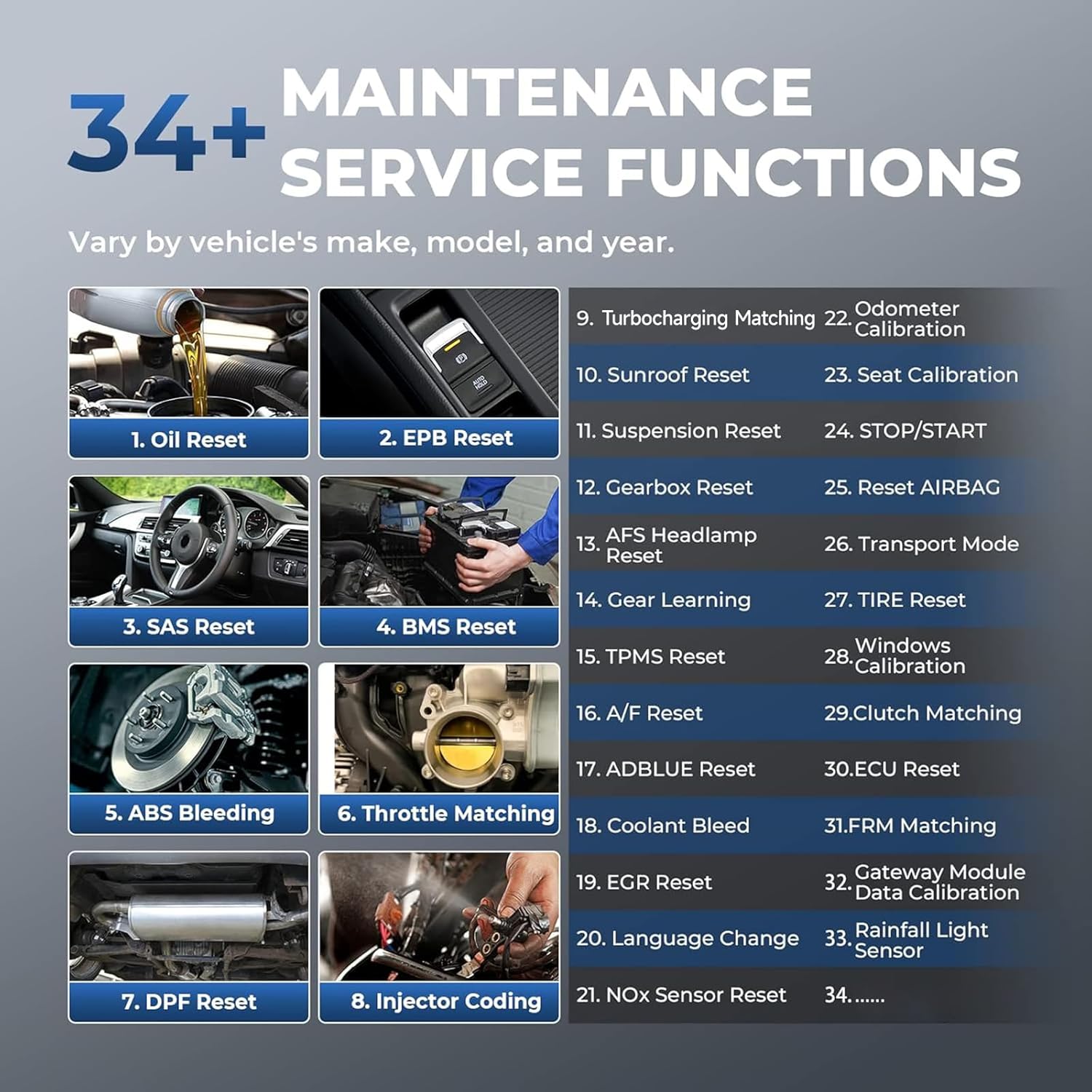
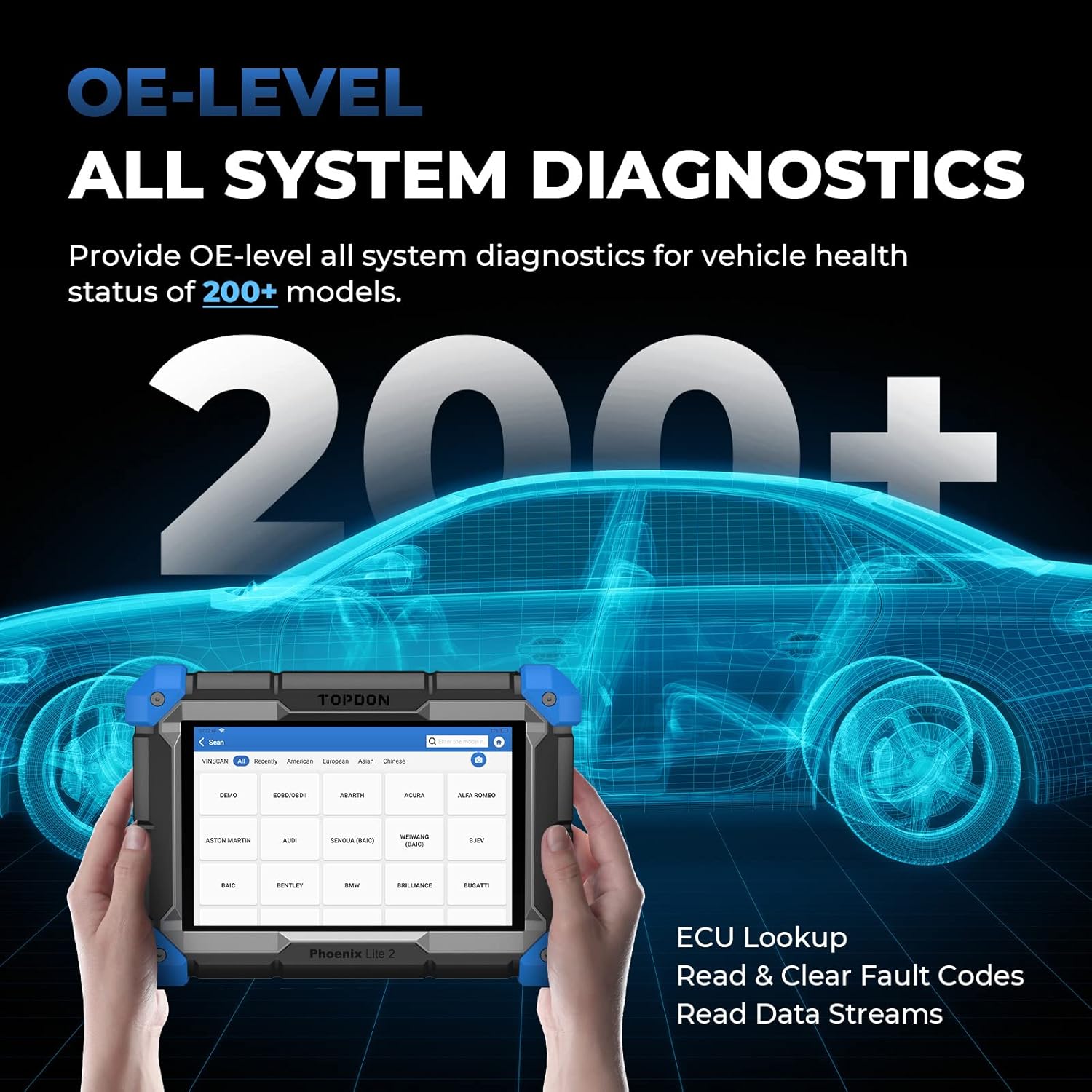
200 VEHICLE MODELS OE-LEVEL DIAGNOSIS, 34+ RESET SERVICE: Equipped with all system diagnostic functions, the Phoenix Lite 2 can perform basic functions including ECU lookup, read and clear fault codes, read data stream for over 200 models, compatible with GM, FORD, TOYOTA, BENZ, BMW and more, up to 2026. Offering 34 maintenance services including Oil Reset, EPB Reset, Suspension Reset to meet all your needs. Refer to special function menu in specific system for more functions
AUTOAUTH FOR FCA GATEWAY ACCESS: The TOPDON Phoenix Lite 2 car diagnostic tool supports FCA Gateway Access, allowing you to work on the most modern makes and perform more functions such as clearing DTCs, performing active tests, reading codes, and monitoring live data, supported for Chrysler, Dodge, Jeep Alfa Romeo and Fiat
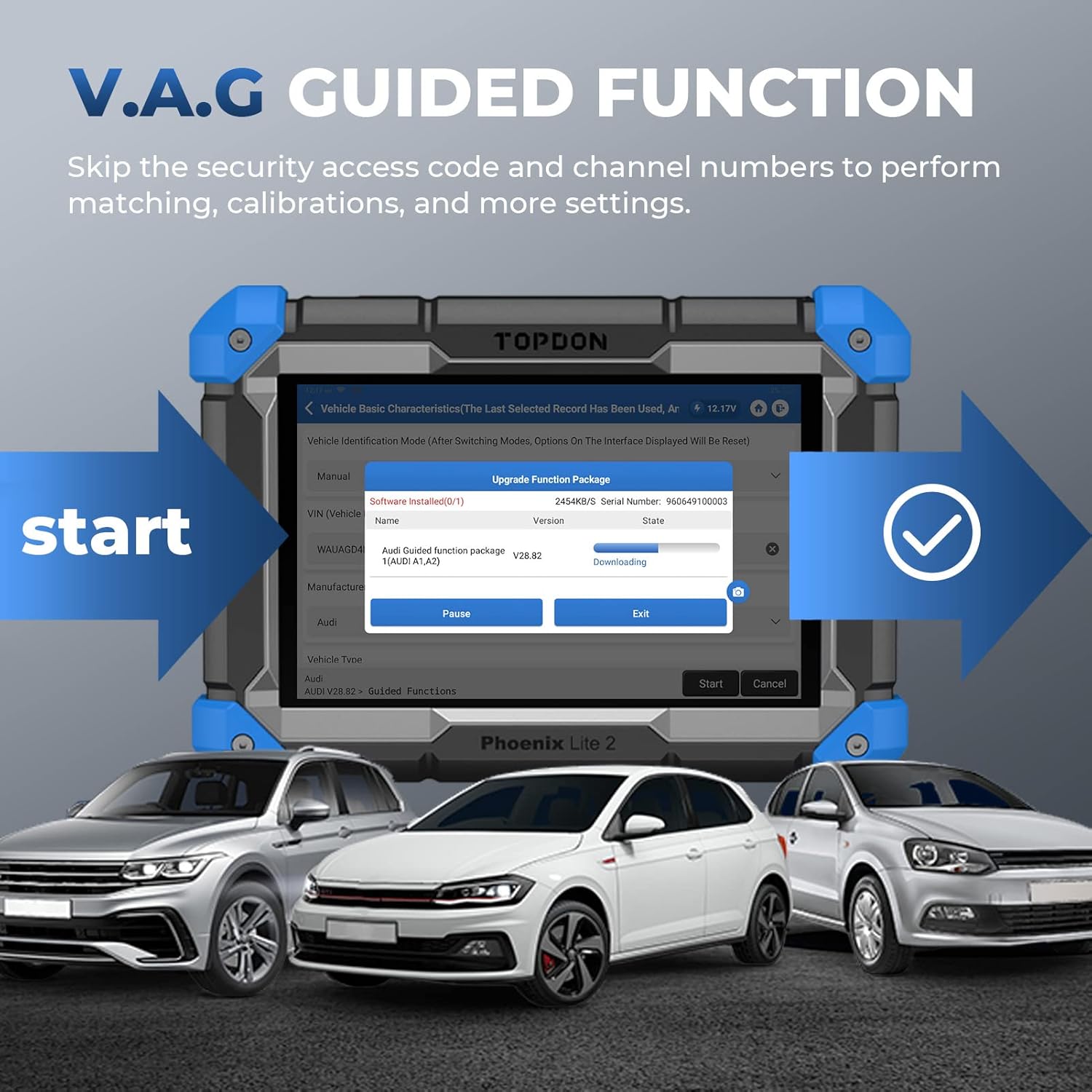
V.A.G GUIDED FUNCTION: The Phoenix Lite 2 car diagnostic tool has access to V.A.G Guided Function with step-by-step procedures, which streamlines the repair process and promotes a quick and accurate car diagnosis. Follow the prompts for easy and convenient operation, suitable for VW, SKODA and SEAT vehicles
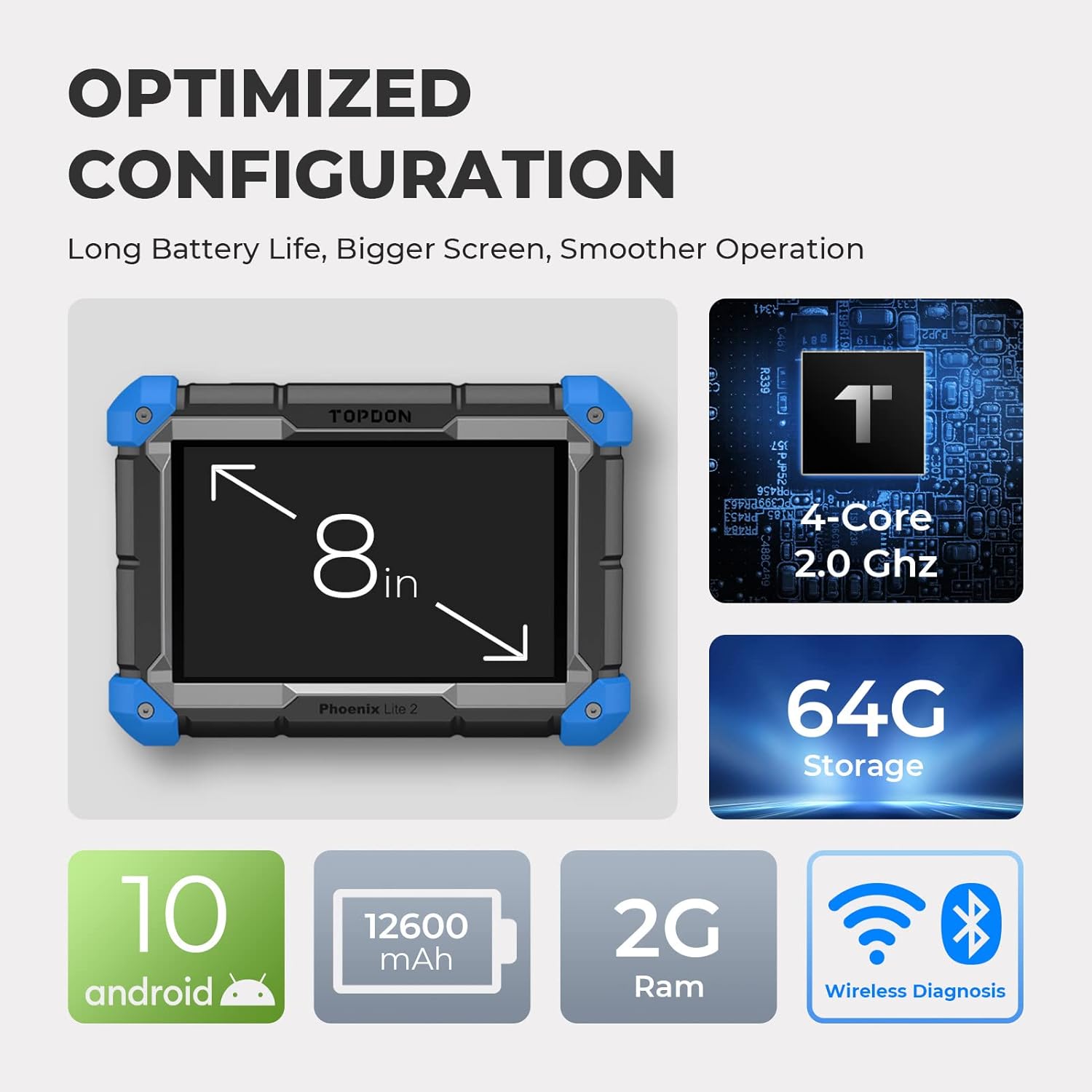
BEST HARDWARE And SOFTWARE: Android 10.0., CPU 4-Core Processor, 2.0 GHz. Greatly increased the speed of running multiple task.12600mAh stronger battery capacity. Display: LCD 8-Inch, 1280 * 800. Support AUTO VIN Technology. Time IS Money. 2G+64G storage memory. Upgraded version, save more vehicle documents and customer data. Supports 22 Software Languages, including EN, DE, FR, SP and JP and so on. Please contact us to check if your vehicle is supported before purchase
Clear Fault Code with One Click: “Health Report” function enables users to quickly detect fault codes in all systems and clear all fault codes in every system of the vehicle with one click, making the diagnostic process smarter and more efficient. With the “System Selection” function, you can manually select the system to be checked. In addition, you can save and share the fault codes report by utilizing the “Report” function
2 YEARS FREE UPDATES : TOPDON Phoenix Lite 2 car diagnostic scanner comes with 2 YEARS FREE software updates to add incoming features, newer vehicle coverage, fix software glitches and upgrade graphing versions. *Its newly added 6 special functions need to be upgraded to the latest APP to use


John K. –
Compact and Capable!
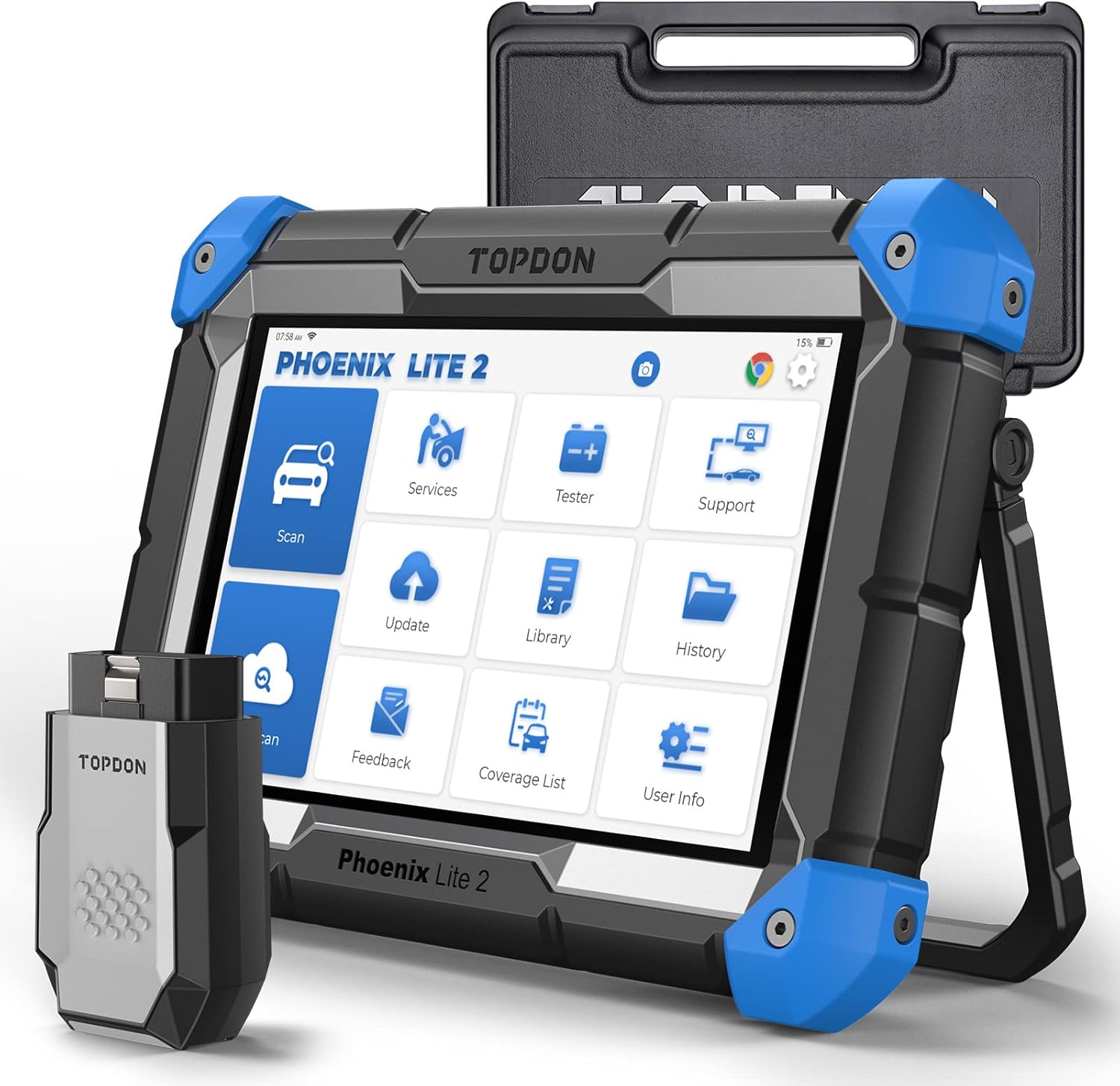
Having come from and routinely use scanners from the likes of Autel, Launch, and SnapOn, the Topdon Phoenix Lite 2 offers an excellent balance of performance and value for a sub $800 scan tool. It is compact enough to be easily handled and stored, but big enough that you’re not fighting to read or see what it has to offer. Holding the unit, it has a thick protective rubber case, which offers excellent grip and undoubtedly very good protection from any incidentals. The layout of the operating system is easy to navigate and very intuitive to use. If you’re ever used a tablet style scan tool, you’ll have no issues navigating and using the Phoenix Lite 2. Unlike most other scan tools of this nature however, I don’t see any way to access the tablet’s operating system, which honestly, I personally don’t mind, but if you’re looking to utilize the scanner for tasks other than what it is intended to do, this might not be the ideal tool for you. You do have access to a web browser, various social media apps, and some useful automotive repair related preset links, which for me is more than adequate. Software and firmware updates are easy to initiate (one click) and quicker than any of the other scan tools I have ever owned. Two years of free updates is definitely a plus, but the cost to upgrade thereafter is somewhere between $450 and $550 a year, which is a bit high IMO. It’s cheaper than what some of the aforementioned competitors charge, but on the high side when you factor the system’s cost basis. For someone using this as an aid to earn a living, that annual upgrade amount may not be such a big factor, but for the average DIY’er, it might be a hard pill to swallow. The whole system comes in a nice and sturdy storage case, loaded with adapters for the most popular make and model vehicles. Although the hard case is great, I opted to purchase (see my profile for the review) a smaller tactical style soft case, aka molle pouch, for everyday use. It fits the tablet, the wireless dongle, and charging hardware perfectly. Battery life is excellent and far better than any of my other scan tools. Another small but noteworthy feature is the built-in stand. It is easy to deploy and position to accommodate any angle or surface condition. In the module sub menu, there are links for the optional wireless BTMobile ProS battery tester (not to be confused with the Pro model), an oscilloscope and thermal image camera. All of which are optional devices but nicely incorporated into the device. I’ve used the scanner on a handful of vehicles thus far, and it’s proving to be a quite capable compact scan tool. It can easily keep up with and or even out pace scanners costing twice as much. The autoscan feature works well and is relatively fast. Some vehicles take longer than others, and just like any other scan tool, you will on occasion run into those that don’t scan at all. If and when you do encounter an application that won’t auto scan, Inputting vehicle data manually only takes a few seconds, so it’s not a deal breaker by any means. The history function which keeps track of previously scanned vehicles / modules is a great feature. It allows you to go back and see things you may need to reference for repairs or knowledge. All in all, I am quite impressed with this little scan tool. Whether you’re a shade tree DIY type enthusiast, or a full-time gear head, this is definitely one scan tool you might want to keep around for all your daily diagnostic needs. It’ll never replace a dealer level scan tool, but in most cases, 75% of those who need a scan tool, don’t necessarily need dealer level access and or function ability. Last but not least, and to set the record straight, scanners at this price point will always have their inherent limitations. You will always encounter certain vehicles and or applications that have limited functionality. If there’s something specific you’re looking to do or test, I suggest you reach out to the manufacturer with the make and model vehicle you intend to work on and ask if it is compatible or capable of the task at hand prior to your purchase. The manufacturer has always been very communicative whenever I’ve had a question or concern.
James Harr –
High quality, great features, and customer support
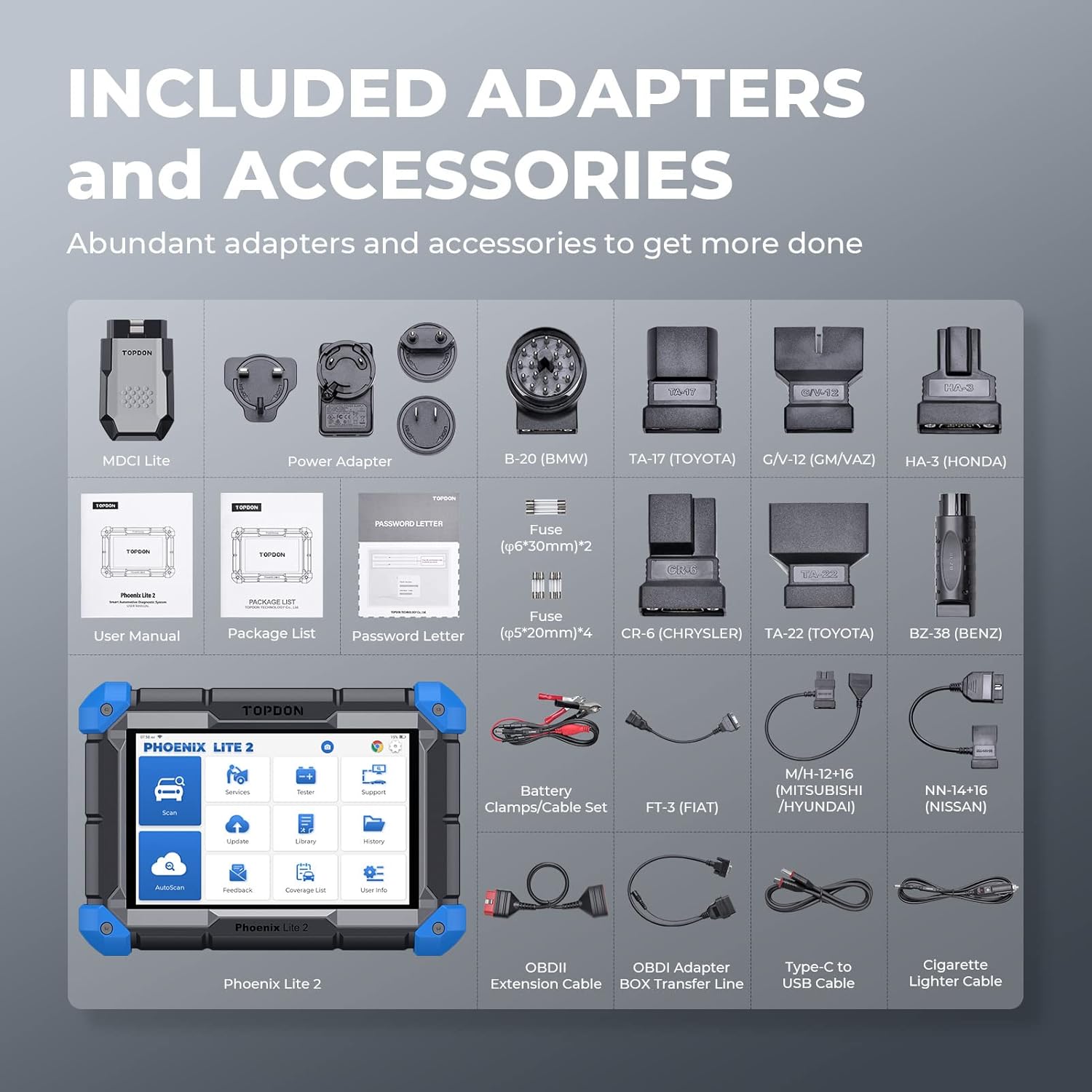
I run a small 1 person, 3 bay auto-repair shop and this tool will pay for itself quickly with the capabilities it packs. In only a few weeks, this tool has proven it can do what I will need it to, and the company seems to be on top of customer service, which drove me away from Autel, Launch, Xtool, and others. The Phoenix lite 2 comes with all power adapters I could imagine most people will ever need. There’s lots of OBD1 adapters as well as extra fuses for the power adapters that are included. Everything seems well thought out. For the money the construction of the tool/tablet is much higher quality and solid feeling in the hand than I would have imagined. Honestly, this feels like a better built tool in your hand than a Snap-On scanner. The menus and navigation take a little bit of time to get used to but I have been able to use it for some pretty complex resets and diagnostic repairs on Toyota hybrid and ABS systems, modern Ford KAM data clearing and relearn procedures as well as diagnostic work. The amount of access to live data, recording capabilities, the fact that it can be used as a tablet to access information on the internet, it truly shocking for the money. Updating the tool is easy, and free for two years. The battery arrived with 98% charge and has been holding a charge very well without needing to be charged very often. The PDF diagnostic reports that it automatically generates are pretty slick and will definitely help generate money with this tool in a shop environment, these are saved to the tool and can be emailed directly to your shop computer or the customer or both.
Rockinsoul14595 –
Very capable scan tool!
I love this scan tool! A great tool at a great price. The functionality is on parts with other scan tools that cost 2x as much. The auto vin function works quickly and efficiently. The kit comes with plenty of OBD1 adapters for Asian, Domestic, and European. One thing they do need to design is an OBD 1 adapter for Ford. Specially for a 1993 ford ranger xlt where the diagnostic port is in the engine bay.I love the fact this tool can be used with an oscilloscope and other tools. The oscilloscope will more than likely be my next purchase. The tools learning material function has the ability to look through diagnostic software if you have an account and can be used while using the tool.The code look up library is still a work in progress. Most DTCs don’t have any data such as a U1010 code. If you have all data or identifix you can get the information.Getting used to plugging into a car the tool hasn’t plugged into before is kind of a challenge. It’ll bring up several options for the DLC. Such as 16 pin or 17 pin or European or other. It is kind of confusing. Most cars after 1996 are 16 pin dlc which is standard.So if you want a great tool to start off with at a good price, this tool does it all. Thanks TOPDON!
andy –
Seems legit
I have had good experiences with this diagnostic computer. It’s used on 4 VW’s and a Ford truck.My first impression is that, as with a lot of Chinese electronics, is that the user interface is not all that straight forward. I’m poking around a lot to simply scan a vehicle computer. What I call a scan, they call a “health report”.However, if you are patient, it’s a powerful tool. I was able to modulate all the valves that VCDS can modulate. VCDS is very specific, but all the info from VCDS can be found in this software.The reason I bought this computer was that VCDS is so clunky and I exceeded the three car limit. They wanted 200 dollars for more cars.So far, other than nomenclature, it’s been a good replacement for VCDS.
Adam –
I recently purchased the TOPDON Phoenix Lite 2 scanner and had a chance to use it on several vehicles. The Phoenix Lite 2 is a very well-built unit and has a premium, semi-soft finish in hand. The unit looks and feels great in person – looks very tough/rugged. The Phoenix Lite 2 comes equipped with different extensions, owner manuals, and is packaged in a rugged plastic case. It’s light-weight, easy to use, and arrived fully charged. The user interface is nice and simple, has a straightforward menu selection making it very easy to use and navigate through options. The Wi-Fi connection was very easy to set-up and establish connection. Additionally, scanning/diagnosing/clearing errors was very fast. I’m very happy with the unit and the quality service/assistance that I received from TOPDON customer service team. I would recommend this scanner to anyone who is looking for a very capable bi-directional scan tool for DIY or commercial work.
松谷 一 –
FCA SGWの自動認証 の作業手順を教えてください。
Amazon カスタマー –
まったく使えない原因がわかりました。OBD2に接続するMDCI(bluetooth仕様)のシリアル番号とパスワードレターに記載されているシリアル番号が異なっていたため、診断機とのペアリングできない状態になっていました。メーカー出荷時に起きた問題で、問題発覚後に再発防止の対策を取られたそうです。私はマニュアルに記載されているサポートセンターに連絡しましたが返事がなく、レビューに状況を記載した後にセールス担当者から連絡がありました。セールス担当者からアマゾンで購入した場合はアマゾンのサイト経由で販売者に連絡するとお返事がいただけるとコメントをいただきました。実際に動作の不具合に対応したのはLAUNCHの技術者でリモートで診断機を操作して原因がわかりました。本機の性能はカタログの通りで、特にアクティブテストは故障個所の特定に有用です。アップデートも頻繁に必要のようで、WiFi環境(必須)が整っていれば快適に使えると思います。初期不良がなければ星5(優)ですが、星3(可)とさせていただきます。
stephane873 –
Bought the Phoenix lite as I needed to work on my Hondas 2011. Pleasantly surprised how well made this kit is and I do like the User Interface. No issues to connect to both cars and used it for troubleshooting. Very happy with my purchase and the customer support (Eric) has been proactive sending Q&As right after registration was done. Also answered some questions I had very quickly. Haven’t ha dthe tool very long yet but up to now I do recommend it.
Dawson –
This is my first topdon product, and I’m very impressed. I am tech at a Gm dealership, I find myself picking up this scan tool over the manufacturer tool 90% of the time. It will do almost all of what the oem tool will do as far as diagnostics go. Which is really saying something. While also being priced very competitively, and feature packed. Also the battery life is quite good. 3 weeks of daily use before I had to recharge. Don’t hesitate to purchase this tool.