

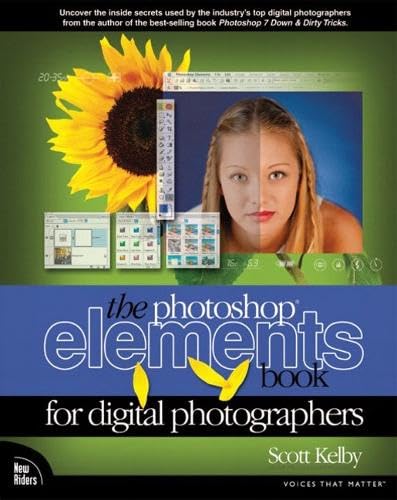


Scott Kelby offers full-color, graphically rich, linear, tutorial- and project-based examples of every key step in the digital photography process. From experimenting with camera settings, through capturing and manipulating the image, through editing, output and organization, this book is designed for the digital photographer who knows aesthetics but who wants a concise guide to “grip it and rip it” usage of digital technology. Photoshop Elements is a very powerful and affordable image editing software. It carries many of the same features Photoshop does without the complicated graphs and tools. It also carries it all at a much less expensive price tag – only $99, compared Photoshop’s $600. Anyone making the transition from film to digital photography will learn the stuff that is critical for Photoshop Elements — no theory, no challenging the readers to come up with their own settings. This book shows the readers exactly “how to do it.”
Scott Kelby is President of the National Association of Photoshop Professionals (NAPP), and is Editor-in-chief of both Photoshop User and Mac Design magazines. Throughout the year, Scott serves as Training Director for the Adobe Photoshop Seminar Tour and is technical chair of the largest Photoshop gathering, Photoshop World. Scott is one of the leading Photoshop trainers in the country today and trains thousands of Photoshop users across the country each year, and is featured in a series of Photoshop training videos. He has written 6 best-selling books on Photoshop and on digital photography.
Publisher : New Riders Pub
Publication date : January 1, 2003
Edition : 1st
Language : English
Print length : 300 pages
ISBN-10 : 0735713928
ISBN-13 : 978-0735713925
Item Weight : 1.75 pounds
Dimensions : 8 x 0.75 x 9.75 inches
Best Sellers Rank: #4,969,691 in Books (See Top 100 in Books) #547 in Adobe Photoshop #1,476 in Photography (Books) #1,742 in Computer Graphics
Customer Reviews: 4.4 4.4 out of 5 stars (31) var dpAcrHasRegisteredArcLinkClickAction; P.when(‘A’, ‘ready’).execute(function(A) { if (dpAcrHasRegisteredArcLinkClickAction !== true) { dpAcrHasRegisteredArcLinkClickAction = true; A.declarative( ‘acrLink-click-metrics’, ‘click’, { “allowLinkDefault”: true }, function (event) { if (window.ue) { ue.count(“acrLinkClickCount”, (ue.count(“acrLinkClickCount”) || 0) + 1); } } ); } }); P.when(‘A’, ‘cf’).execute(function(A) { A.declarative(‘acrStarsLink-click-metrics’, ‘click’, { “allowLinkDefault” : true }, function(event){ if(window.ue) { ue.count(“acrStarsLinkWithPopoverClickCount”, (ue.count(“acrStarsLinkWithPopoverClickCount”) || 0) + 1); } }); });





Radiohead Fan –
A Service Manual for Digital Photographs
This is one heck of an amazing book. Here is why: I got it today and about 20 minutes later fired up my Trial Photoshop Elements program (13 days still remaining on the trial but it will be included with my Epson Scanner still coming from Amazon.com). Then I turned to a random page in the middle of the book and read the steps for color correction. I needed a picture so I picked some random picture from my library to experiment on (mind you, I never really thought anything needed fixing on this picture…always looked good to me). Then I began with the steps. Everything was easy to follow. The book provides picture samples to help you along and the author instructions are clear and sometimes dotted with humor. I learned and used features/tools I never knew existed in Photoshop Elements. Anyway, by the end of steps I looked with amazement at my picture. It just looked so much better then before, but to be sure I decided to cancel the changes made via the steps in the book. Oh my goodness, my original picture was all wrong. It was terribly red cast as the book explains. Man, I have no idea what these steps I performed in 5 minutes did but it completely changed my picture for the better.Totally amazed, I just randomly picked some other page and then performed the steps to implement fill flash on a face when fill flash wasn’t used. Holy Moly! Now this is almost magical. Within 2 minutes I’m using a brush to paint a “flash”. I don’t even know how all this is happening nor do I care, I just know I have the tools (Photoshop Elements and the steps in this book) to perform what seems like magic on my pictures.Mr. Kelby has written an interesting book, indeed. It is sort of like an automotive service manual which just lists steps to change your brake pads without actually explaining the principles behind braking (and I am still not sure why I have to put that funny blue paste like thing on my brake pads when I change them). From what I can tell so far, this book is similar in that it includes steps to fix common picture problems such as color correction, adding a fill flash when it wasn’t used, etc. without actually explaining why. For now, it is all I need. Maybe if my interest continues, I may purchase other books on Photoshop Elements to learn more that powerful program.
Quixotic Guy –
Practical and Helpful Book for photo editing
I have just finished a few chapters of this book, and find it very useful and easy to follow. I have read many books on PSE2 and most of them tend to be rather tedious.Scott Kelby’s book is easy to read and gives really practical and simple solutions. Thus far I have easily corrected some my own pictures which had overexposure and underexposure. The end-results are surprisingly good. I had edited the same photos before after reading other books and – may be I did not really understand the instructions – the edited photos did not really satisfy me.I can only conclude that Scott Kelby has a way of explaining editing techniques in a more comprehensible way, and it works for me. I am really glad I got this book. I think I am going to enjoy reading this book and learning from it. Oh yes, about the comments here about “hey, cut the comedy”, etc. This same light tone in the book makes it more readable.
S. So –
Not for Those New to Photoshop
If you’re TOTALLY new to the Photoshop like I’m, Kelby’s book isn’t the ideal book to be initiated into the world of Photoshop. After having purchased Kelby’s book, I realized I needed another book that is more suitable for my needs. I found that in Jan Kabili’s Adobe Photoshop Elements 2: Complete Course. While Kelby tends to ASSUME that you know what he’s talking about by leaving out lots of “little steps” required to follow his guidance, Kabili does a superb job with the details. While I was very frustrated trying to figure out what those “little steps” that Kelby seems to assume you already know, I found myself delighted with Kabili’s simple step-by-step, click-this-and-click-that instructions that come with numerous helpful side tips.I think Kelby’s book is good for those with some prior knowledge and experience with the Photoshop, or someone with a very high level of intuitive sense. The reason why I’m giving this book only three stars is: Instead of spending so much ink and space on his endless attempts at humor (not that I have any problems with humor per se) I wish he had used all that energy towards filling in the details and with other useful tips, instead.On a side note: I’ve been ordering a series of books from Amazon.com lately, and I’m a thoroughly satisfied customer. Great job, Amazon.com!!
JCC –
Scott Kelby is the BEST.. depending on your approach..
I use the full Photoshop Program (not Elements, although I do have a copy of the old version 2.0 onboard).. Scott Kelby’s approach to his books is generally the same in all cases (Elements AND the full Photoshop program).. if you want, for example, to learn how to do a collage/montage, he has a section in his book to deal with the subject, and step-by-step instructions on how to achieve this effect.There are plenty of “technical” books out there to explain the “whys and wherefores” of how this works.. the vast majority of us really aren’t into this kind of stuff. I’m not a graphic artist –where this kind of explanation would be necessary.. I’m a digital photographer of basically family and recreational stuff.. and his “straight to the point” type instructions have, nevertheless, taught me how the different techniques work.. you just have to stick with it and work the tutorials. All of it eventually hangs off a neuron or two.. and the feeling of accomplishment is wonderful.And –contrary to the other digs– I find his humor really helpful during the stressful process of learning the application.