



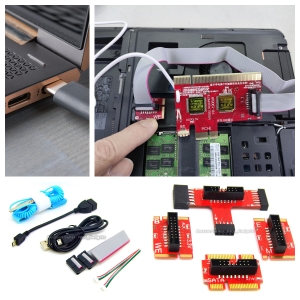


Great Computer Diagnostic Technology Breakthrough – Motherboard Diagnosis Can be Now Done Through the USB Ports! New Nice Bios POST Test Card!
This Unique USB Diagnosis feature provide us so much convenience since we no longer relying on the motherboard internal slots to check the POST codes
Computer motherboard technologies are advancing daily, so must our motherboard diagnostic tool kit.
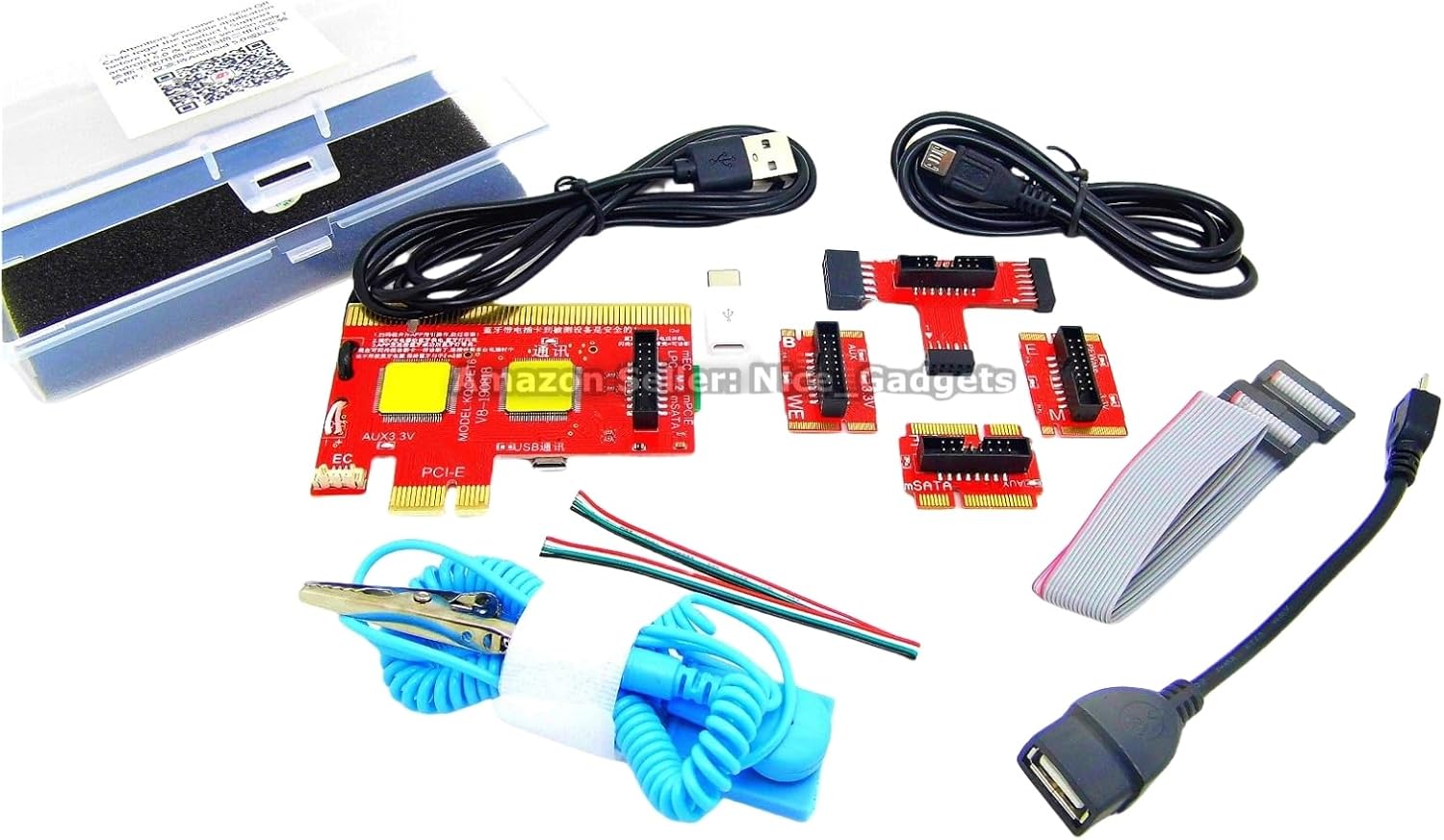
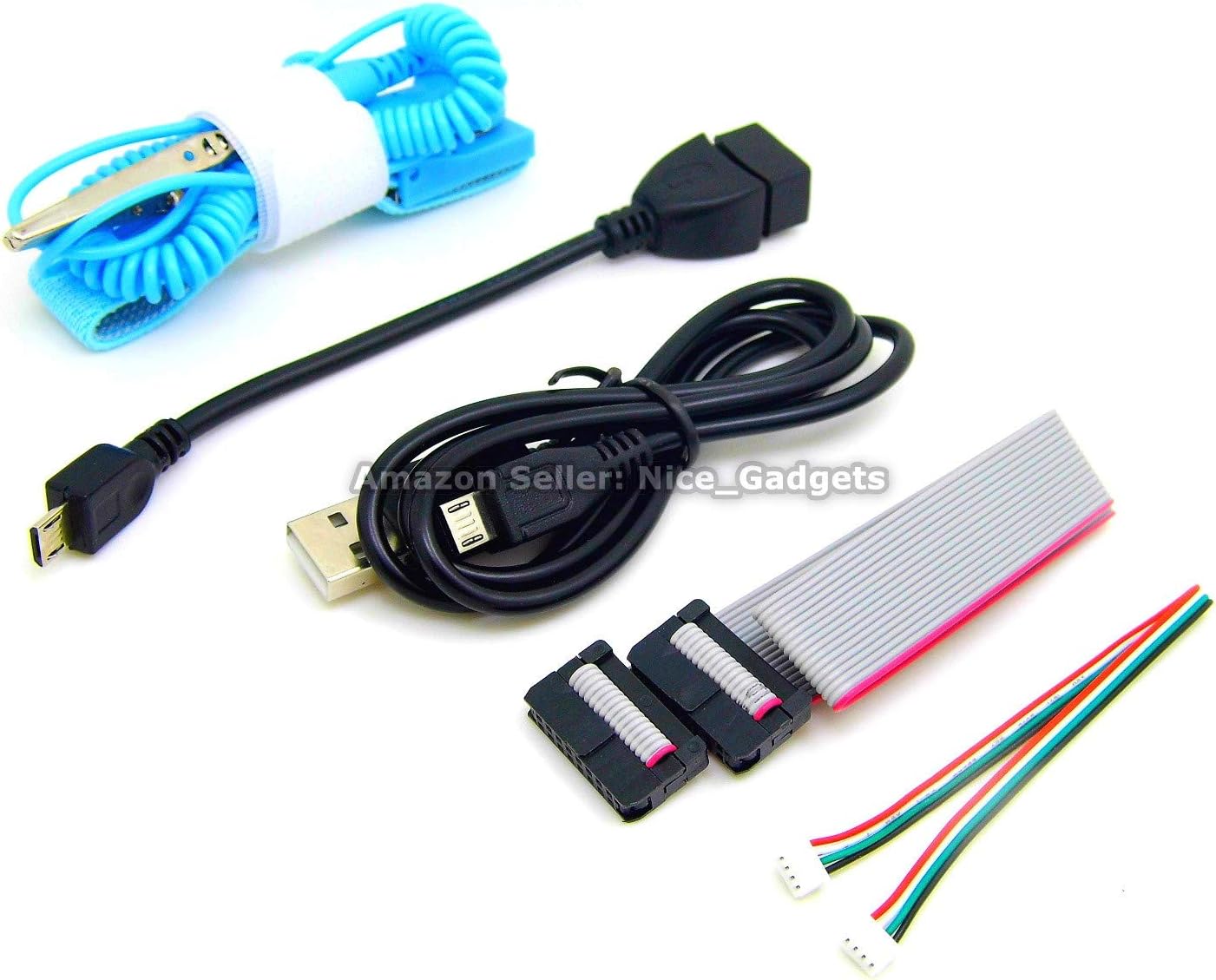
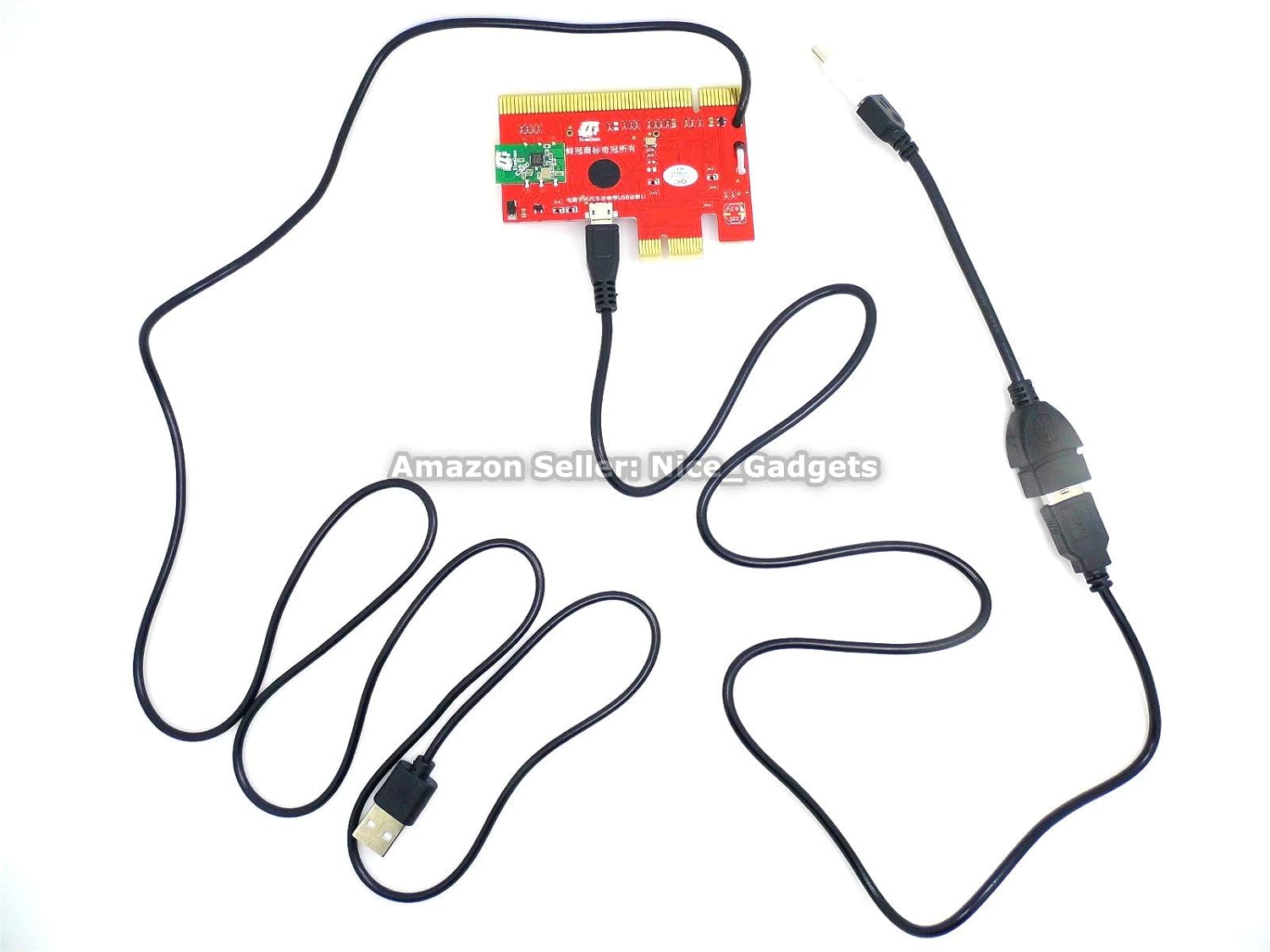
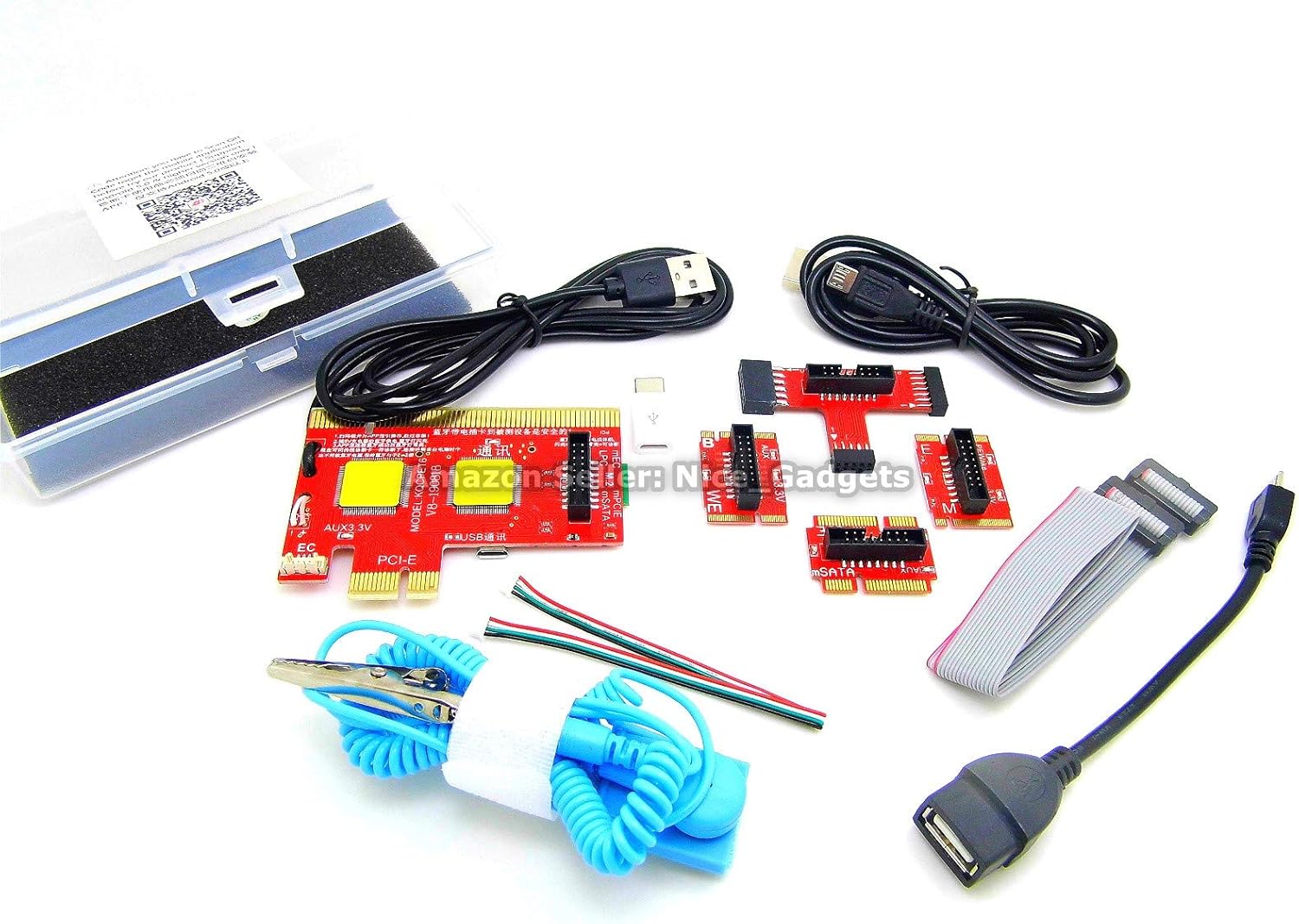
There are 2 USB cords in this new computer motherboard tester POST test card kit.
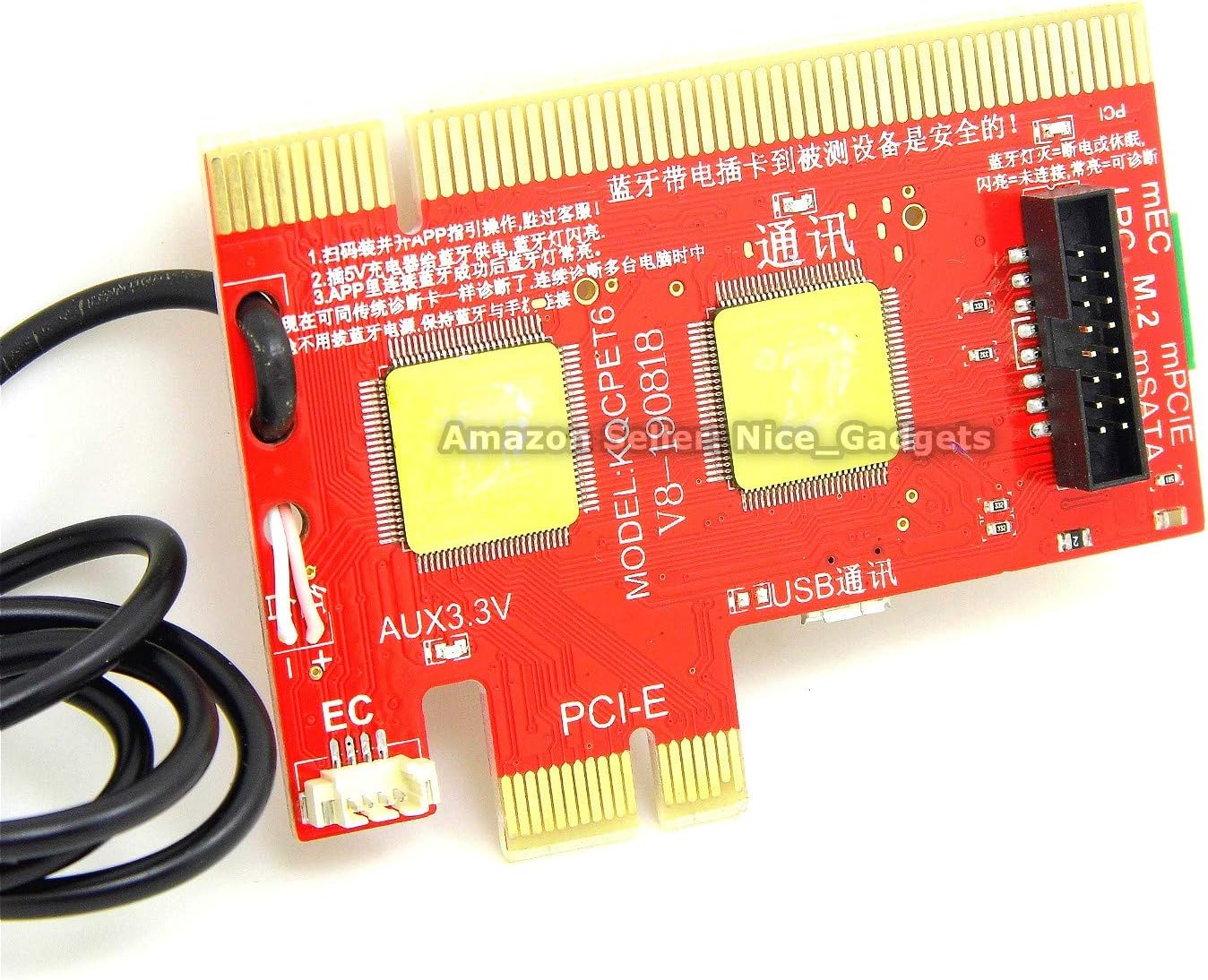
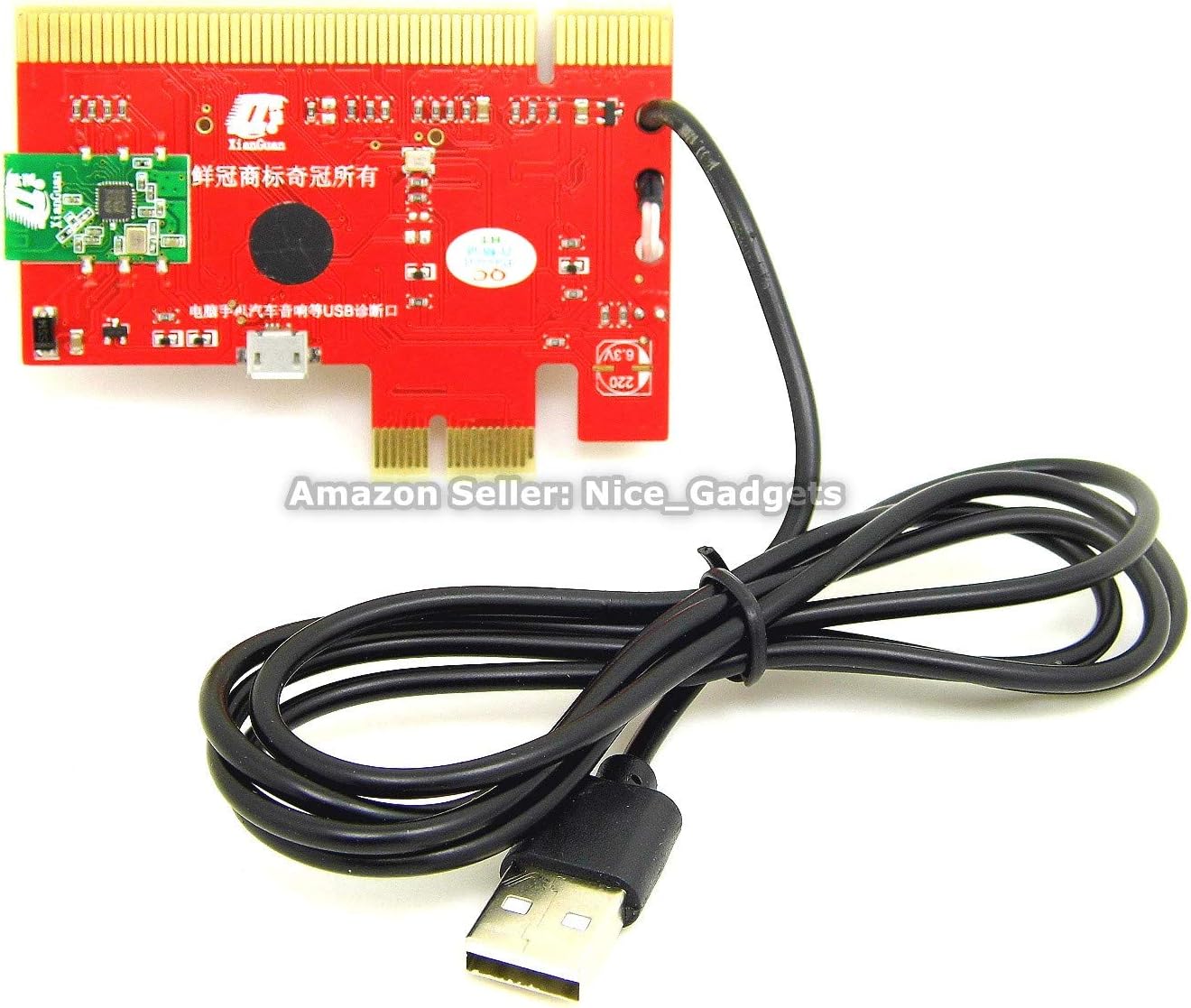
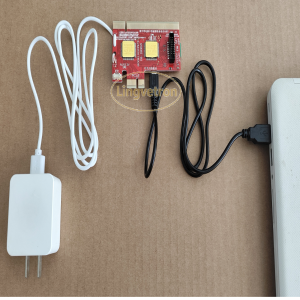
The integrated USB cord on this V8 master diagnostic board needs to be plugged in to the Android Charger to get the electricity power
The other USB cord is the dedicated Android micro USB cable which is used to connect the V8 master diagnostic board to the computer USB port
This dedicated micro USB cord takes role in the computer motherboard diagnosis through the USB port. This USB is not for supplying electricity power but to pass through the computer motherboard Bios Power On Self Test POST signals data for the POST diagnosis and analyzing.
If we can do the computer diagnosis ourselves, of course will save us time and money, but here are some concerns we might have for DIY doing the computer motherboard diagnosis on our own
The technology offer great help to us nowadays including the computer troubleshooting and repairs.
We need not to be expert to troubleshoot our computers.
We just need to know how to plug device to the USB port and operate the Android smartphone / Tablet as usual and some basic knowledge of the computer terms and parts name.
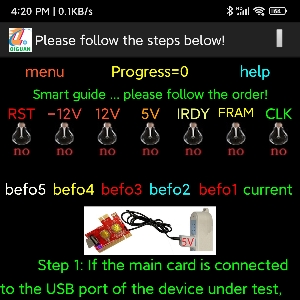
This latest Android APP empowered computer motherboard analyzer kit will take care of the rest motherboard diagnostic works and also offer the suggestion of fixes in the APP for us.
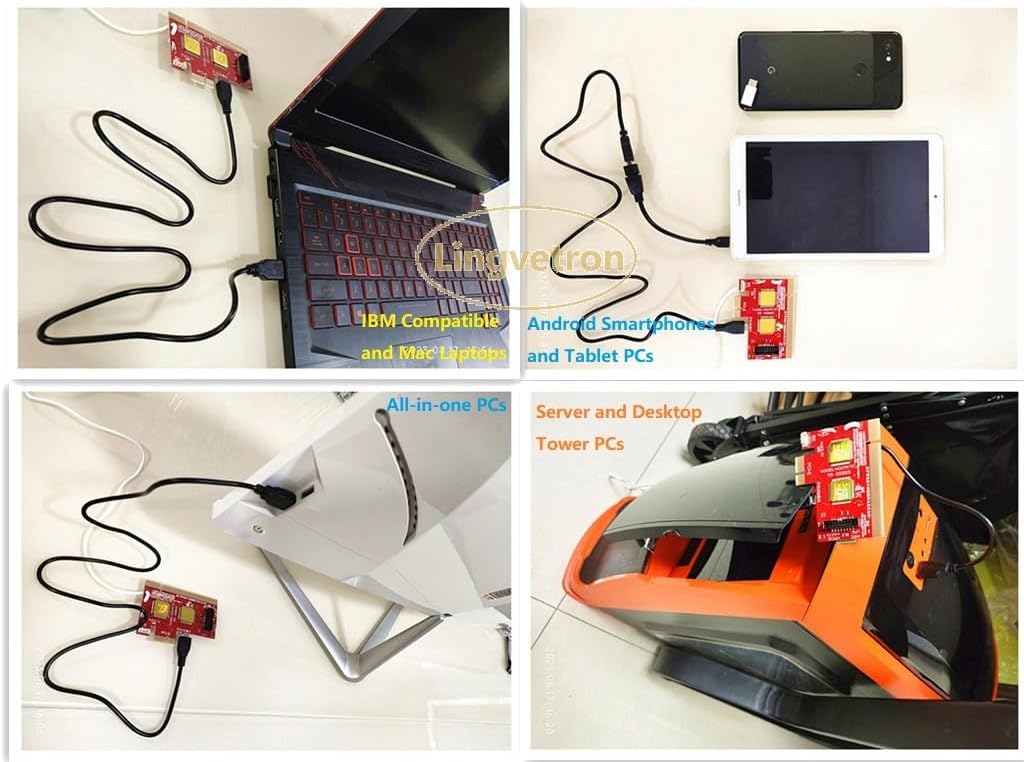
The unique nice USB diagnosis feature on this POST test card kit allows us to use the computer USB ports to quick diagnose the motherboard easily.
There is no need to and no hassle of taking the computers apart, just use the PC motherboard external USB ports.
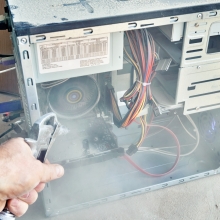
We hate to tamper with the dusty PC to troubleshoot the motherboard components.
Cleaning up the PC is also such a hassle.
No worry, we can again easily diagnose the computer using the unique USB diagnosis feature that can be done outside of the computer dusty cases and no touch of the internal dusty motherboard components as well.
Nice and neat!
Computers are machines, all need maintenance, troubleshooting and repairs.
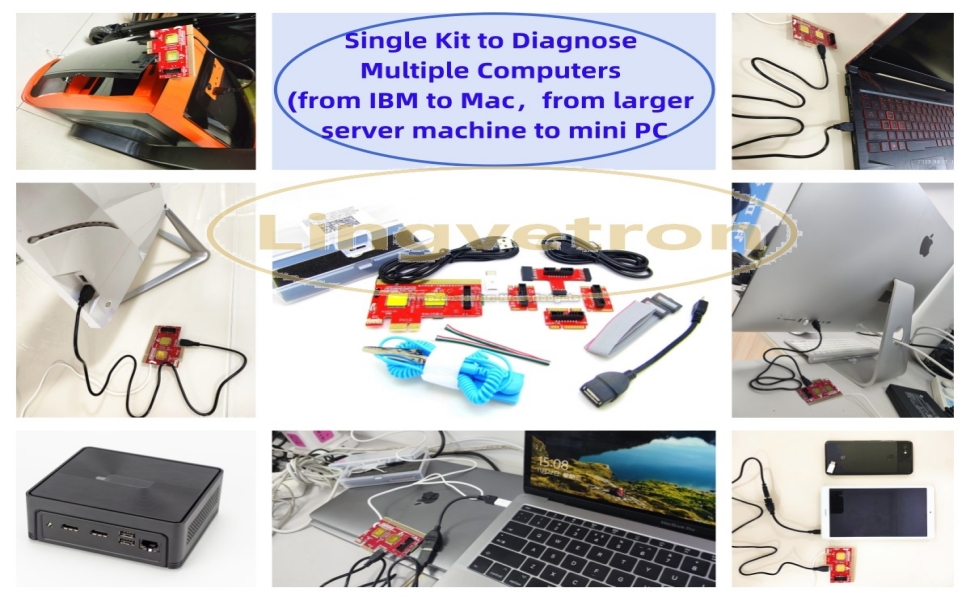
We have the desktop gaming tower PC / all-in-one computer at home, powerful server machines in work places, laptop computers, android smartphones, tablets, mini PCs, IBM compatible computers,Apple Mac All-in-One desktops and Mac Book Pro laptops, smartTVs … etc.
By using this new latest V8 motherboard tester kit, we only need to invest in one set of this kit and it will help us taking care of the multiple different computers diagnosis needs. Comes with great customer care support.
It’s a Great Investment to our tool box!
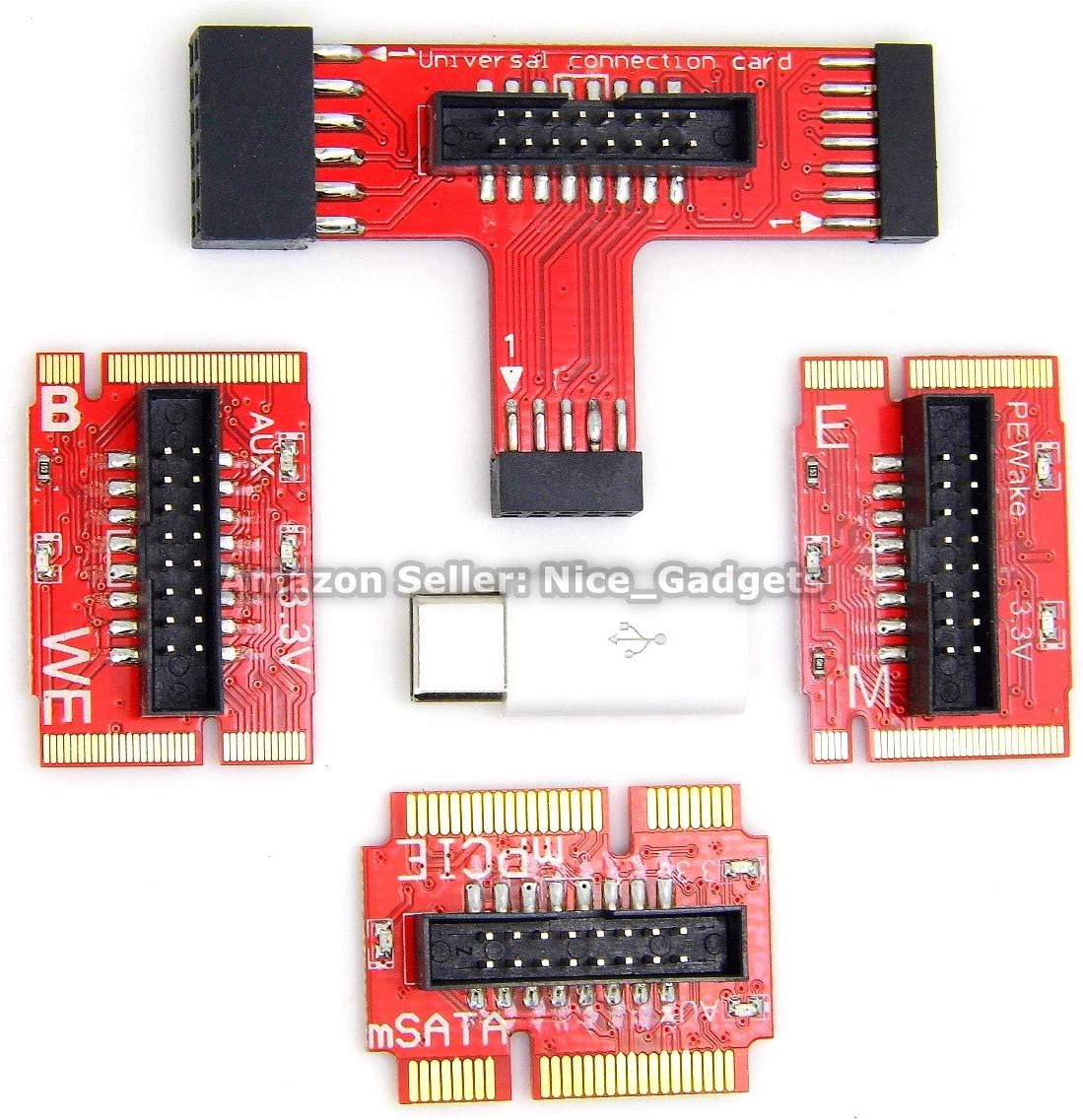
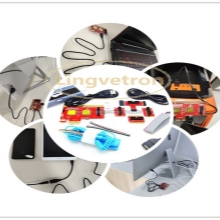
Besides this unique USB diagnosis feature, this motherboard POST Test Card diagnostic tool kit also comes with the most different motherboard bus connectors adapters to work on the different computers
Let the latest Android smartphone technology to help us!
We can do more including the troubleshooting computers like an expert does by using the right tool right now in the right way.
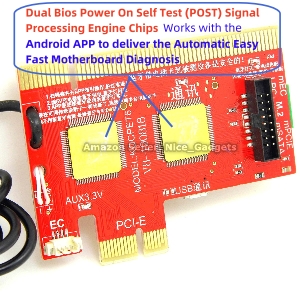
This powerful computer POST test diagnostic card kit works with the latest android app together to deliver much faster and accurate motherboard diagnostic results.
The use of the Android APP in the computer motherboard diagnosis is a great technology breakthrough.
We can use Android APP to help auto translate the diagnostic code descriptions and display the results on the Android phone large screen. Besides, the APP also offers the suggestions for what to do next including what other motherboard parts to check on.
Comparing the traditional digital manual error code interpretation lookup to this modern smartphone APP enforced latest computer diagnostic kit, the uses of the newer latest technology is definitely much better and easier!
This set of the adapters covers most IBM compatible computers on the market.
This new latest V8 computer POST test card comes with the different motherboard bus connectors including the USB, PCI, PCIe, mSata, miniPCIe, M.2, EC and LPC to meet the each different computer design needs.
The prioritize sequence to use these different computer motherboard bus connectors are :
On Desktop PCUSB > PCI > PCIe > LPC > M.2 > mSATA
On LaptopUSB > miniPCIe > M.2 > mSata > EC
Precautions and Tech Tips – please hover the cursor on each picture to see more details
Prior to the installation and the use of this new latest V8 computer motherboard tester kit, it is essential to learn some of the precautions and the tech tips.
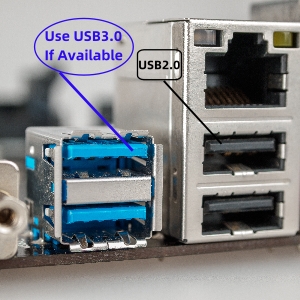
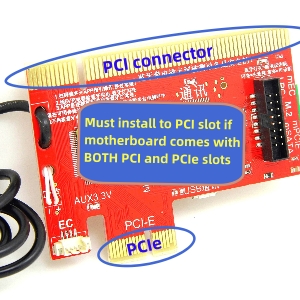
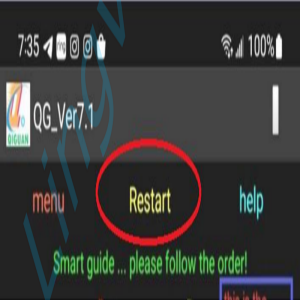
the 2 different USB cables should not be mixed up in useUSB 3.0 port must be used if available other than USB 2.0 portsWhen both PCI and PCIe slots are available, must use PCI slotWhen need to redo the test on same PC or to check on the other computers, we need to cold boot the computer and then press the “Restart” in the Android APP.
Precautions and Tech Tips – please hover the cursor on each picture to see more details
Prior to the installation and the use of this new latest V8 computer motherboard tester kit, it is essential to learn some of the precautions and the tech tips.
the 2 different USB cables should not be mixed up in useUSB 3.0 port must be used if available other than USB 2.0 portsWhen both PCI and PCIe slots are available, must use PCI slotWhen need to redo the test on same PC or to check on the other computers, we need to cold boot the computer and then press the “Restart” in the Android APP.
Precautions and Tech Tips – please hover the cursor on each picture to see more details
Prior to the installation and the use of this new latest V8 computer motherboard tester kit, it is essential to learn some of the precautions and the tech tips.
the 2 different USB cables should not be mixed up in useUSB 3.0 port must be used if available other than USB 2.0 portsWhen both PCI and PCIe slots are available, must use PCI slotWhen need to redo the test on same PC or to check on the other computers, we need to cold boot the computer and then press the “Restart” in the Android APP.
Precautions and Tech Tips – please hover the cursor on each picture to see more details
Prior to the installation and the use of this new latest V8 computer motherboard tester kit, it is essential to learn some of the precautions and the tech tips.
the 2 different USB cables should not be mixed up in useUSB 3.0 port must be used if available other than USB 2.0 portsWhen both PCI and PCIe slots are available, must use PCI slotWhen need to redo the test on same PC or to check on the other computers, we need to cold boot the computer and then press the “Restart” in the Android APP.
The 2 Different USB Cables Should Not Be Mixed Up in Use as Shown in the Picture
Use USB 3.0 Port If USB 2.0 Port is Also Available on Motherboard
Must Use PCI Slot if PCIe Slots Are Also Available on Motherboard
Must Power OFF & On PC Then Click “Restart” in APP when Redo Test Or Test Next PCs
Please also see the Videos Instruction after the PDF guides, the Videos could be of great helps as well
Our Commitment We aim at providing the professionally tested, compared and selected the top quality best value nice gadgets with great customer care services to earn happy customers.
Hope the last 29 years IT experience could be of more assistance.
Before and after the purchase, any question or concern, welcomed to ask us on Amazon, your query mostly will be replied with the helpful answers within 12 hours.
Thanks for your business!
Product Service Guides and Our Committment
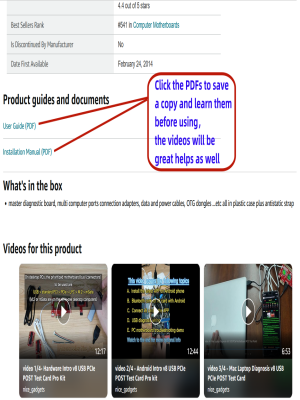
Downloadable Installation Manual and the User Guide PDFs with the Videos InstructionsIn order to assure the smooth effective uses of this new latest V8 computer motherboard tester diagnostic kit, we have prepared the PDFs and the Videos instructions. These are downloadable at the Amazon listing page.
Please see this Amazon listing page, scroll down to after the “Product Information” table the “Product guides and documents” section, then look for the “Installation Manual (PDF)” and “User Guide (PDF)”.
The Videos are available right after this PDF document section as well.
This is a great nice little powerful capable Multi Computers Motherboard Diagnostic Tester Tool Kit
This set of the V8 PCIe USB Computer Motherboard Tester POST Test Card Kit is brought to you by Lingvetron .
We have been dedicated in providing the helpful useful computer gadgets and selling online in the past 24 years.
This set of the multi computer motherboards diagnostic kit could be the best on the market to troubleshoot a wide varieties of the different computers with the two great computer technology breakthrough :
Use of the Android APP to deliver the automatic seamless fast effective computer diagnosis and
2. The Unique computer motherboard diagnosis through the USB ports also delivers the nice easy convenient multi computers (both IBM and Mac) quick diagnosis as well.
We may try this set on the different computer devices including the Smart Automobile USB Data ports to check the car computers, the Smart TV … etc.
Great nice for the PC Technicians, Computer DIY Lovers, Desktop PC & Laptop Owners, Computer Labs Admins, Computer Classes for Education and Learning Purpose and Computer Parts Traders … etc.
ATTN : Please DO study the listing page the “Product Guides and Documents” section, the “Instructions for Use (IFU) (PDF)” guide for all manual links at the end of the PDF, to use this kit correctly and easily. 【The item PACKING】 includes the paper printout with the same Complete Instruction Folder with PDFs and APP. 【Only use the tested APP in the folder】 【BOTH 64bit for Newer Androids and 32bit Manufacturer APP】 are available, passed the Android security scan checks and Google Play pending. MUST use the Android APP to display results on the screen, NO Traditional DIGITAL Display to show the POST codes, Great Ease to save hassles of diagnostic codes lookup one by one manually.
Easy To Use Unique USB Diagnosis with Videos and PDF Guides. 【MUST study the Guides Before Use】 New latest smartphone technology in using the USB ports ( Standard USB / micro USB / Type C ) to diagnose the computers. 【NOT just getting the electric power but RUNNING the Diagnosis Data through USB ports】. A very powerful Essential Nice Handy computer repair tool kit for quick help on diagnosing Desktop PC, Server, Laptop, All-in-one PC, Android Smartphone / Tablet, customized built miniPC and Mac machines … etc. A great motherboard tester diagnostic kit that provides the most accuracy and effectiveness in making the computer troubleshooting and repairs much easier.
USB Diagnosis Unique Feature – Save hassles of taking the dusty PCs or laptops apart. Follow the English PDF user guides to power on and let the Android APP to work with this new test kit to auto scan the motherboard for faulty components quickly. When testing different PCs together, make sure follow the listing User Guide(PDF) to see 【Latest Updates with PRECAUTIONs and Extra Tech Tip】 to UNPLUG the USB cable between each test and restart to clear the last cached working motherboard diagnosis data. The ONBOARD USB cable is needed to plug to the Android charger, the other dedicate USB cable connects to motherboard USB port. Connect this 2 USB cable wrongly causes the unstable connectivity.
All-in-one Multiports support – Different complete bus connector adapter parts included. Made of quality PCB, transistors and capacitor components. Direct pinpointing the faulty motherboard components to greatly reduce the costs yet increase the effectiveness in the computer diagnostic repairs. Videos and the PDFs instructions please see the listing “Videos” section and the “Product guides and documents” section for more details.
Tested and brought to you by 29 years IT Professionals This kit works with all machines with USB ports including New Old Desktop PC and Laptop Computers, IBM compatible, Mac machines (using USB), Android devices Smartphones and Tablet PCs. Comes with Step by Step Easy Guides, videos instructions, PDF pictorial manuals with Easy Flowcharts and Latest Updates with Precautions. Great for PC Technicians, Computer Owners, Computer Class Student Learners and PC DIY Lovers, Hardware Traders, professionals and novices . Nice Essential must have to add to our computer tool boxes.

Placeholder –
William is your new friend! (Instructions help here too)
Honestly, I would like to meet William someday and buy him a bear. Hes just that good an honest and helpful gentlemen. RARE now days we know.You don’t need to write to him with questions. William monitors the shipping, knows the day you receive it and immediately writes to you to see if you have questions, or that there might be something he can help with. Literally, preemptive tech support! Everything good that has been said about William and his awesome Lingvetron V8 diagnostic tool is true.The only down side is, that English is not his first language and sadly that reflects in the user instructions. The work around with this is simple as the tool is to use. Stop, READ, and just try to understand. In his efforts to make the tool as easy as it is. And that is why and were the instructions get convoluted. He try to hard! And that is due to his diligent efforts to provide. Because of the above and his grand efforts, it gets a bit redundant and muddy. His videos seem to reflect the same. However, he is working on finding an editor to help him so this could get cleaned up soon.So, here is your “user tech tip” for the Lingvetron V8 diagnostic tool. (This is what I did and it worked great!)Download the app from William provided emailed link on Amazon. Make sure you have “install from other sources” enabled. Install it and provide the requested permissions. Using the app makes it so easy as William give you everything and instructions right there. No 2 digit codes to chase down. Its all right in your hand!0. Tool set ups. Once the app is installed, get it connected via Bluetooth. The app itself will help guide you. Look for the little yellow/red highlighted “connect” on the app. It will also provide the “pass code” for Bluetooth link. Honestly, if you cant manage this, you probably have no business using the tool anyway. So, read me here. Read Will’s instructions and JUST TRY. Once that is done…1. All power to computer off. Even the PU switch located on the power supply.2. Plug the tool in the wall with a standard 5V charger. Not the fancy powerful ones. Just a cheep 5V will do. Plug it in with the USB that is hard wired to the tool. A green light shows it powered. Blue Bluetooth light will be blinking showing ready to connect. Pair it with the devise your using now. (Note hints above)3. Locate the provided standard USB cord. Plug it into the V8 tool and the other end into the computer. Preferably straight to the Mother board and not via the case.4. Reach down and turn on the power supply switch to send power to the computer and IMMEDIATELY hit the power button on the case to fire up the computer.By the time you get up off your knees from reaching around the back of the computer the diagnostic will probably be done. Follow its instructions and suggestions provided. Its just that simple!!!Pair the V8 tool with a good power supply tester and you will never be guessing or swapping components to test ever again!Yes, sorry. Mr. William does need an editor for his instructions. But that’s OK because we need his tool and are all patient and smart enough ourselves to work with him on how to use it. You don’t even need to contact him. He will contact YOU and be right there to help.Thank you my dear friend William. Your a God send and I so wish had something like your magic V8 too decades ago.CheersMichael
Gregory M. Casey –
Well made & great communication
Thisvis well made but is definitely challenging during initial set up. It is easy to contact the vendor with any questions you have.
M. Roberts –
Very useful card, backed by excellent service
This card helped me to troubleshoot a tricky problem and saved me some money along the way!A newly-built PC would usually fail to POST. Once or twice, I got the BIOS to load, but soon it would crash.Suspecting the mobo, I returned it for an exact replacement. But the replacement mobo behaved similarly. After thoroughly checking out the RAM and CPU heat sink, I wondered: could the new CPU chip be DOA? The PSU worked with an older mobo, so I could probably rule that out. Or, was is possible that I got a second bad mobo? This had me stumped.I found some discussion of this PCIe analyzer card (KQCPET6 Type B) on the Internet, and decided to order one. Since it was half the price of a new mobo, and a quarter that of the CPU, I figured it might help to avoid spending more money.Before the card arrived in the mail, I received a friendly message from the vendor, with URLs to the PDF documentation. (The card is part of a kit, which can also be used to troubleshoot laptop PCs and some mobile phones. I only used the card with a PCIe bus, but it’s very versatile.) Once the card arrived, it fit easily in the PCIe slot and displayed all kinds of useful information on startup. I could see that the CPU was working and the PSU supply voltages were okay. The card also performs a “stability test”, which my system failed.The card comes with extensive documentation, but as a noob to PC troubleshooting, I found some parts a little difficult to follow. In places, the English was a bit curious, as the original documentation was written in Chinese. I contacted the vendor for additional guidance. For the price, I wasn’t expecting too much, but I received a prompt and very helpful reply. We exchanged a few more messages and he got me on the right track with some very helpful troubleshooting advice.The KQCPET6 helped me to determine that the second mobo was also defective (what are the chances??). I returned it for a new one (different brand!), which then worked flawlessly.If you like building PCs and find yourself scratching your head over one that won’t POST, this little card could save you money and guesswork. Recommended!
AdmiralP –
They cannot be serious
TLDR: Your phone is likely too new to run the required app, which must be sideloaded since it is not maintained on any trusted platform.The product description fails to mention that the required app is outdated, insecure, and unavailable from any reputable source. If you consider Google Drive a trusted source for downloading apps, then this product might work for you.The app itself is at least ten years old and unlikely to run on modern devices. If you happen to have an older spare phone that can run it—and you’re willing to keep that phone permanently offline—then you might be able to use this product.Personally, after reading the instructions, I wasn’t even comfortable powering on the board.If the sellers want to continue offering this product, they need to:1. Update the app.2. Ensure the app is properly authenticated.3. Make the app available on the Play Store.Lastly, instead of providing a page with links and references, just include a printed PDF of the instructions.
Jim –
Like the way it was delivered. I havent try it that much,coz i already fixed my pc when i got it,the instructions video are very helpful.