







OBD2 Scanner / Matching tools
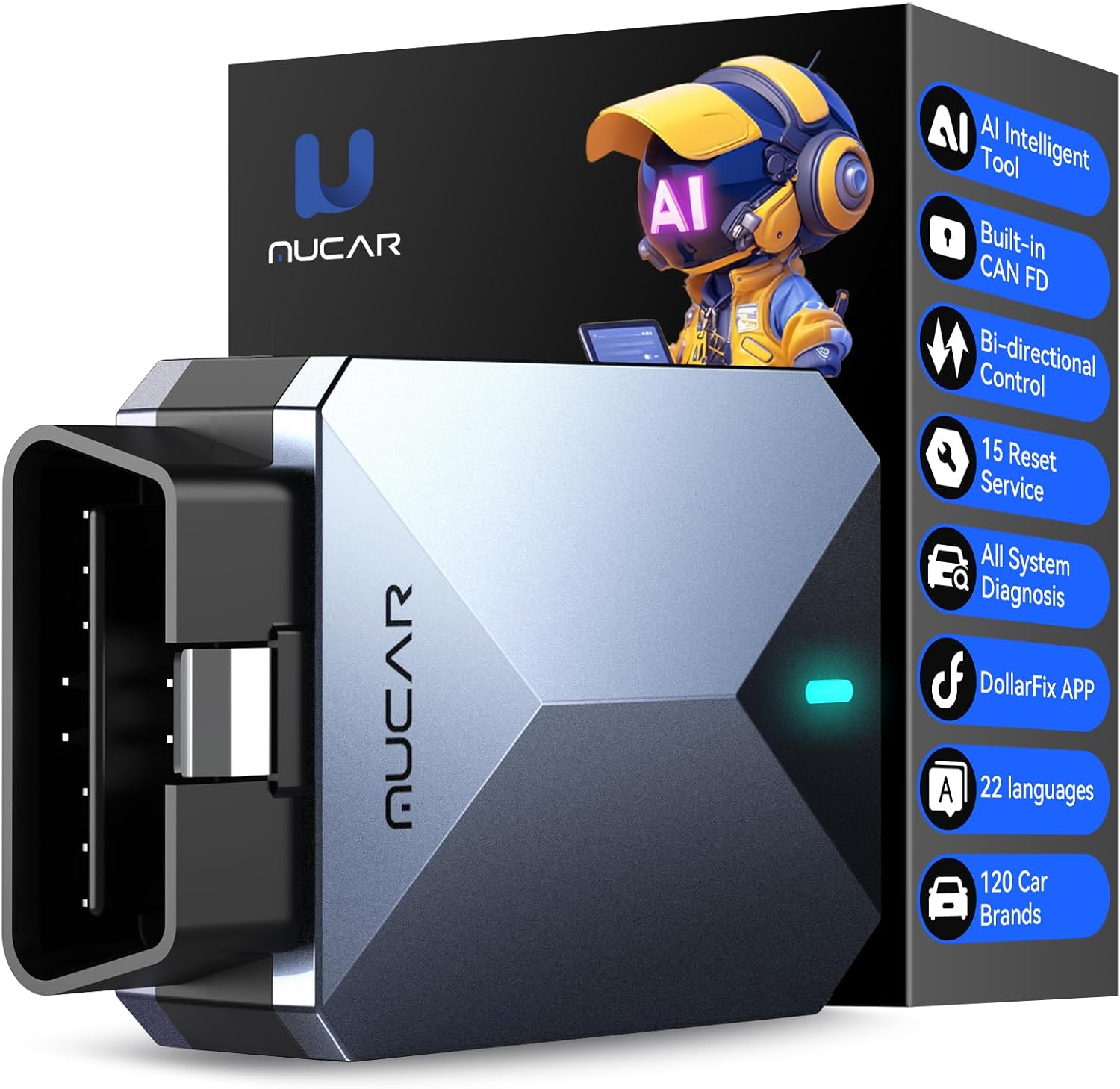
892BT AI-Assisted Scan Tool
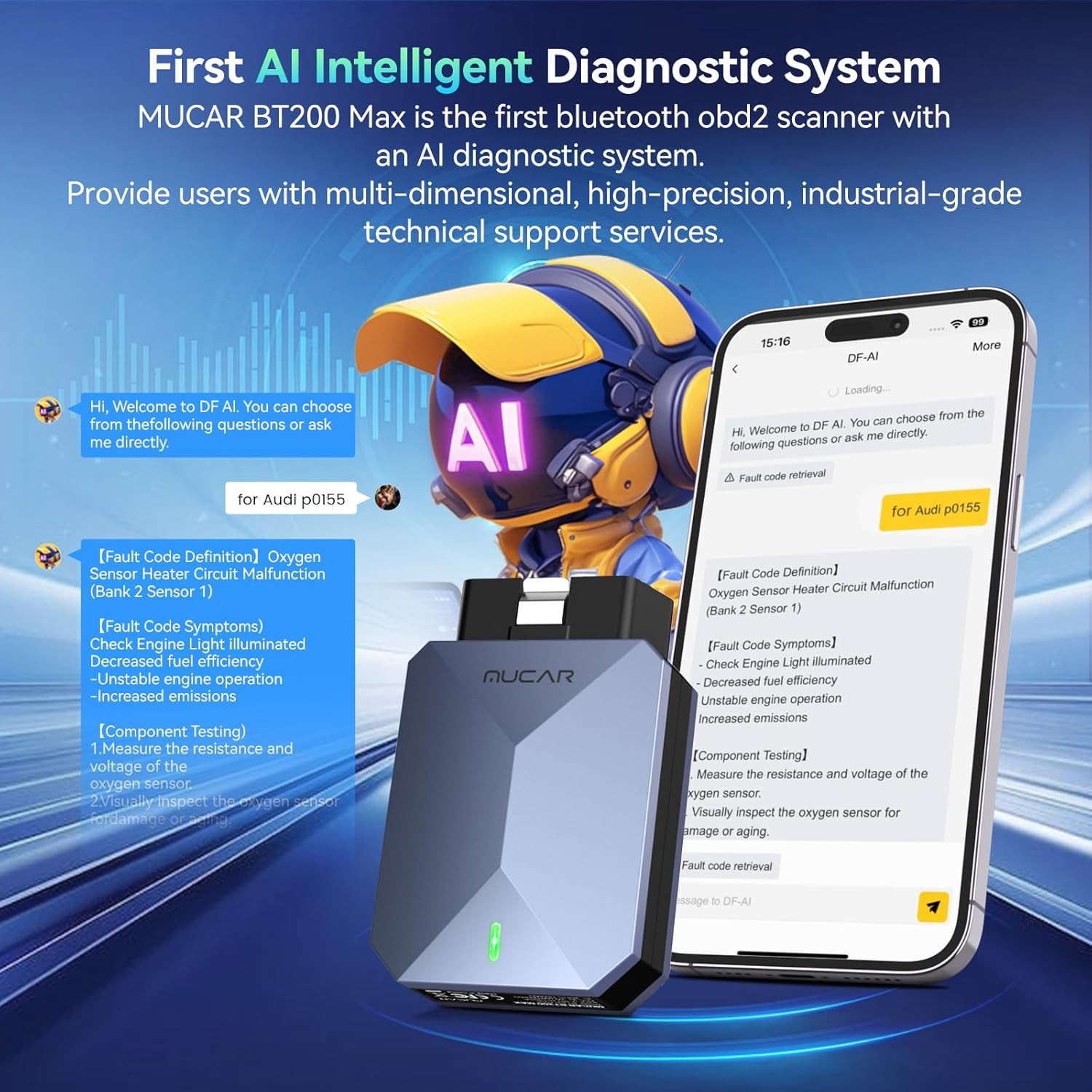
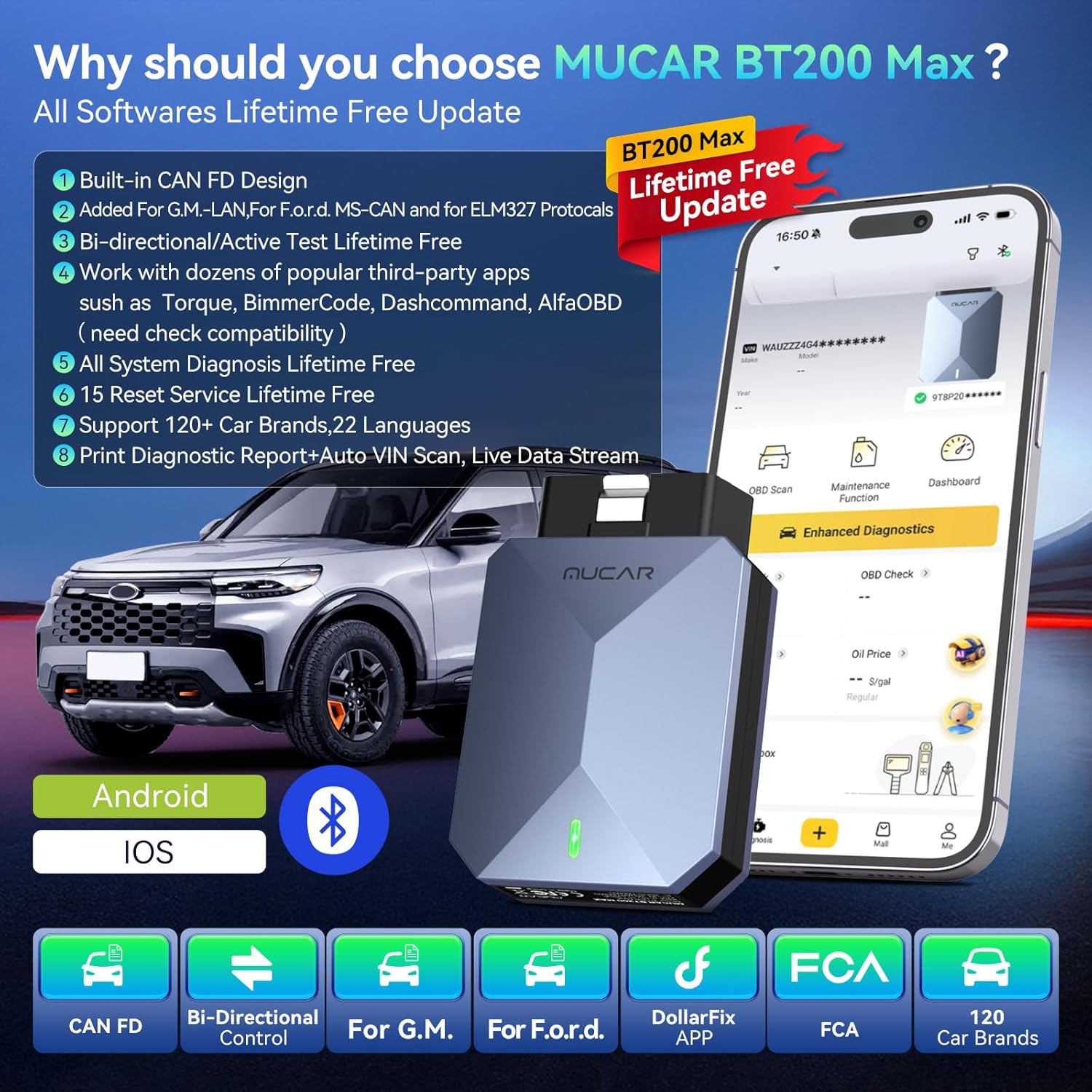
AI Intelligent Diagnostic Tool: BT200 MAX Supports the latest AI-assisted features. Upon entering the dollarfix APP, an AI customer service avatar appears, providing AI-powered trouble code analysis and troubleshooting, along with professional vehicle trouble code terminology and AI-powered answers to various automotive diagnostic questions. This is an industry first, the first diagnostic tool with AI capabilities, offering professional assistance to beginners and individual buyers.
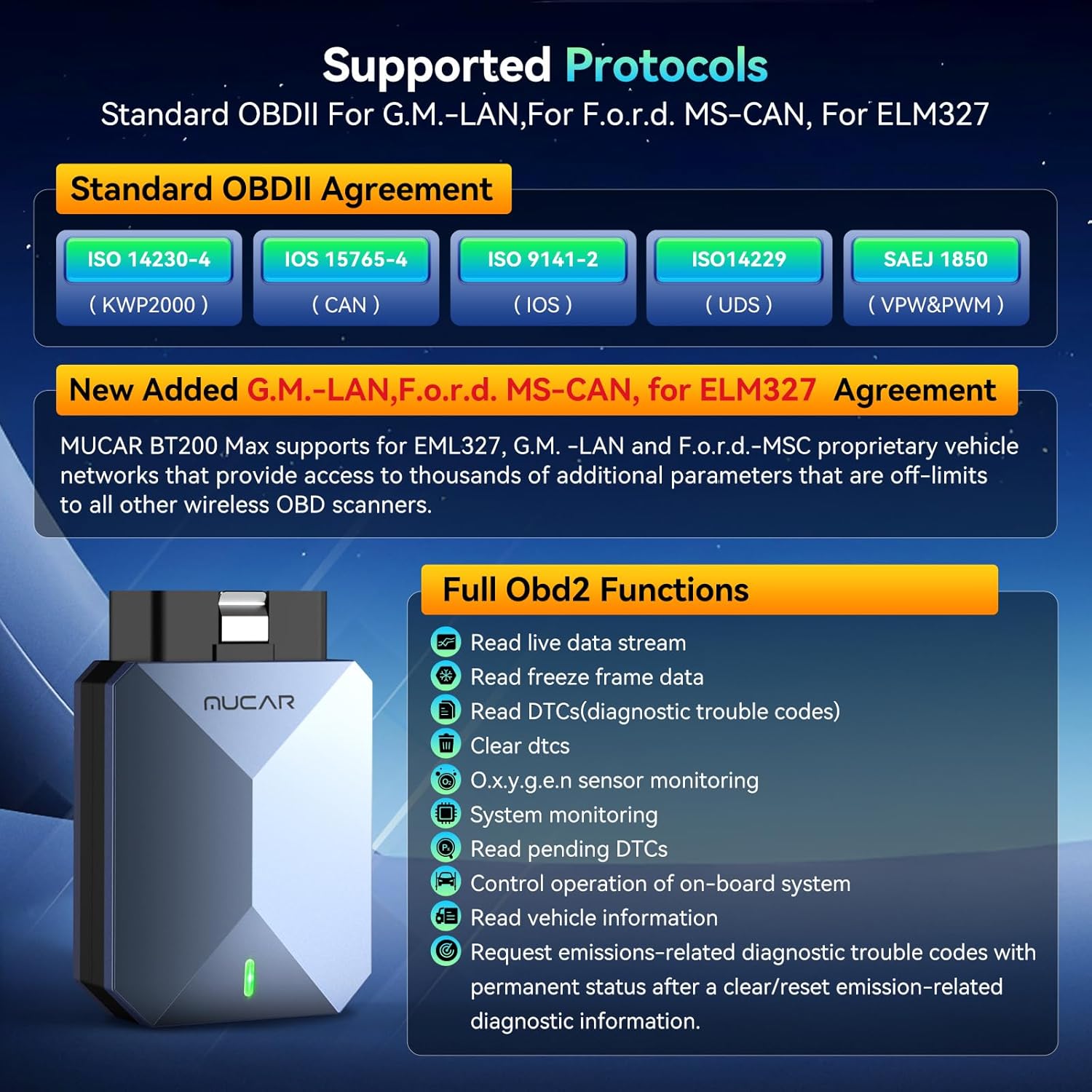
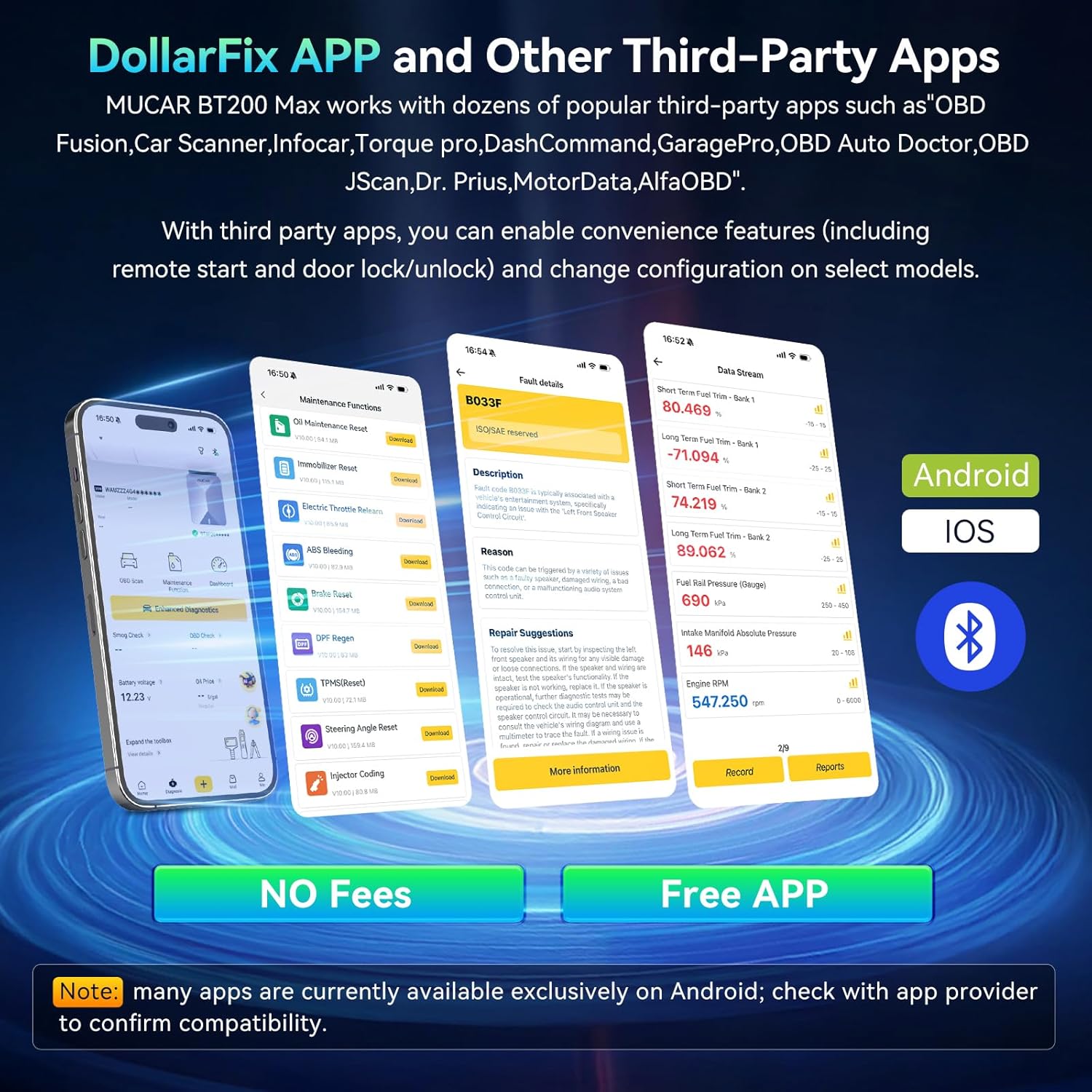
Compatible with EML327: Thousands of automotive diagnostic software on the market (compatible with mobile apps like Torque and Car Scanner) are specifically written for ELM327’s “Mandarin” instruction set. Switching to “ELM327 Mode” allows seamless compatibility with these third-party software, transforming it into a powerful universal scanner. This greatly expands the tool’s versatility and flexibility. You can use it to connect to various mobile apps or computer software to perform basic but useful tasks, such as reading common trouble codes and viewing real-time sensor data (such as water temperature and engine speed).
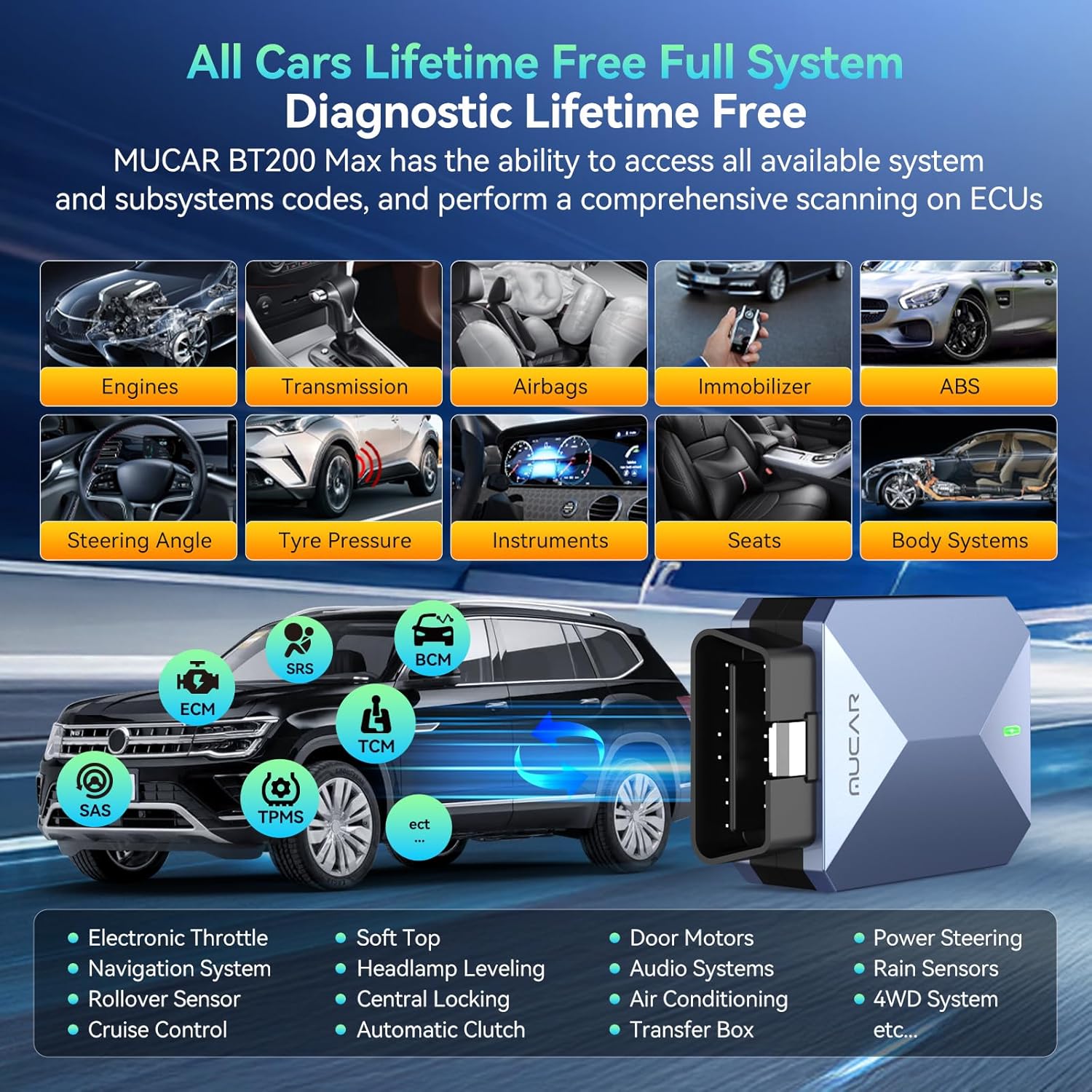
Supports All System Diagnostics: The Car Diagnostic Tool is a universal OBD-II diagnostic tool that accesses all available vehicle systems, such as the ECM, transmission, ABS, airbags, SAS, EVAP, TPMS, BMS, EPB, fuel system, lighting system, air conditioning, and more. It also displays real-time data (sensors, valves, speed, etc.). Data can be presented in text, graphical, and video formats and saved as customer reports. Please note that this is a limited availability issue; not all systems on all vehicles can be detected.
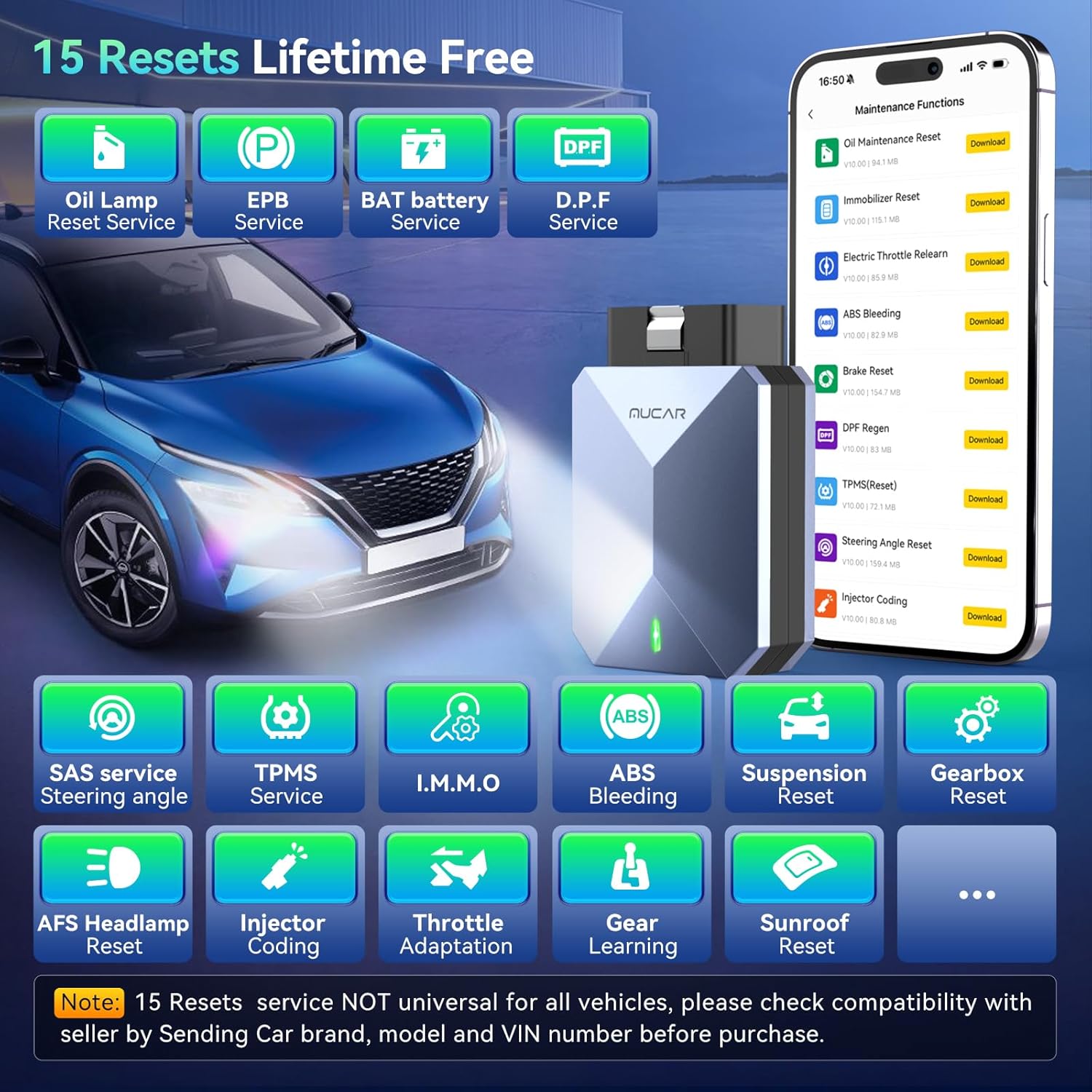
Supports 15 Maintenance Functions: Over 15 maintenance resets: Supports oil reset, tire pressure monitoring system (TPMS) reset, battery management system (BMS) reset, transmission relearn, throttle learn, SAS reset, and many more specialized functions within the system diagnostics menu. These functions help car owners easily perform necessary maintenance and care, ensuring your vehicle maintains optimal condition, extending its lifespan, and preventing common issues and failures. Please note that this is a limited availability issue; not all maintenance functions are supported on all vehicles.
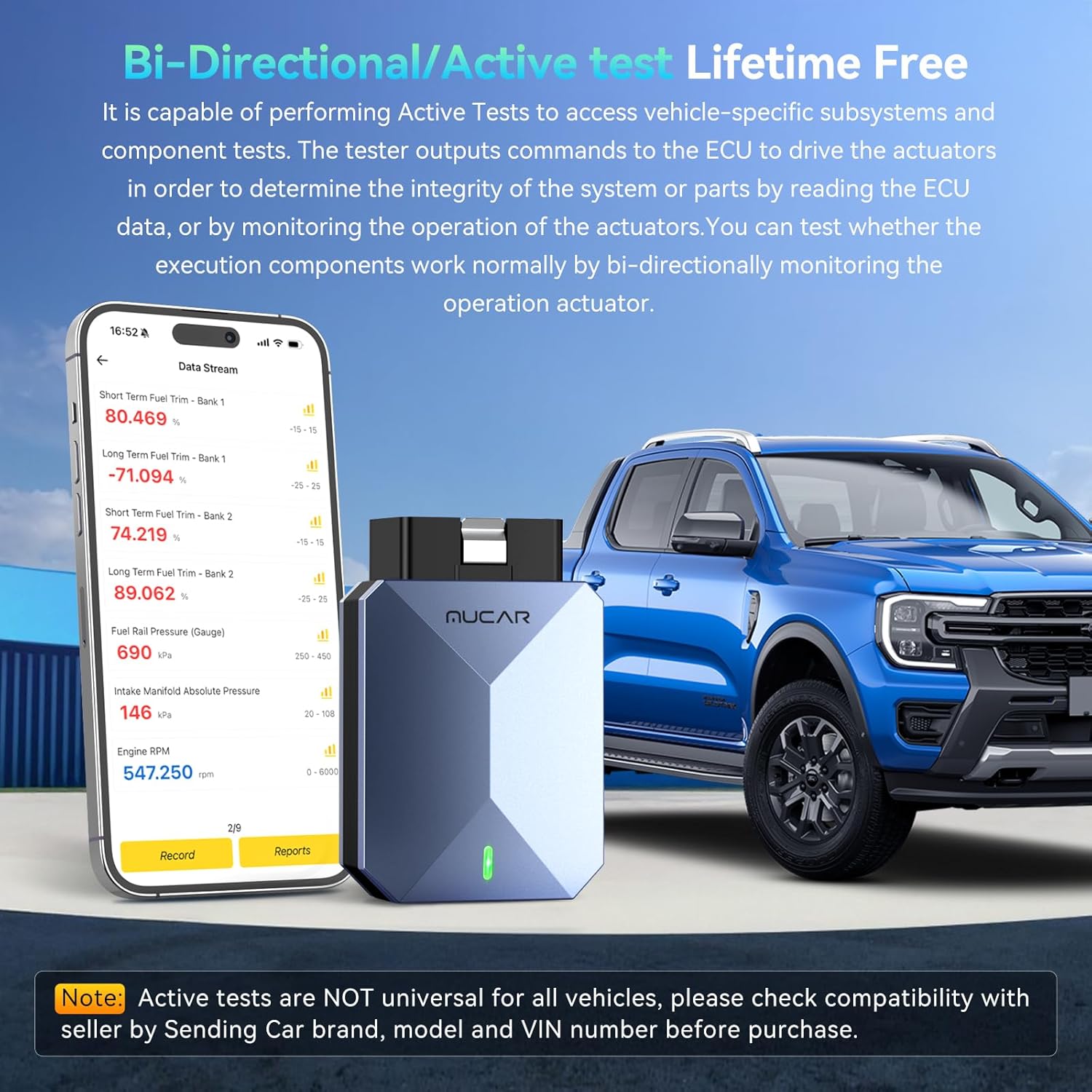
Supports Active Testing Function: Full bidirectional control, the OBD2 scanner diagnostic tool features full bidirectional control, allowing you to send commands to the vehicle’s ECU to actively test components such as the fuel pump, injectors, air conditioning clutch, windows, sunroof, etc. This bidirectional OBD2 scanner helps DIY enthusiasts quickly diagnose and test vehicle components, thereby reducing troubleshooting and repair time.
Best Gift for Husband:Mens gift ideas for husband, In today’s car-loving world, a professional car diagnostic tool is undoubtedly a perfect gift for men or husbands. It not only satisfies their love of mechanics and their desire for exploration, but also acts as a “personal doctor” in daily car use. Connecting to the vehicle via the OBD interface, it can quickly read fault codes, monitor engine status, and reset maintenance reminders. For car enthusiasts, it’s both a practical tool and a technological toy.

Thieron –
Must have device
Good little scanner for quick diagnostics of needed
Amilleon –
One of the best OBD2 scanner for the money.
This works great. Used it to diagnose issues in other modules that a standard OBD2 reader couldn’t read or clear. Its small and has a carrying case. It can fit in your pocket and is easy to take with you on car hunting. If you need to check the condition of a car, use this OBD2 Bluetooth module.
J. E. Taylor –
Pretty decent diagnostic tool
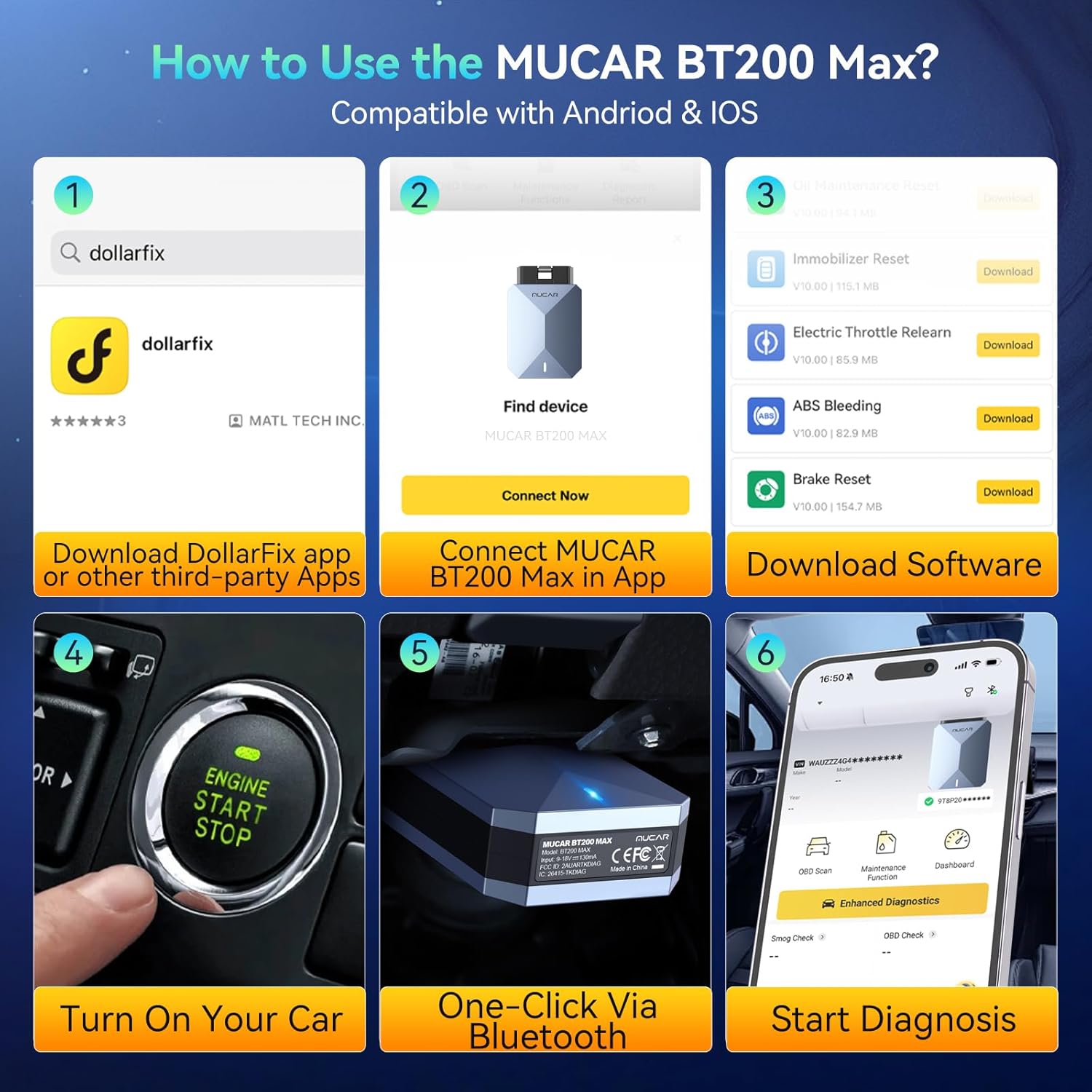
Update 1/13/26: For the life of me I cannot get it to connect with Torque Pro. I’ve been through all the adapter settings in Torque and it won’t read codes. The adapter seems to connect to the app, but it won’t connect to the vehicle. I’ve used Torque in the past with a couple other adapters I’ve used and I’ve had no problem. I may try one of those devices again just to make sure it’s not an app issue. However, I reached out to customer service on the Dollarfix app and by the end of it, it was suggested Torque may not work with the device so I suggested they remove that part from their product listing. They need to state specific third party apps that will work or be upfront if only Dollarfix will work.Original review: This is a pretty good diagnostic tool that handles some amount of bi-directional communication depending on your vehicle’s compatibility. The size is very small and portable. There are other devices that are smaller but don’t support features this one has. The little carrying case is a nice touch.Setup wasn’t terrible. I had to download the Dollarfix app, create a sign in, then scan the code on the manual to activate the device. Not difficult to figure out. In the app you’ll need to download the diagnostic software for your vehicle brand and then install any of the other functions you want to to perform. The manual briefly mentions this but I put a picture with step 1 to press “Me” then step 2 press “Vehicle Software”. The app seems to work fine but I had a few times when it crashed, usually when trying to create/share a PDF report with the diagnosis. The auto VIN retrieval worked fine, better than the auto VIN feature on another mucar device I have that is more like a tablet. I’ll have to play with the AI function more but it gave very thorough information to check the O2 sensor for the P0134 code on my Silverado.I used it on my 2005 Chevy Silverado and 2013 Ford Escape. The Silverado wouldn’t pull up the little dashboard with tachometer, speedometer, or other instruments. The Escape would communicate that and display the info. I was able to perform an ABS bleed with the Silverado. Viewing general codes on either vehicle was straightforward.For the life of me I can’t get it to work with Torque Pro, which I use with other devices like this. Torque acts like it connects to the device but from there it won’t communicate with the vehicle computer. Oh well.It’s a good tool and the app is decent. The price is cheaper elsewhere from what I saw on the Dollarfix app. Anyway, I’d recommend this diagnostic tool.
Brian Carlson –
Set up device properly
Worked as described, must download ur car software type
Richard –
Read live data I/M readiness.
Additionally, the majority will show freeze frame data, which is a collection of sensor values saved at the time a fault code is recorded. To identify the problem that caused the code or warning light to appear, this information may be helpful. The majority of low-cost scanners share other features, however their capabilities and software integration differ. I will omit several of the features that are typical of scanners with comparable prices because this is getting too long. The setup was not too bad. To activate the device, I had to download the Dollarfix app, set up a sign-in, and then scan the code found in the handbook. It is easy to figure out. You must first download the diagnostic software for the brand of your car from the app, after which you can install any additional features you desire. This is mentioned in passing in the handbook, but I included an example where you press “Me” in step 1 and then “Vehicle Software” in step 2. Although the software appears to be functioning properly, I experienced a few crashes, generally when attempting to generate or distribute a PDF report including the diagnostic. Compared to the auto VIN capability on another Mucar gadget I own, which is more akin to a tablet, the auto VIN retrieval functioned flawlessly. It provided excellent detailed information to check the O2 sensor for the code on my Accord, but I will need to experiment further with the AI feature. Also, I saw that it is bi-directional, so if you know what you are doing, you may adjust some settings. Almost every vehicle on the road today is supported. The software is very user-friendly and comprehensive in its troubleshooting. It appears to have every feature of a specialized, brand-specific scanner. With free lifetime upgrades, this is an excellent deal if you maintain several automobiles. A collection of sensor values saved at the moment a defect code is recorded is known as freeze frame data, and most will also display it. This information may be useful in determining the issue that resulted in the code or warning light appearing. While most inexpensive scanners have similar functions, they vary in terms of software integration and capabilities. Since this is becoming too lengthy, I will leave out a few functions that are common to scanners of similar cost. It was not an awful setting. I had to download the Dollarfix app, create a sign-in, and then scan the code from the guidebook to activate the gadget. It is simple to understand. Before you can install any further features you want, you must first download the diagnostic software for your car’s brand from the app. Although the guidebook mentions this in passing, I gave an example where you press “Me” in step 1 and “Vehicle Software” in step 2. Even though the program seemed to be operating well, I had a few crashes, usually while I was trying to create or share a PDF report that included the diagnostic. In contrast to another Mucar’s auto VIN capabilities.
Canada –
The scanner is surprisingly capable for a compact Bluetooth scanner. The app connects quickly, the interface is straightforward and having access to all‑system diagnostics plus the reset functions makes it feel way more premium compared to the usual ELM327‑style tools. It’s great for quick checks before deciding whether something actually needs a shop visit.The only downside is that some of the advanced functions can take a moment to load, especially on older phones, but once it’s running, it does the job well.
William Hood –
Fantastic bit of kit. Easy to set up and use. Just need to download the vehicle specific software and you’re good to go. AI analysis is pretty clever. This does what you’d be paying hundreds for normally, it just uses your phone instead of a dedicated tablet.
Thomas –
As someone who enjoys tinkering with my vehicle but lacks professional-grade equipment, this device offers an impressive array of features that cater perfectly to hobbyists like me.First off, the setup is incredibly straightforward. Within minutes of unboxing, I had it connected to my car and was navigating through the user-friendly interface. The Bluetooth connectivity allows seamless operation with both iOS and Android devices, which is a huge plus. I appreciated not having to deal with any cumbersome cables, and the app provides clear, concise instructions that guide you through each diagnostic process.One of the standout features is its comprehensive diagnostic capabilities. It doesn’t just scratch the surface with basic error codes; it performs an all-system scan that gives you a detailed overview of your vehicle’s health. I discovered a couple of minor issues that I wouldn’t have been aware of otherwise, allowing me to address them proactively. The 15 reset functions are also a fantastic addition, particularly for clearing those pesky warning lights after maintenance.The AI-assisted features truly set this tool apart from others on the market. It provides insights and suggestions based on the diagnostic results, which is incredibly helpful for someone still learning the ropes. I felt more confident in interpreting the data, knowing that there was an intelligent system backing up my findings.Battery life is another area where this device excels. I’ve used it multiple times without needing to recharge, which is convenient for longer diagnostic sessions. Plus, the lifetime update feature ensures that the tool remains up-to-date with the latest vehicle protocols and software enhancements.In terms of value, this tool offers exceptional bang for your buck. Considering the professional-level features it provides, the price is very reasonable. It’s a worthwhile investment for anyone serious about car maintenance and diagnostics.Overall, this diagnostic tool has exceeded my expectations in every way. It’s reliable, easy to use, and packed with features that make it suitable for both beginners and more experienced DIY enthusiasts. If you’re looking to take control of your car’s health, I highly recommend giving this device a try.
Living by the sea –
The engine warning light flashed up on my wife’s 2016 Fiesta during the soggy school run, and I could almost hear my wallet whimper. I pulled in by the sea wall, plugged the BT200 Max into the OBD port, and linked it to the DollarFix app all very quickly and easily.Bluetooth stayed rock-solid while the AI part of the app translated P0420 into ‘check the upstream O2 sensor, mate’ rather than a cryptic string of digits. Because the scanner offers proper bidirectional control, I ran a quick test to cycle the fuel trim, proving the sensor was the culprit, not the catalytic converter. Live data popped up as tidy graphs, so even my fifteen-year-old, who insists engines are ‘old tech’, could follow what was happening.Packaging was just a small cardboard sleeve, no plastic maze to fight through, which my dog appreciated because he steals anything that squeaks.Speedy connection, clear diagnostics, and that handy component testing have already saved one garage visit, making it a cracking bit of kit for anyone with a driveway and a spanner collection. A little time and effort needs to go into the different menus and understanding them but overall its a solid bit of home help for your car rather than an expensive trip to the garage.
David Reviews –
It works, sometimes with certain cars. I’ve tried now on a handful of cars and had mixed luck getting reads. When it works, it’s phenomenal, but it’s frustrating when it doesn’t.This is probably OBD2 Scanner number 3 or 4 for me over the years, and this came promising the most features, which if it worked, would be impressive and justify the price tag of $180. I was very disappointed when I hooked it up to my first car and it spun and spun for minutes and then spat back a failure. No matter what I tried, how I tried it, I could not get any report from it. I tried then a couple more readers on the same port, and they all worked fine. I switched vehicles, and had a couple successful goes at it, which means it worked for a couple, including a Chrysler and a Honda. I tried another vehicle and again, it could not get a read or any data. It’s frustrating when you go through the process of inputting the VIN, setting up a vehicle and it just spins infinitely with no result. It’s more frustrating when you consider the price of the reader and that it can’t do what other much lower price ones can, consistently.Given my 50% success rate, this is not a good value product, and while you might try it out on your vehicle(s) and have no problems, if you happen to own a vehicle it just doesn’t want to work on, like I do, you’ll end up with an expensive plug that does nothing.