




An example-driven guide to take your image editing skills from beginner to advanced using powerful Photoshop Elements tools and techniques in tandem with Adobe’s latest AI technology
Key FeaturesUpdated to the latest version of Photoshop Elements 2020 with focused coverage on Adobe’s latest AI technologyOrganize, search, and keep track of an ever-increasing number of images and videos using expert practicesDiscover common solutions to a wide range of photographic and image-editing problemsBook Description
Adobe Photoshop Elements is a raster graphics editor for entry-level photographers, image editors, and hobbyists. Updated and improved to cover the latest features of Photoshop Elements 2020, this second edition includes focused coverage of Adobe’s new AI-powered features that are designed to make the editing process more efficient, creative and fun.
This book takes you through the complexities of image editing in easy-to-follow, bite-sized chunks, helping you to quickly recognize the editing challenge at hand and use suitable tools and techniques to overcome it. You’ll start by learning how to import, organize, manage, edit, and use your pictures in a format that’s designed for creative photography projects. Throughout this Adobe Photoshop Elements book, you’ll discover how to fix different photographic problems using an extensive repertoire of commonly applied solutions. Common processes such as applying artistic effects to creative projects, custom image makeovers, processing images for social media, and other file export methods will also be covered.
By the end of this book, you’ll have learned about the impressive tools available in Photoshop Elements 2020, and how it is designed not only for photographers who’d like to dip their toes into the editing world, but also for those wanting simple but effective ideas on how to expand their creativity while remaining time-efficient.
What you will learnExplore the automatic AI-powered features designed to make the editing process faster and more efficientAdd graphic elements to any composition, photograph, or illustrationOvercome challenges in editing multi-layered images for your photography projectsDevelop illustrative skills using Photoshop Elements’ drawing toolsLearn techniques for professional photo retouchingWork with online and local templates to create calendars, greeting cards, and other projectsWho this book is for
This book is for creative and enthusiastic photographers with elementary experience in photo editing. If you are looking to organize your picture collection and take control of post-processing requirements, you’ll find this book useful. Though not necessary, photography skills alongside basic photo editing knowledge will help you to get the most out of this book.
Table of ContentsPhotoshop Elements Features OverviewSetting Up Photoshop Elements from ScratchThe Basics of Image EditingImage MakeoverEasy Creative ProjectsAdvanced Techniques: Layers and MaskingAdvanced Techniques: Retouching, Selections, and TextAdvanced Drawing and Painting TechniquesExporting the Finished WorkBest PracticesFeature Appendix
From the Publisher

What’s new in Photoshop Elements?
In the latest version of Photoshop Elements, you’ll find an incredible range of sophisticated tools, features, and capabilities packed into a very affordable editing package, making it not only a serious professional tool, but also one that is (arguably) much easier to use than Photoshop CC.
With Mastering Adobe Photoshop Elements 2020, you’ll:
master the Photoshop Elements UI with the help of real-world examplesdiscover popular editing techniques used when targeting different mediums such as books, websites & moreexplore an extensive variety of commonly applied solutions to different photographic problems
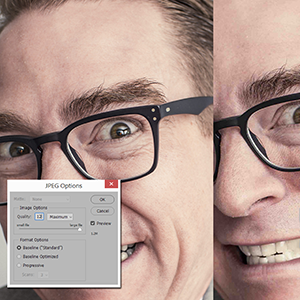
Mastering Adobe Photoshop Elements 2020
Written by a photographer for photographers
The book is written by a photographer for photographers of all skill levels. Anyone with a thirst for knowledge, a desire for file organization, and a wish to improve their visual creativity through the power of photo editing will find this book indispensable.
Discover exciting new Photoshop Elements techniques
In addition to exploring features and new techniques, you’ll discover tips and hacks for how to fix things that go wrong when managing huge databases of images, processing damaged or poor quality files, or when dealing with images that aren’t 100% sharp.
Table of Contents Photoshop Elements Feature Overview Setting Up Photoshop Elements from Scratch The Basics of Image Editing Image Makeovers Easy Creative Projects Advanced Editing Techniques Advanced Drawing and Painting Techniques Photoshop Elements Best Practices
Key Topics Covered
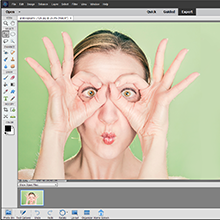
Photoshop Elements Feature Overview
Introduces you to detailed explanations of exactly how the different parts of Photoshop Elements operate.
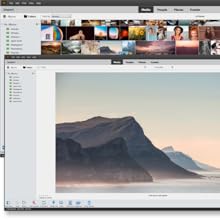
The Basics of Image Editing
Learn all there is to know about basic but highly effective editing using some of Elements’ friendliest features while creating a staggering range of eye-popping results.

Image Makeovers
This chapter is all about taking real world examples – most of which we have all experienced – and fixing them up to look fantastic.
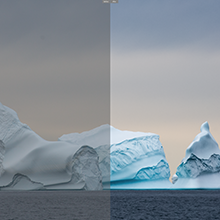
Easy Creative Projects
One of Elements’ greatest assets is its ability to create impressive visual results with minimum input from the user. This chapter profiles a range of incredible-looking effects that almost anyone can create.

Layers and Masking
Ramp up your learning experience with a chapter covering the power of layers, layer masking, image transformations, making flyers and posters, and the Eraser tools.
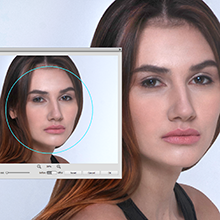
Retouching, Selections and Text
Explore the retouching process, learn how to make accurate selections and best use the impressive Dodge, Burn and Sponge tools, as well as how to bring text into the photo design process.
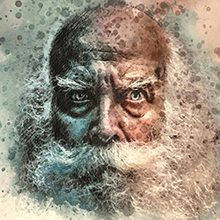
Advanced Drawing and Painting Techniques
Learn how to take your creativity into the graphic design studio in this chapter with Elements’ design, graphics, amazing custom brushes and powerful illustration features.

Photoshop Elements Best Practices
Everyone has problems with file organisation and software glitches. Here we look at solving the most common image problems: lost files, poor composition (with the re-compose brush), fixing up gross under- and over-exposure, and how to sharpen blurry images.
Publisher : Packt Publishing
Publication date : April 30, 2020
Edition : 2nd ed.
Language : English
Print length : 544 pages
ISBN-10 : 1800204205
ISBN-13 : 978-1800204201
Item Weight : 2.04 pounds
Dimensions : 7.5 x 1.23 x 9.25 inches
Best Sellers Rank: #3,142,230 in Books (See Top 100 in Books) #360 in Adobe Photoshop #422 in Desktop Publishing #679 in Design & Graphics Software Books
Customer Reviews: 4.2 4.2 out of 5 stars (40) var dpAcrHasRegisteredArcLinkClickAction; P.when(‘A’, ‘ready’).execute(function(A) { if (dpAcrHasRegisteredArcLinkClickAction !== true) { dpAcrHasRegisteredArcLinkClickAction = true; A.declarative( ‘acrLink-click-metrics’, ‘click’, { “allowLinkDefault”: true }, function (event) { if (window.ue) { ue.count(“acrLinkClickCount”, (ue.count(“acrLinkClickCount”) || 0) + 1); } } ); } }); P.when(‘A’, ‘cf’).execute(function(A) { A.declarative(‘acrStarsLink-click-metrics’, ‘click’, { “allowLinkDefault” : true }, function(event){ if(window.ue) { ue.count(“acrStarsLinkWithPopoverClickCount”, (ue.count(“acrStarsLinkWithPopoverClickCount”) || 0) + 1); } }); });

Bruce G –
Can’t beat this program.
This program is fairly simple to learn and I love post processing my photos. Easy to make a good picture great.
Jay –
An in – depth exploration of Photoshop Elements
Throughout the compendium, Mastering Adobe Photoshop Elements 2020, takes the user from A to Z. The user will learn simple details building an extensive and complex knowledge. Chapters include a basic overview, fundamental but creative projects, image editing along with advanced techniques and practices. Complete with illustrations and palatable explanations, I personally recommend this book to anyone who is learning or refreshing their knowledge.
The runner –
Informative Book
Many useful tips and valuable information about elements.
Derek Robertson –
Good in depth information
Mastering Adobe Photoshop Elements 2020 gives good in depth information, covering all areas of the program. There is information for both beginners and expert users. The book covers everything from how to edit your photos to how to organize them. There is a an overview of easy creative projects and advanced techniques like masking and layers. Good read.
Wayne –
Inadequate index and contents, cannot find info.
The Index and Contents in this book are inadequate. They do not list items by name or give any idea where to find them. The Index omits names of items and processes. The Contents give broad names of sections with no info as to what is in the section. This book is not ready for sell to public.
Aditya Singh –
A well curated book
A well curated bookThe content in the book is well defined and the author does a good job explaining it. It is a good read and it helped me improve my skills
Bonnie Lee –
Not a easy read for me
Maybe I’m too old or maybe just to green at this but for me this book is not a easy read. It hasn’t helped me in the way I had hoped.
MrPatrick –
Practice Images Not Included
There are dozens of images shown in the lessons and chapters. But none of these images are available for downloading to practice along with the lessons in the book.Further, the author does not provide actual images of the various Tools and Tool bars and how to access these various tool option on the lower “tool bar”. For example: On page 310, he refers to the Select tools, but theses tools are not categorized or called as “Select” anywhere in the actual Elements 2020 application. Moving the mouse over that selection, does not produce a visual pop up called Select. No visual images of these tools on any of the near pages. The author assumes a bit too much.The Kelby book may have been a better choice. Kelby supplied many images to go along with many of the chapters. Your didn’t even have to purchase the Kelby book to download Kelby’s practice images.
Tony –
Awesome