

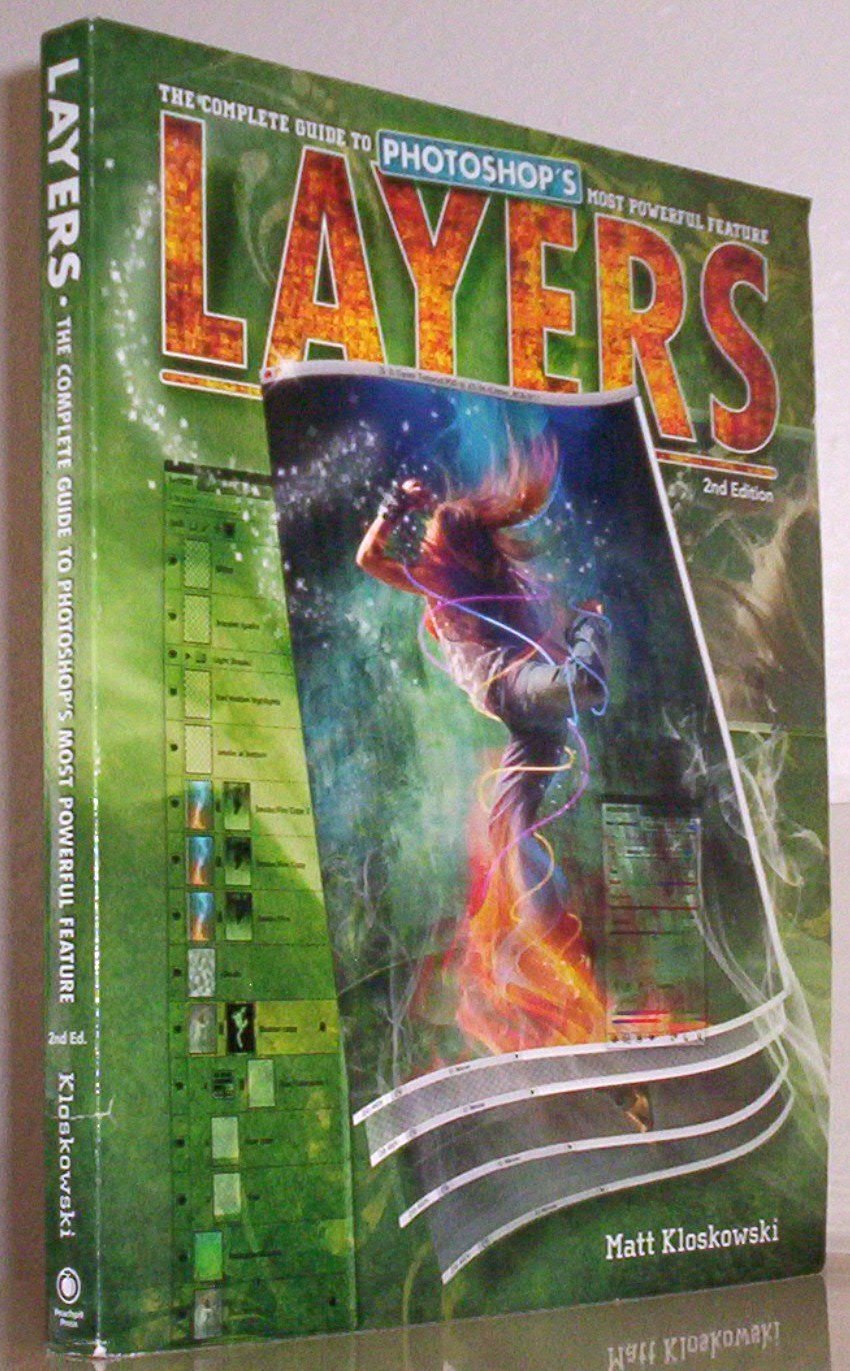
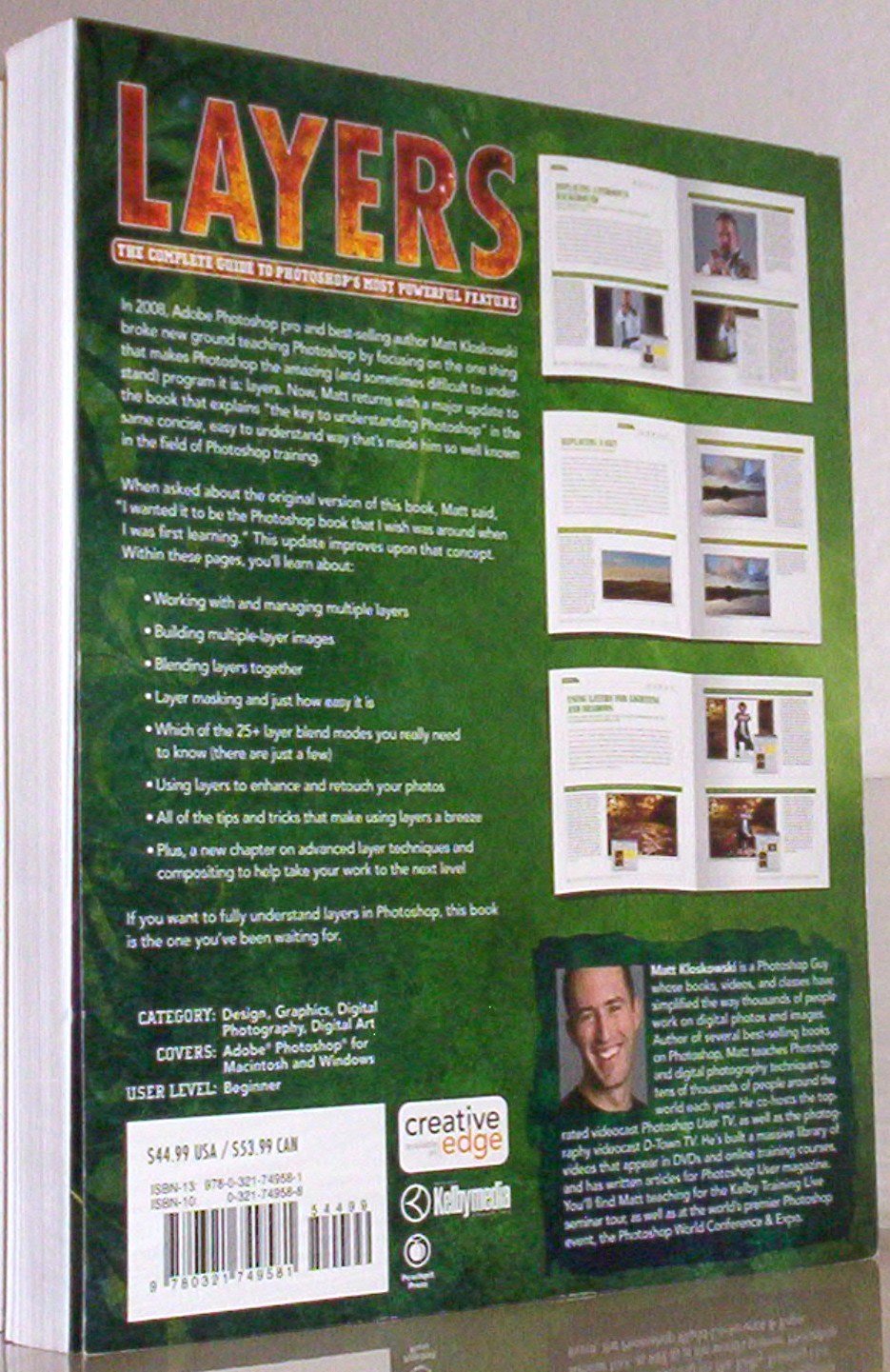
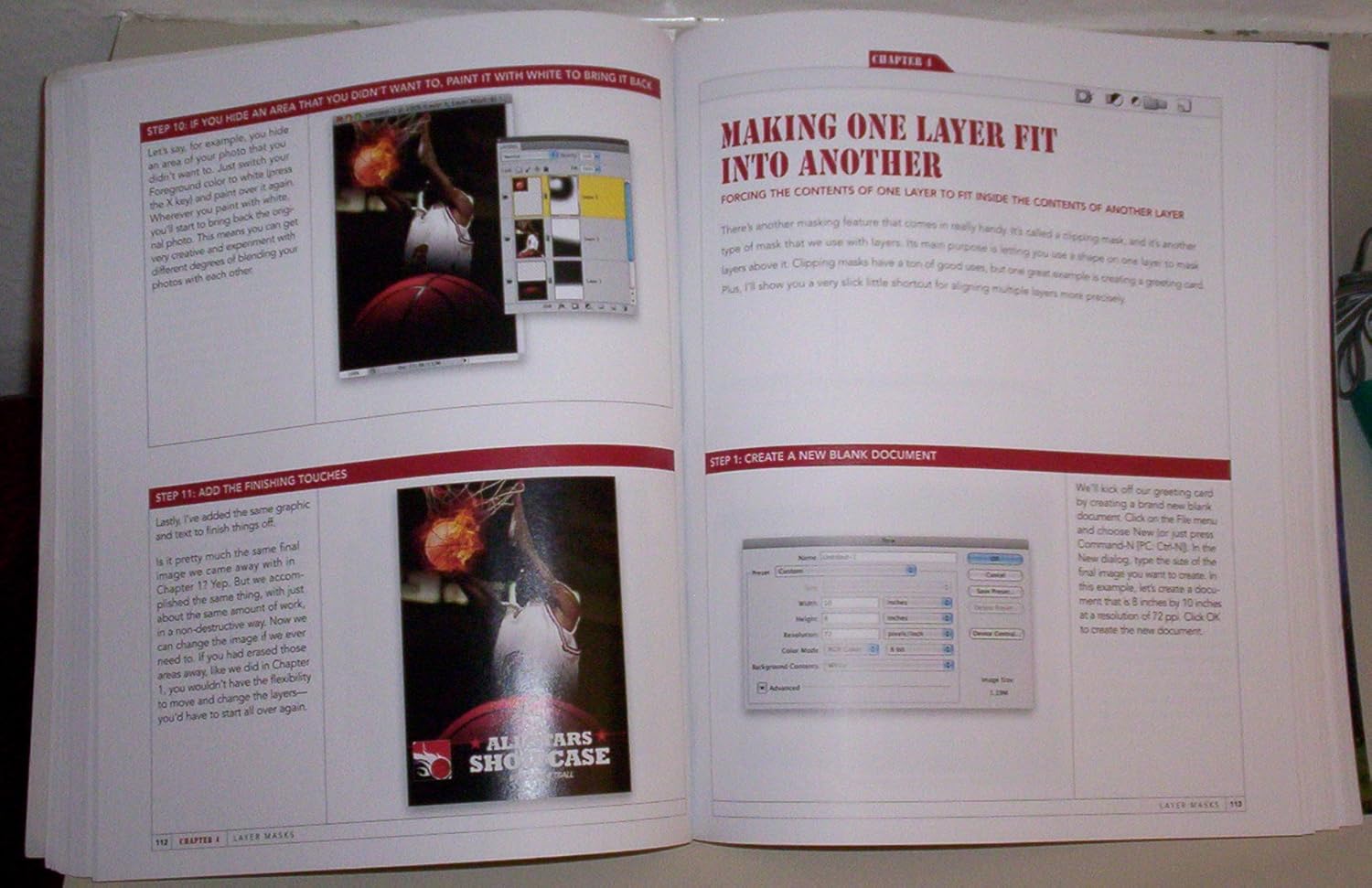
In 2008, Adobe Photoshop pro and best-selling author Matt Kloskowski broke new ground teaching Photoshop by focusing on the one thing that makes Photoshop the amazing (and sometimes difficult to understand) program it is: layers. Now, Matt returns with a major update that covers layers in Photoshop CS5 in the same concise, easy to understand way thats made him so well known in the field of Photoshop training.
When asked about the original version of this book, Matt said, “I wanted it to be the Photoshop book that I wish was around when I was first learning.” This update improves upon that concept. Within these pages, youll learn about:
Working with and managing multiple layers in Photoshop CS5
Building multiple-layer images Blending layers together Layer masking and just how easy it is Which of the 25+ layer blend modes you really need to know (there are just a few)Using layers to enhance and retouch your photos All of the tips and tricks that make using layers a breeze Plus, a new chapter on advanced layer techniques and compositing to help take your work to the next levelIf you want to fully understand layers in Photoshop CS5, this book is the one youve been waiting for!
Publisher : Peachpit Pr
Publication date : January 1, 2010
Edition : 2nd
Language : English
Print length : 299 pages
ISBN-10 : 0321749588
ISBN-13 : 978-0321749581
Item Weight : 1.4 pounds
Dimensions : 7.75 x 0.75 x 9.25 inches
Best Sellers Rank: #1,363,327 in Books (See Top 100 in Books) #112 in Adobe Photoshop #1,180 in Digital Photography (Books) #5,870 in Computer Science (Books)
Customer Reviews: 4.5 4.5 out of 5 stars (308) var dpAcrHasRegisteredArcLinkClickAction; P.when(‘A’, ‘ready’).execute(function(A) { if (dpAcrHasRegisteredArcLinkClickAction !== true) { dpAcrHasRegisteredArcLinkClickAction = true; A.declarative( ‘acrLink-click-metrics’, ‘click’, { “allowLinkDefault”: true }, function (event) { if (window.ue) { ue.count(“acrLinkClickCount”, (ue.count(“acrLinkClickCount”) || 0) + 1); } } ); } }); P.when(‘A’, ‘cf’).execute(function(A) { A.declarative(‘acrStarsLink-click-metrics’, ‘click’, { “allowLinkDefault” : true }, function(event){ if(window.ue) { ue.count(“acrStarsLinkWithPopoverClickCount”, (ue.count(“acrStarsLinkWithPopoverClickCount”) || 0) + 1); } }); });
 ADOBE PHOTOSHOP ELEMENTS 2025 USER GUIDE: Comprehensive Handbook to Improve Your Skills in AI Powered Photo Editing with Tips for Beginners and Professionals eBaydiy Tools
Original price was: $16.99.$4.99Current price is: $4.99.
ADOBE PHOTOSHOP ELEMENTS 2025 USER GUIDE: Comprehensive Handbook to Improve Your Skills in AI Powered Photo Editing with Tips for Beginners and Professionals eBaydiy Tools
Original price was: $16.99.$4.99Current price is: $4.99.
 Photo Retouching with Adobe Photoshop eBaydiy Tools
Original price was: $29.95.$13.94Current price is: $13.94.
Photo Retouching with Adobe Photoshop eBaydiy Tools
Original price was: $29.95.$13.94Current price is: $13.94.
Layers: The Complete Guide to Photoshop’s Most Powerful Feature eBaydiy Tools
Original price was: $44.99.$13.78Current price is: $13.78.
-69%🚚 Free Shipping on orders over $75+
📦 Arrives: Apr 04 - Apr 06
🛡️ 2-Year Professional Warranty Included
Guaranteed Safe & Secure Checkout

Tenna Merchent –
Not just for beginners!
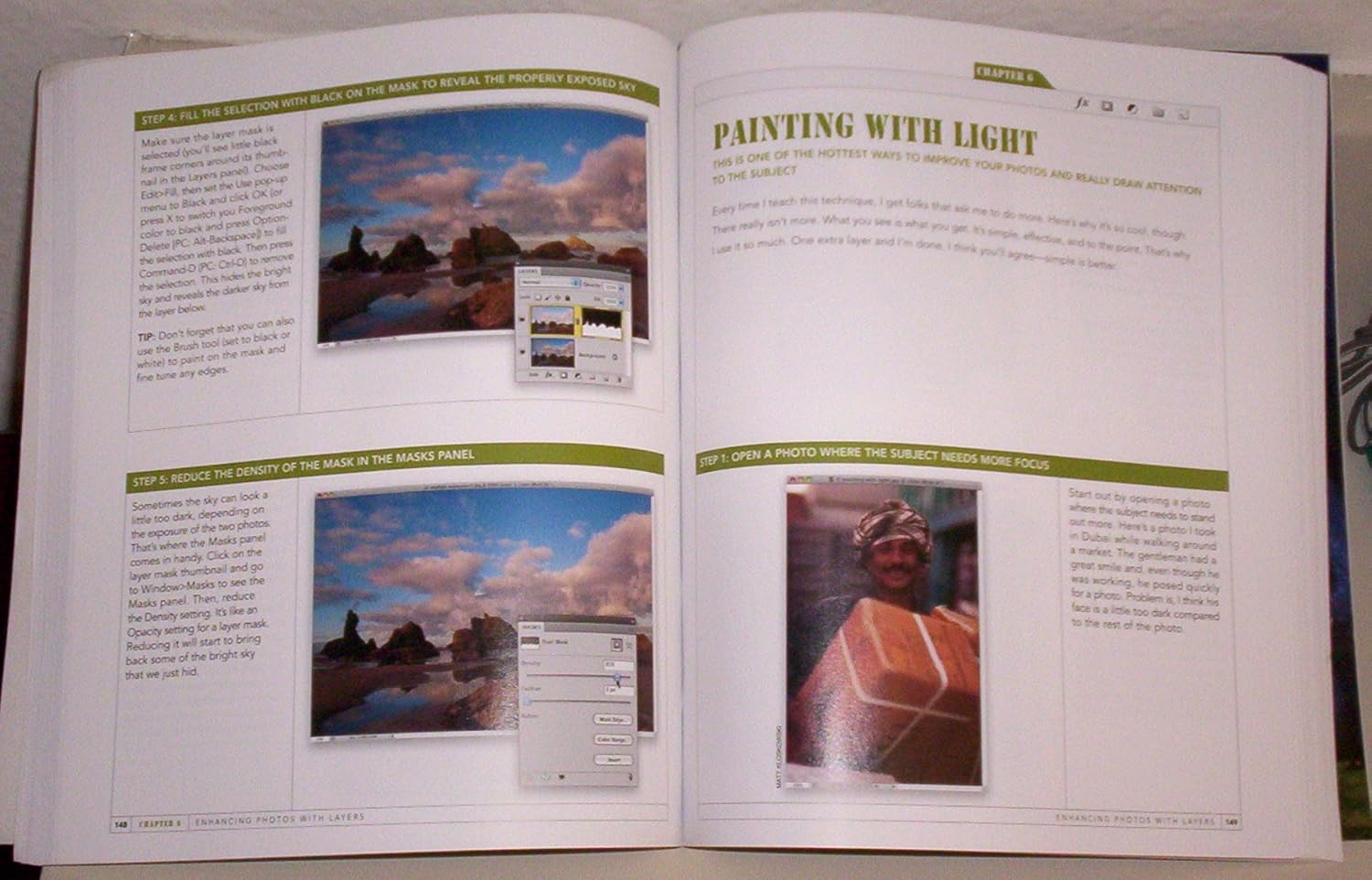
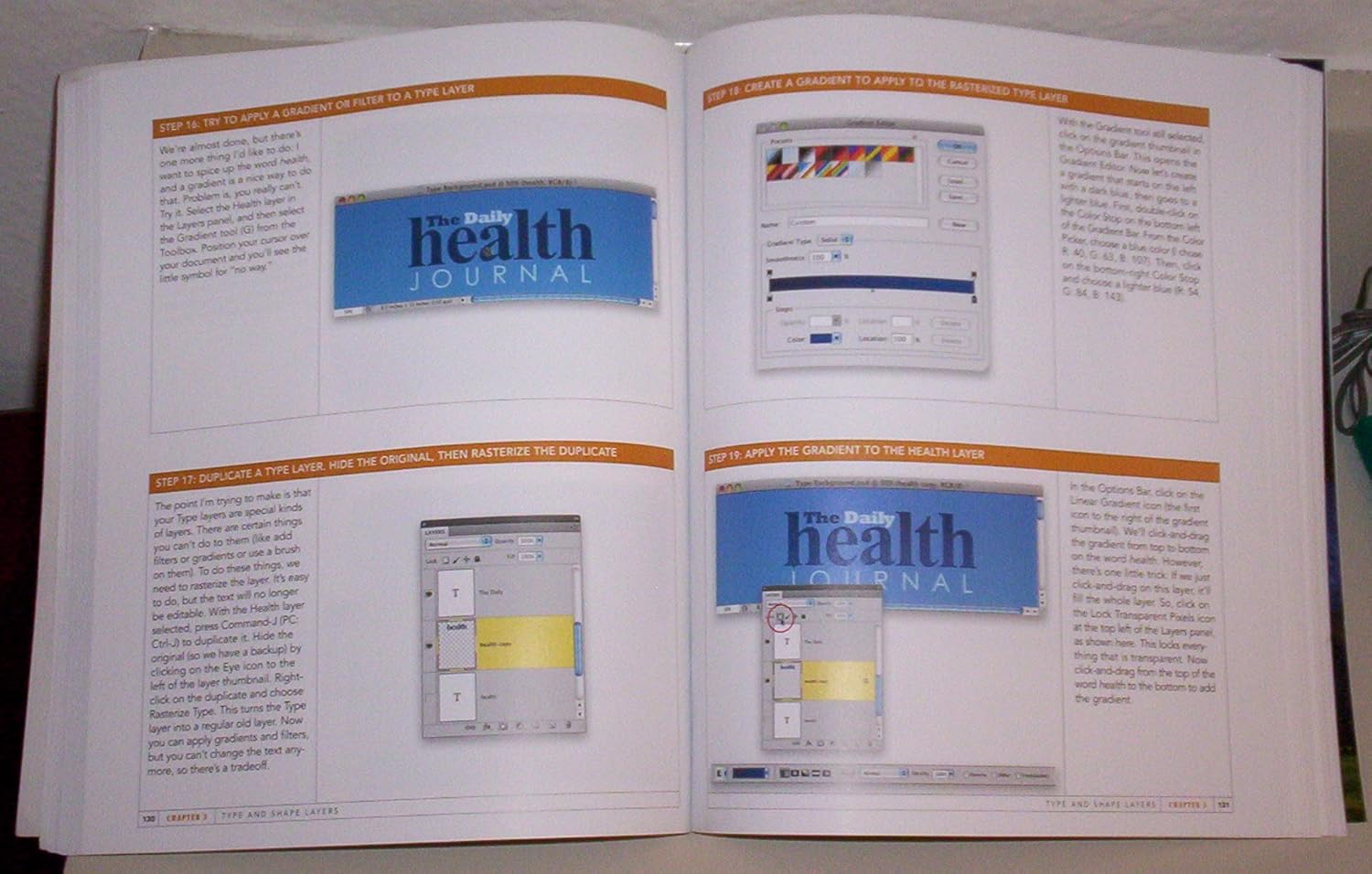
This book was a great read and a worthwhile investment. When I first started reading it, I thought it was too basic for me, but luckily, I kept reading. Yes, it has the very basic concepts of layers, but it has WAY more too. I made several breakthroughs with this book, which is a major accomplishment for me. I usually feel like a book is worth it if I find one really worthwhile technique. I have 12 pages dog-eared so that I can get back to them quickly, and of course highlighting throughout the book.I loved the layout of the book. It is broken into 10 chapters that have subchapters within. The subchapters are short, less than 10 pages each, and have LOTS of graphics showing the screen he is referring to. There were a few times that I wished he’d shown another screen that he was referring to, but overall he showed what he was discussing. The text is brief and to the point without the mindless detail that kills some Photoshop books. At the end of each chapter he has a “How do I…” section that replays some of the tips he demonstrated from the chapter that I found quite useful.Some of my favorite things from this book were:* All of the great keyboard shortcuts. Yes, I have a book on shortcuts, and have printed out volumes from another book I purchased, but I found his more useful because they were in context.* His description of the layer blending modes with examples. I have a few that I use all the time, and this has really helped me branch out of my blending mode rut.* Clipping masks, yes, I’ve used them, but I didn’t really understand how to make them. Now I do, and it’s easy.* He also helped me expand with text. I didn’t think about rasterizing a text layer so I could add filters, gradients, or use a brush on them, now I will. Or locking the transparent pixels, so a gradient doesn’t apply to the whole layer, seems obvious, but I never thought of it.* I did not know there was a keyboard shortcut where you could run the last filter, but open the dialog box so you could change the settings. It’s command-option-F! Yeah!* Loved his sections on creating a watermark, and creating glowing light streaks with layer styles. His layer style discussions were great.These were just a few of my favs. Some of these things may be familiar to you, especially if you watch Photoshop User TV the podcast as I do. But I still found the book quite helpful.There were a few things I didn’t like about the book, for instance, he uses the eraser tool in situations where I would use a layer mask, since a mask would be less destructive. But I know another very famous photographer/retoucher that uses the eraser tool extensively over layer masks. So maybe it’s what you are used to, but I would teach masks when at all possible. Matt does use layer masks extensively, but a few times, I thought, “Why is he using the eraser tool now, and not a mask?”Then when he was teaching the highpass filter to sharpen or create an `edgy look’ he said he really uses a plug-in Topaz Adjust to create the same look because it is easier. I use the highpass filter as he describes all the time, but I have it as a recorded action, so it is easy for me. I own Topaz, I just don’t use it that much.I really struggled over what rating to give this book, because I normally save my 5 stars for books that I consider perfect, and there were, as I mentioned, things I disagreed with in this book. But I liked the book so much, and would recommend it to any of my friends, that I decided it deserves 5 stars. This is a book that I will refer back to and study and incorporate many of his techniques, and where possible, automate them!
Charlie –
Layers: 2nd Edition.
Layers: (2nd Edition) by Matt Kloskowski is an outstanding book. I have been working with Photoshop® all the way back to version 4. With each new release, there are many new tools, enhancements and other changes. These have led to a powerful, complex tool that is tough to master. I have struggled to get a handle on layers and masks and associated tools for years. Following a procedure isn’t enough for me. I need to know how and why it works. I need to understand the process.”Layers,” while outstanding isn’t perfect. Matt does a great job with the book. It is written as a tutorial, sort of a script or lecture. He goes into great detail explaining all aspects of layers and associated tools.Don’t expect to go through this book in one evening. For me, to get the most out of the material, I treat it as a college course. I read the material, highlight important concepts in the book, making my own notes in a separate composition notebook; review my notes and then do the lab work.As another reviewer points out, an improvement to the book would be to pull out the steps from the text, and list them near the appropriate illustration(s) [or in an appendix]. That way, one could repeat the process over and over without reading and rereading comments and other material. Also, the keyboard short-cuts are great but don’t tell me what is happening. I know everyone says” …Oh, short cuts are fast and save lots of time…” but here’s the fact: short-cuts can come later, after I know and understand the process…; in the beginning, they’re confusing, meaningless and don’t tell what you are trying to accomplish. Tell me what you’re doing; tell me the short-cut; after I’ve mastered and understanding the process, I will then learn the short-cut.All and all, this is what I have been looking for. It’s a great book and if layers, blending, adjustment layers and masks have been confusing and a “black art” this book will explain many of the secrets and concepts that others don’t tell.
GWH –
An Essential Book for Users of Photoshop
This is an amazing book. It provides clear and concise instructions for constructing layers and layer masks, and combining them to change your photographs from snapshots to works of art.You will learn simple techniques like combining elements of different photographs into one, creating a composite, and more complex processed, such as masking off part of an image and applying texture or color to the unmasked areas. Is the sky in your photograph colorless and boring? You can change it! Background distracting? Fix it! While you certainly don’t need to do things like this with Photoshop, why wouldn’t you? Without them, you might as well use any number of low cost or free photo editing programs.Photoshop is the most powerful (and complicated) program most of us will ever use. Books like this one help us understand and utilize the features built in to this software. And of all the powerful features Photoshop puts at our disposal, layers is at the very top of the list.Three words of advice: BUY THIS BOOK!
Russell Workman –
A good guide for professional and advanced amateurs.
I found Matt’s book invaluable. Despite having worked as a pro photographer since 1967 and using Photoshop since its beginning, there was information and advice in ‘Layers’ I hadn’t come across before.It’s not a book for photographers of the Cartier Bresson school where the only manipulations in an image is retouching dust spots from the photo. However, if you want to correct all those annoying things like boring skies, intrusive shadows & highlights and bad skin using special layers, then this is the book for you.As a bonus, really complex photo constructions with many layers are shown being built accompanied by easy to follow text and step by step photos.
Dr. Malay Kumar Kundu –
Nice book for photoshop user.
rjj –
I sometimes buy books and mags on photoshop and think ‘ I will work through this from cover to cover’ – this is the first time that I have actually done that. The book lends itself to doing exactly that as it flows as a whole series of projects, introducing new techniques as you go.To get yourself off and running you go to the book’s website and download all the various images – chapter by chapter and off you go. I like the fact that not only does the book teach you about the use of layers, how they blend and interact, it also introduces really important single issues as well – for example the specific use of text – how to set text up, how to create effects, pick colours, position and so forth.So this is an enjoyable book, presented with humour and with a gradual increase in skills and challenges and it is one that you will want to keep on the bookshelf to remind yourself about how to do this and that.If layers are not quite something that you are comfortable with then I highly recommend this as an instructive and fun way to learn.
adaptation –
Great companion guide for beginners.
Thomas H. Hofmaenner –
All’s well. Product arrived as described. Thank you!
bobj1247 –
I knew of M Kloskowski’s work from seeing his video tutorials in the NAPP website so I knew what to expect.As a relative newcomer to Photoshop, and keen to improve my skills, I found working with the book an absolute pleasure. There are downloadable files for the user to manipulate in the chapters, and each chapter delivers the subject matter in a simple and easy to follow manner, unlike many so-called self-help books I have used.Within a few chapters I was designing my own fliers and brochures that I had previously employed a designer to do for me. That in itself repays the cost of the book. I would heartily recommend this to anyone wishing to get to grips with layers in Photoshop.