

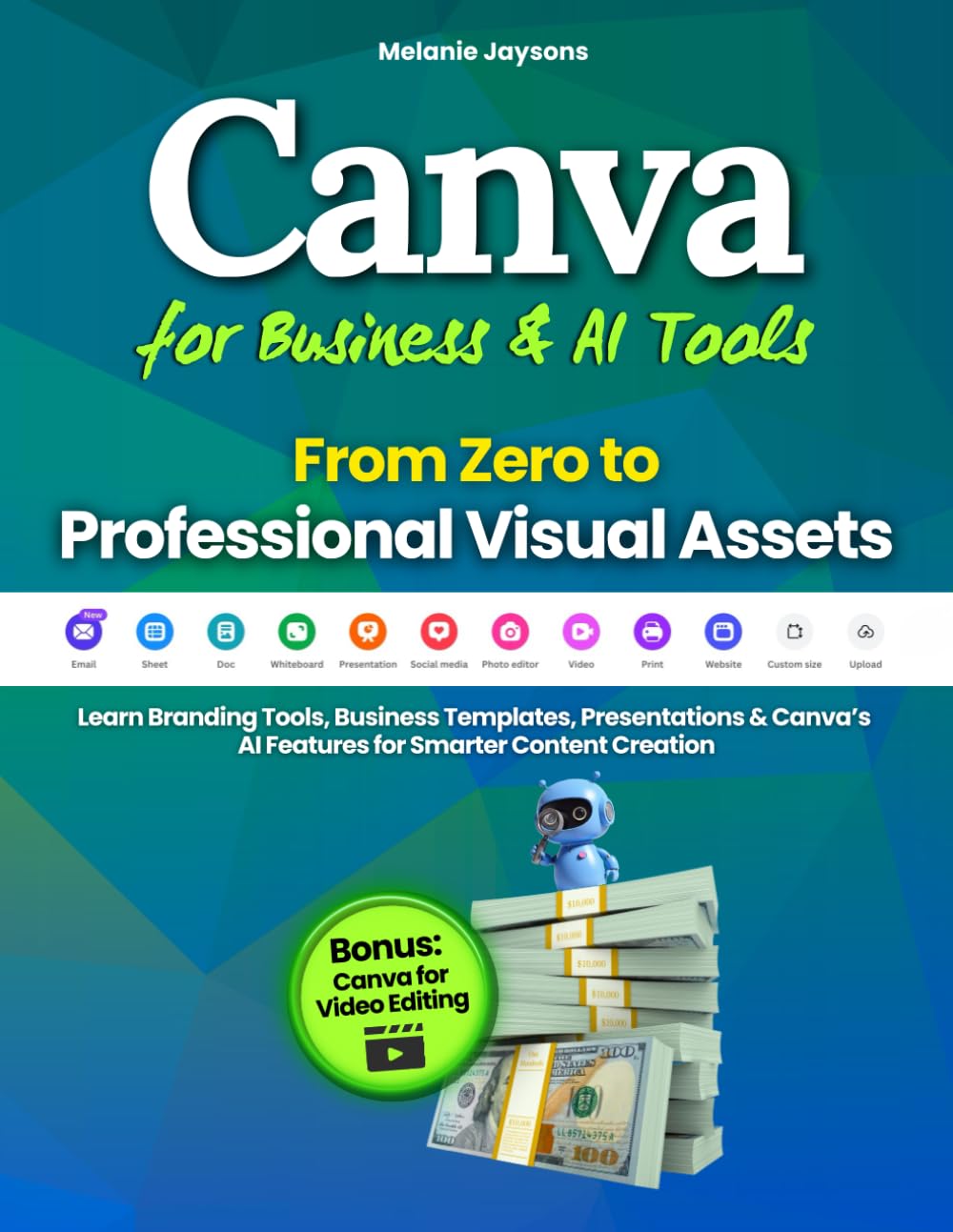


Build Professional Business Visuals in Canva with AI Tools — Even If You’re Starting from Zero
Do you want to create visual content that looks professional and communicates clearly — without spending years learning design?
Would you love to transform Canva from a simple design tool into a powerful system that builds your brand, supports your business, and helps you produce content faster?
Canva for Business & AI Tools is a complete, hands-on guide designed to help you build a professional visual identity, create persuasive business assets, and use AI to streamline your content production, all with practical projects you can put into action immediately.
You’ll learn step-by-step with examples, exercises, and templates you can customize and use right away.
Skills You’ll Build Inside Canva:
✅ Build a Visual Identity System — Create colors, typography, and layouts that make your brand instantly recognizable
✅ Design Persuasive Presentations — Structure slides that support your message and keep attention where it matters
✅ Create Business Documents — Craft brochures, product pages, and pricing sheets that communicate value clearly
✅ Build Conversion-Focused Pages — Design simple one-page layouts that highlight key information and guide action
✅ Use AI to Write and Refine Content — Draft, rewrite, or repurpose text for business-focused projects
✅ Organize Content with Workflow Systems — Build templates and naming systems that support your work
✅ Build a Business Starter Kit — Create brand assets, a structured presentation, and marketing materials
🎁 Bonus Included
✅ Canva for Video Editing — Learn how to edit short videos, add text and motion, integrate audio, and export in platform-ready formats. A structured introduction to creating simple video content directly in Canva.
By the end of this guide, you’ll move from beginner to confident digital creator, able to design, automate, and publish visual content that’s cohesive, effective, and ready to share with the world.
Don’t just learn how Canva works — practice, create, and publish with confidence.
Ready to go from zero to professional visual assets?
👉 Scroll Up and Get Your Copy Today to Start Designing Content That Inspires, Informs, and Connects.
Publisher : Melanie Jaysons
Publication date : December 16, 2025
Language : English
Print length : 86 pages
ISBN-10 : 1805566164
ISBN-13 : 978-1805566168
Item Weight : 8 ounces
Dimensions : 8.5 x 0.2 x 11 inches
Best Sellers Rank: #411,784 in Books (See Top 100 in Books) #29 in Presentation Software Books #38 in Desktop Publishing #244 in Running Meetings & Presentations (Books)
Customer Reviews: 4.6 4.6 out of 5 stars (41) var dpAcrHasRegisteredArcLinkClickAction; P.when(‘A’, ‘ready’).execute(function(A) { if (dpAcrHasRegisteredArcLinkClickAction !== true) { dpAcrHasRegisteredArcLinkClickAction = true; A.declarative( ‘acrLink-click-metrics’, ‘click’, { “allowLinkDefault”: true }, function (event) { if (window.ue) { ue.count(“acrLinkClickCount”, (ue.count(“acrLinkClickCount”) || 0) + 1); } } ); } }); P.when(‘A’, ‘cf’).execute(function(A) { A.declarative(‘acrStarsLink-click-metrics’, ‘click’, { “allowLinkDefault” : true }, function(event){ if(window.ue) { ue.count(“acrStarsLinkWithPopoverClickCount”, (ue.count(“acrStarsLinkWithPopoverClickCount”) || 0) + 1); } }); });


Melody T OConnor –
You definitely need THIS Canva guide!
This book is a clear, practical, and business-focused Canva guide that goes way beyond “make pretty posts.” It walks you step-by-step through building a real brand system (colors, fonts, logos, libraries, and governance), then shows how to turn that into professional assets like presentations, brochures, pricing guides, and even simple websites with strong CTAs.What I appreciated most is how actionable it is. Each section includes real scenarios, common mistakes, checklists, and timed “Do It Now” homework, so you can apply everything immediately instead of just reading theory. It also does a great job explaining how Canva’s AI tools can speed up workflows without sacrificing quality.If you’re a freelancer, small business owner, or content creator who wants your brand to look consistent and professional fast, this is absolutely worth it!!
Ktplowe –
Excellent Tool for Learning Video Editing in Canva!
Thus far what I’ve gotten from this book, is that using canva with the video edting is simple & quick to learn. The book has screenshots detailing the exact way that it’s in Canva. This book has provided me with a better insight on using it. Before I was trying to use so many different other video editing tools, however no need now, I can do everthing in Canva. Thanks for a great read.
Daniele McKee –
An Easy to Use Canva Resource!
This is a great resource! I really appreciate how the book is organized! I like how each section tells: importance for the topic, how to use it, real-life application, things not to do, tips and a short practice exercise. I am not real techy, so this resource is really useful for me!
Wilma –
Each step is outlined for you to follow along
Very easy to follow along with, step by step instructions with some pictures of what the page should look like so you know your in the right spot.
Michelle –
Beginner-Friendly
What I loved most is how beginner‑friendly it is without ever feeling basic. The author walks you through branding tools, templates, presentations, and even Canva’s newer AI features in a way that makes you feel like you’re leveling up with every chapter. The explanations are simple, but the strategies are genuinely professional.The section on AI‑powered content creation was a standout. It shows how to use Canva’s AI tools to speed up your workflow, improve your visuals, and create smarter content — not just prettier graphics. I picked up several tips I hadn’t seen anywhere else.
Melanie Pendleton –
Confidence-Boosting Guide to Canva for Business
Canva for Business & AI Tools – From Zero to Professional Visual Assets feels like having a patient guide walking you through Canva step by step, even if you’ve never designed anything before. It explains branding, presentations, and business visuals clearly and concisely, making them easy to understand without being overwhelming. Instead of just showing where buttons are, the book helps you consider how your visuals support your message and brand. The sections on AI are convenient, showing how to save time by writing, editing, and reusing content directly inside Canva. The hands-on exercises and templates make it easy to apply what you learn immediately, which helps build confidence quickly. Overall, it’s an excellent choice for anyone who wants to create professional-looking content without feeling stuck, intimidated, or unsure where to start.
D Davis –
Just experiment, you can create beautiful photos
This is a great app and use to use even for those with less computer experience
Otisdood –
Great for first times users
Lots of good info in here for first time users and tips for those with experience I would recommend giving it a read