

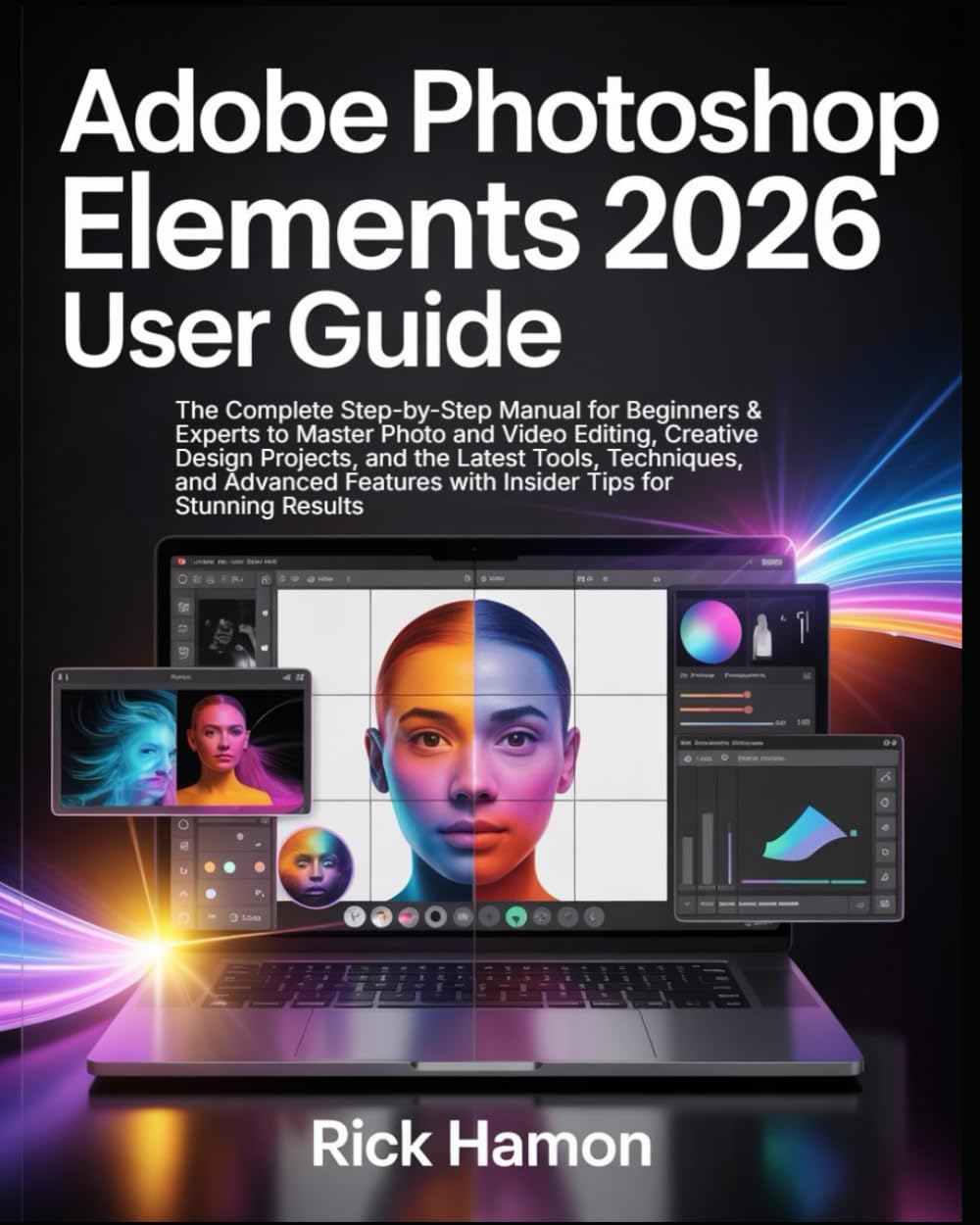


🖌️ Master the Art of Photo and Video Editing with the Ultimate Adobe Photoshop Elements 2026 User Guide!
Ready to transform your creative vision into stunning digital masterpieces? Whether you’re a first-time editor or an experienced designer refining your skills, the Adobe Photoshop Elements 2026 User Guide by Rick Hamon is your complete roadmap to mastering the newest and most powerful version of Adobe’s photo and video editing software.
Photoshop Elements 2026 comes loaded with next-generation AI tools, enhanced video editing capabilities, and advanced creative features—and this guide teaches you exactly how to use them with confidence. Packed with step-by-step tutorials, proven workflows, and expert insights, this book turns complex features into simple, practical skills that produce professional-quality results, even for beginners.
✨ Inside This Step-by-Step Illustrated Manual, You’ll Discover:
✅ Master the Basics with Ease
Learn the new Photoshop Elements 2026 interface and key tools.
Organize, manage, and edit your photos and videos efficiently.
Use shortcuts and practical tips to speed up your workflow.
✅ Harness AI-Powered Editing Tools
Utilize Adobe’s latest AI features for instant photo enhancement.
Automatically remove imperfections, restore old photos, and adjust lighting.
Create stunning effects, animations, and composites in just a few clicks.
✅ Design Eye-Catching Projects
Craft posters, social media graphics, and personalized collages.
Use built-in templates and guided edits to simplify your process.
✅ Advanced Editing Techniques for Pros
Master color grading, retouching, and photo restoration.
Work with layers, masks, and blending modes like a professional.
Edit videos with seamless transitions, audio syncing, and visual effects.
✅ Insider Tips & Hidden Features
Discover hidden settings and time-saving shortcuts used by experts.
Troubleshoot common problems effortlessly.
💡 Why This Book Is Essential
This is more than just a guide—it’s a complete creative workshop. Each chapter blends clear explanations with visual examples to make learning easy and enjoyable. You’ll gain not only technical mastery but also creative confidence to bring your artistic ideas to life.
Whether you’re editing family photos, designing social media posts, building a portfolio, or managing a small business, this handbook gives you the tools to achieve professional results faster and smarter.
🚀 Perfect For:
Beginners seeking an easy introduction to Photoshop Elements 2026
Experienced users upgrading to the latest version
Photographers, designers, and digital artists of all skill levels
🌟 Why You’ll Love It:
Fully updated for Adobe Photoshop Elements 2026
Written in clear, engaging, and easy-to-follow language
Includes hundreds of illustrations, screenshots, and expert tips
🔥 Don’t Just Edit — Create!
With Adobe Photoshop Elements 2026 User Guide, you’ll learn to edit, design, and produce content that captivates and inspires. Discover how to make every image pop, every project shine, and every creation reflect your unique style.
Turn ordinary photos into extraordinary art, elevate your creative skills, and design like a professional—even if you’re just starting out.
📘 Scroll Up and Grab Your Copy Now to master Photoshop Elements 2026 and start transforming your creativity into brilliance today!
ASIN : B0FVVCN3D9
Publisher : Independently published
Publication date : October 11, 2025
Language : English
Print length : 247 pages
ISBN-13 : 979-8269389554
Item Weight : 1.1 pounds
Dimensions : 8 x 0.56 x 10 inches
Best Sellers Rank: #144,204 in Books (See Top 100 in Books) #8 in Adobe Photoshop #18 in Branding & Logo Design #58 in Digital Photography (Books)
Customer Reviews: 3.1 3.1 out of 5 stars (20) var dpAcrHasRegisteredArcLinkClickAction; P.when(‘A’, ‘ready’).execute(function(A) { if (dpAcrHasRegisteredArcLinkClickAction !== true) { dpAcrHasRegisteredArcLinkClickAction = true; A.declarative( ‘acrLink-click-metrics’, ‘click’, { “allowLinkDefault”: true }, function (event) { if (window.ue) { ue.count(“acrLinkClickCount”, (ue.count(“acrLinkClickCount”) || 0) + 1); } } ); } }); P.when(‘A’, ‘cf’).execute(function(A) { A.declarative(‘acrStarsLink-click-metrics’, ‘click’, { “allowLinkDefault” : true }, function(event){ if(window.ue) { ue.count(“acrStarsLinkWithPopoverClickCount”, (ue.count(“acrStarsLinkWithPopoverClickCount”) || 0) + 1); } }); });



FreeloaderFred –
Beginner Manual a bit light on instructions.
Good summary.Index needs finishing. Does not show how to fix system problems with the program.
yoohoo –
Inaccurate Junk
Total junk – full of errors at the most basic level. It says to access the ‘Exposure’ tool in the ‘Expert’ mode. The only ‘Exposure’ tool is in the ‘Quick’ mode, and there is NO EXPERT MODE. The instructions didn’t resemble what I was looking at to the point where I doubted that I actually had PSE 2026 software installed!
RetiredinTexas –
book has errors
Page 51 shows a File Handling Preference menu option that does not exist. I wasted hours searching the web for problem solving and even reinstalled PSE 2026 try to get this preference tab. The picture of the menu items a page before is correct. I don’t know why the book shows these preferences that don’t exist in the product. I wasted a lot of time trying to resolve an issue that didn’t exist.
Manny Lopez –
The book is all in black and white.
I found that not having color pictures in a book teaching photo editing makes it extremely difficult to make out what he is trying to convey.
Les Villanyi –
Waste of money!
Stupidest book I ever bought. Looks like something printed in someone’s garage. The illustrations are in grayscale, out of focus, and totally illegible. Doesn’t look as if the author used Photoshop Elements. Explanations about features are very simplistic with few details. Don’t buy it. Waste of money!
incognito –
Poorly printed. The cover looked good, but that was all.
The pictures used in this book are so blurry that you cant read the text in the pictures. So the pictures are useless.I ordered two of these books. The hardback cover was totally warped so I asked them to send me a new one. The new one was a little bit warped, but then I started looking at the text in the pictures and decided to send both back. I would have loved to make this purchase work, but I don’t see how that could happen.
Ben –
low quality pages, blurred pictures
Delboy T –
All screen shots are poor quality black and white
martin –
very poor quality, the paper used seems cheap, “photos” look like black and white photocopies, explanations vague,AVOID.