




From the brand
network cable tester
network cable tester
network cable tester
network cable tester
network cable tester
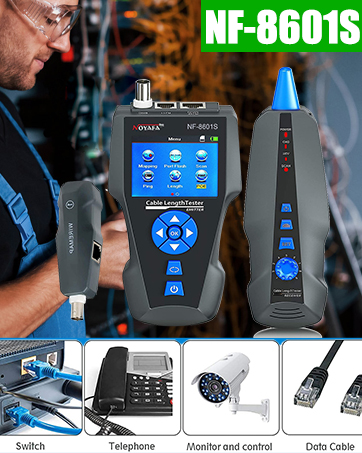
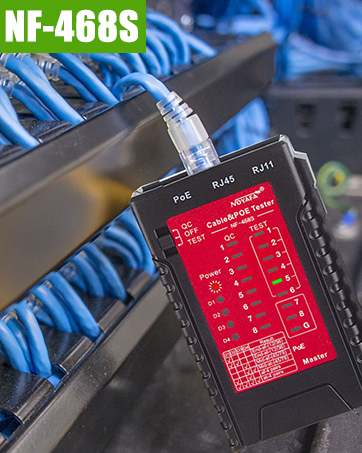
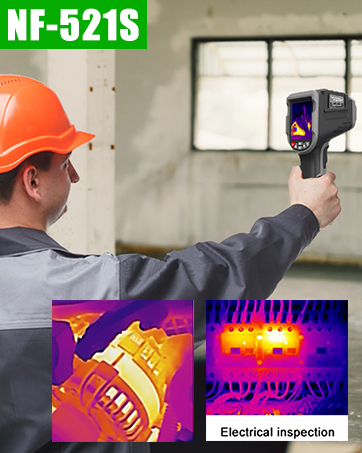
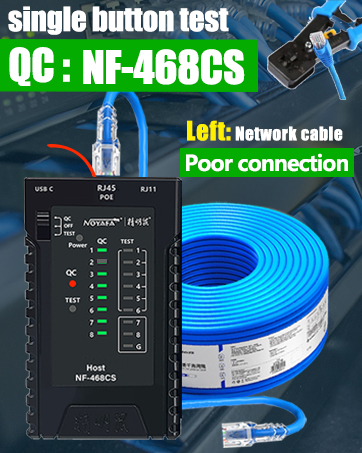

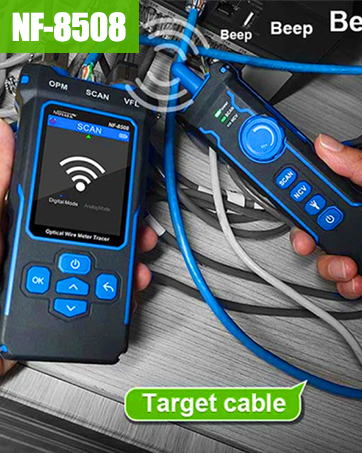
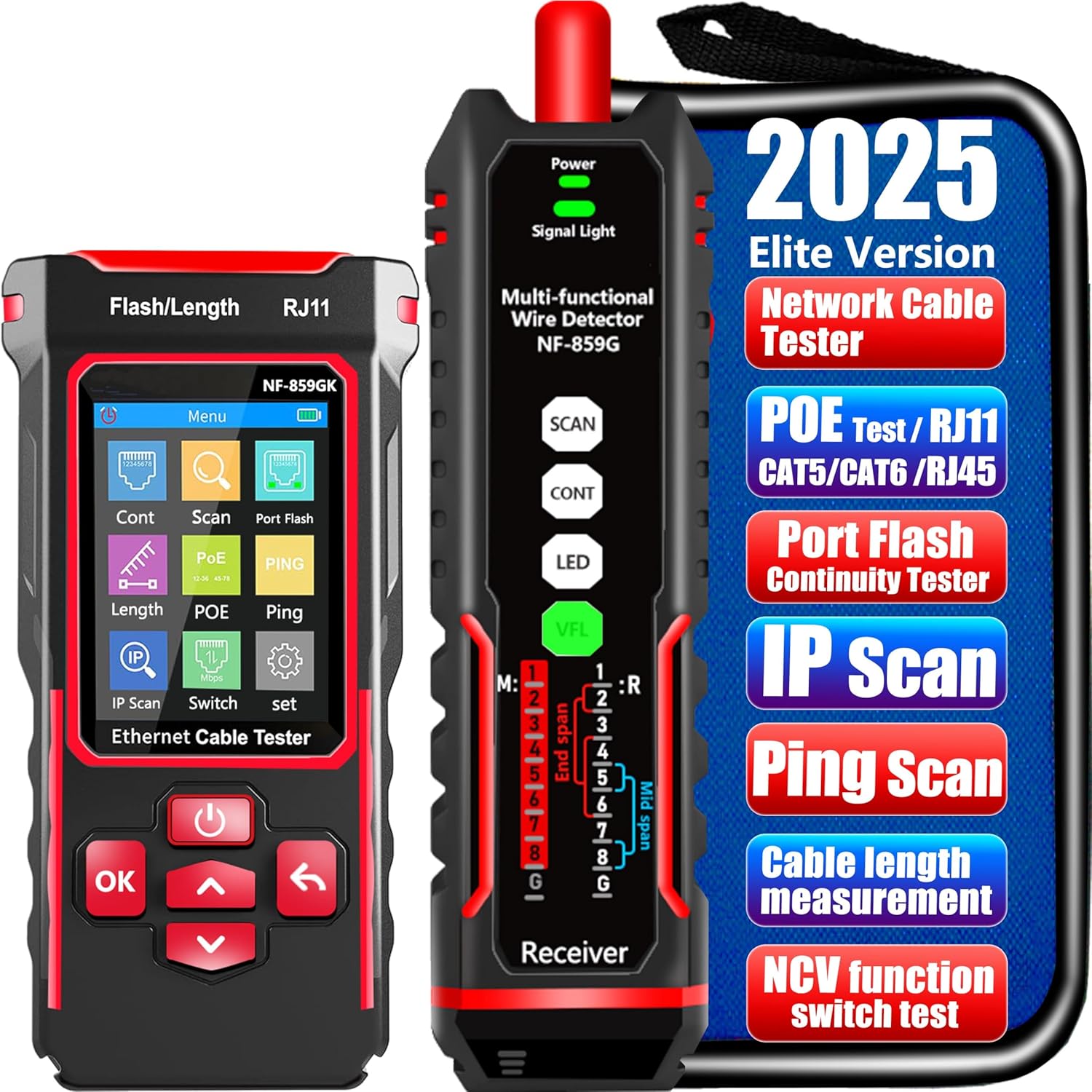
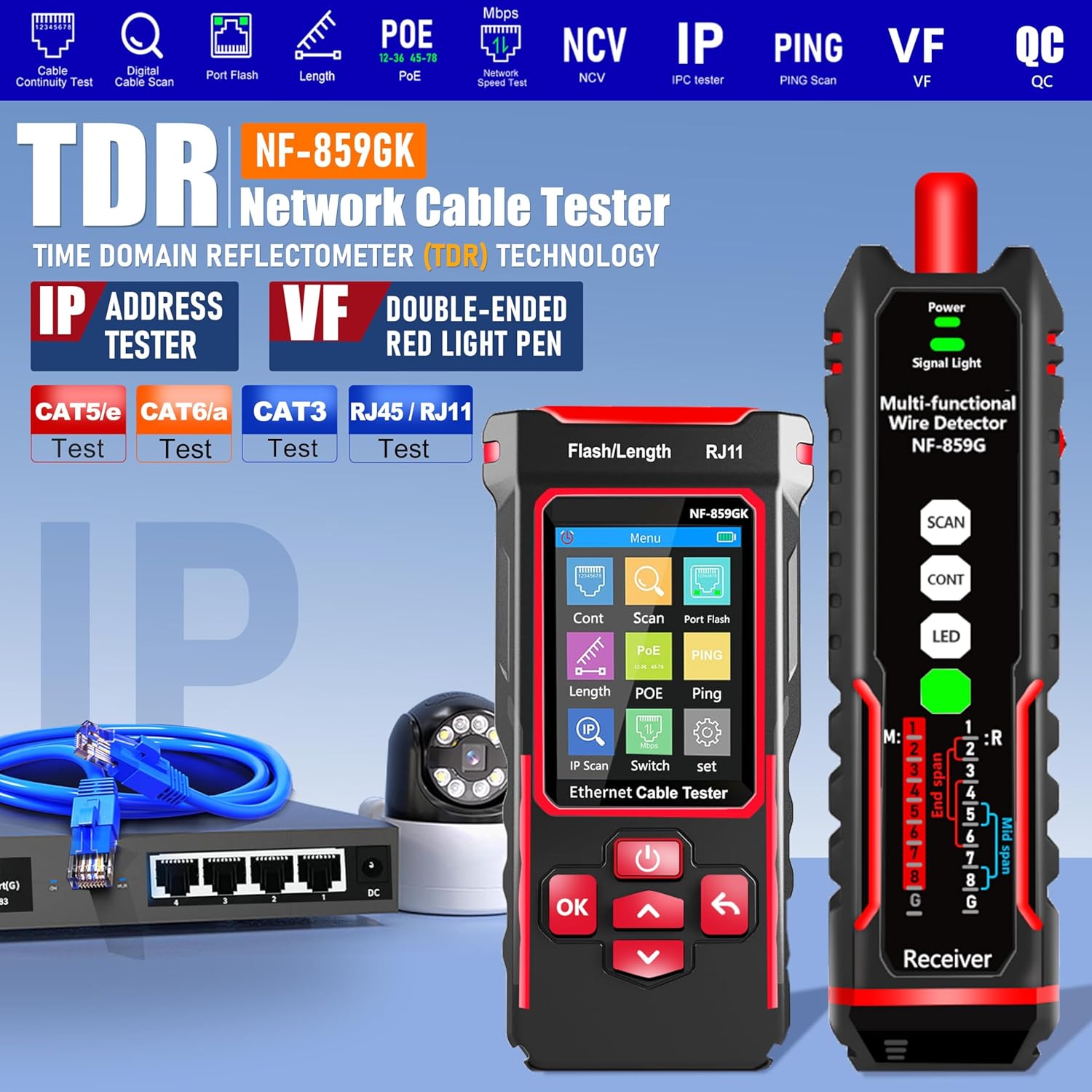
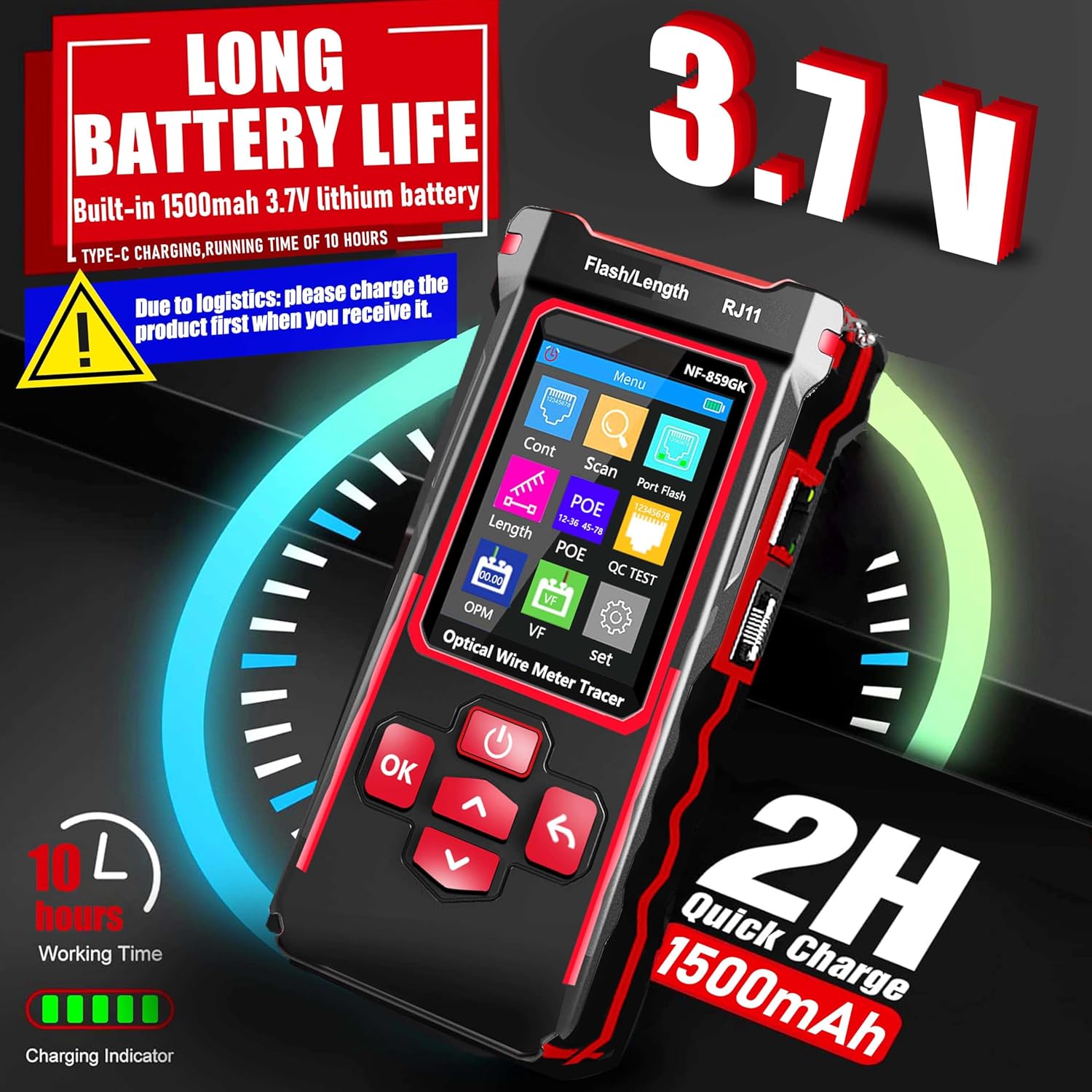
🌹【10-in-1 All-in-One Network Diagnostic Tool】Say goodbye to multiple devices! ZHOUCE The NF-859GK TDR Network Tester integrates 10 core functions including POE detection, IP/PING testing, cable length measurement, and port flicker location. Compatible with RJ11/RJ45 interfaces and CAT5/CAT6/CAT3 cables, it handles all scenarios from engineering cabling to network maintenance and equipment troubleshooting with Fiber Optic Continuity
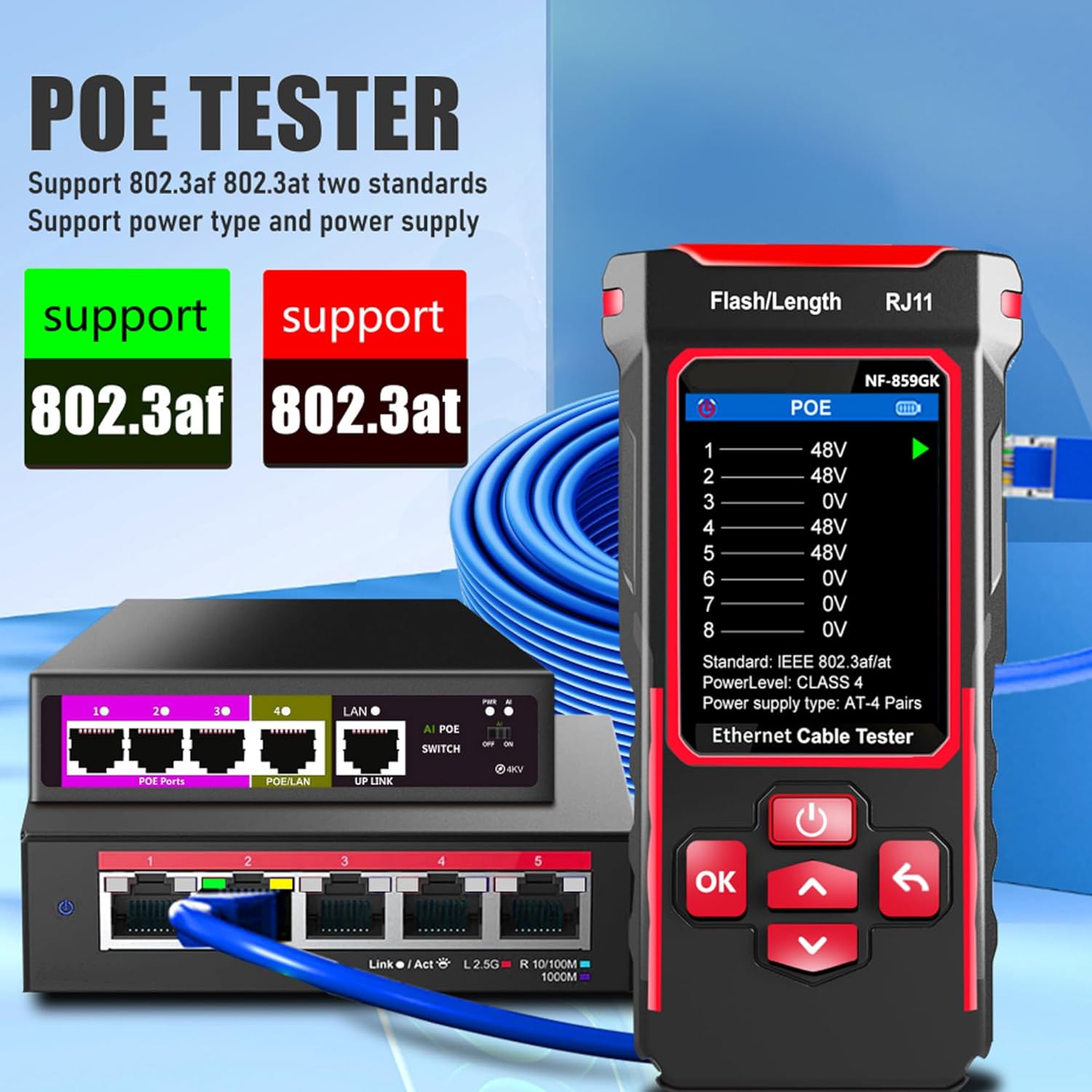
🎁【Professional POE Detection + Auto-Adapt】ZHOCUE NF-859GK Precisely identifies IEEE 802.3AF/AT standard and non-standard POE devices. Detects crossover mode, polarity, and power supply type. Automatically switches between 10M/100M/1000M speeds. Supports short circuit and open circuit fault detection. An essential tool for IT operations and security engineers testing POE cameras and AP devices
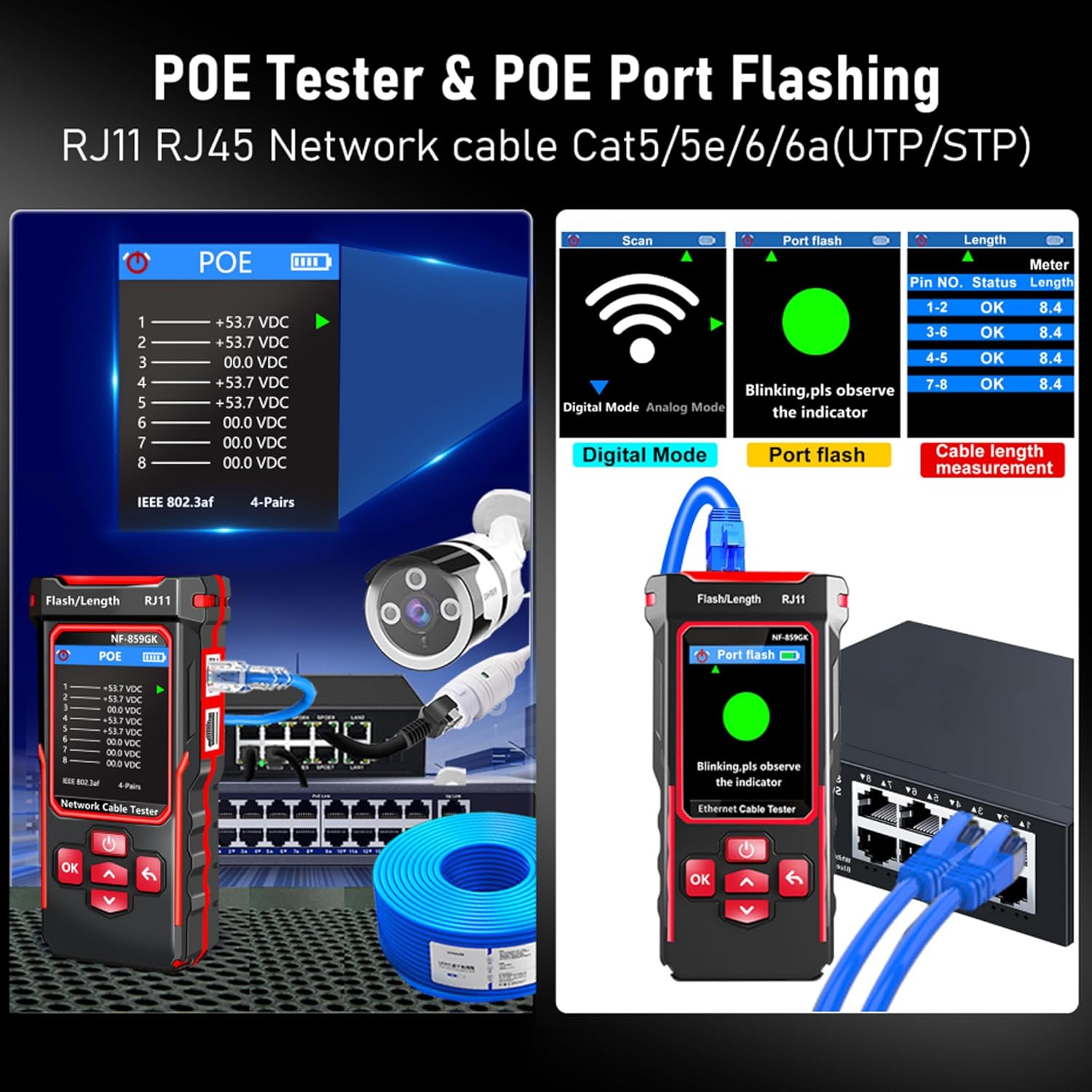
🎁【TDR Precision Measurement + Intelligent Location】Equipped with TDR (Time Domain Reflectometry) technology, it provides real-time cable length measurement from 2.5m to 200m (8.2ft to 656ft), precisely locating faults like breaks or shorts. Port flashing function + LED auxiliary light enables rapid cable identification in dark environments, solving the pain points of messy cabling and hard-to-find ports to boost maintenance efficiency
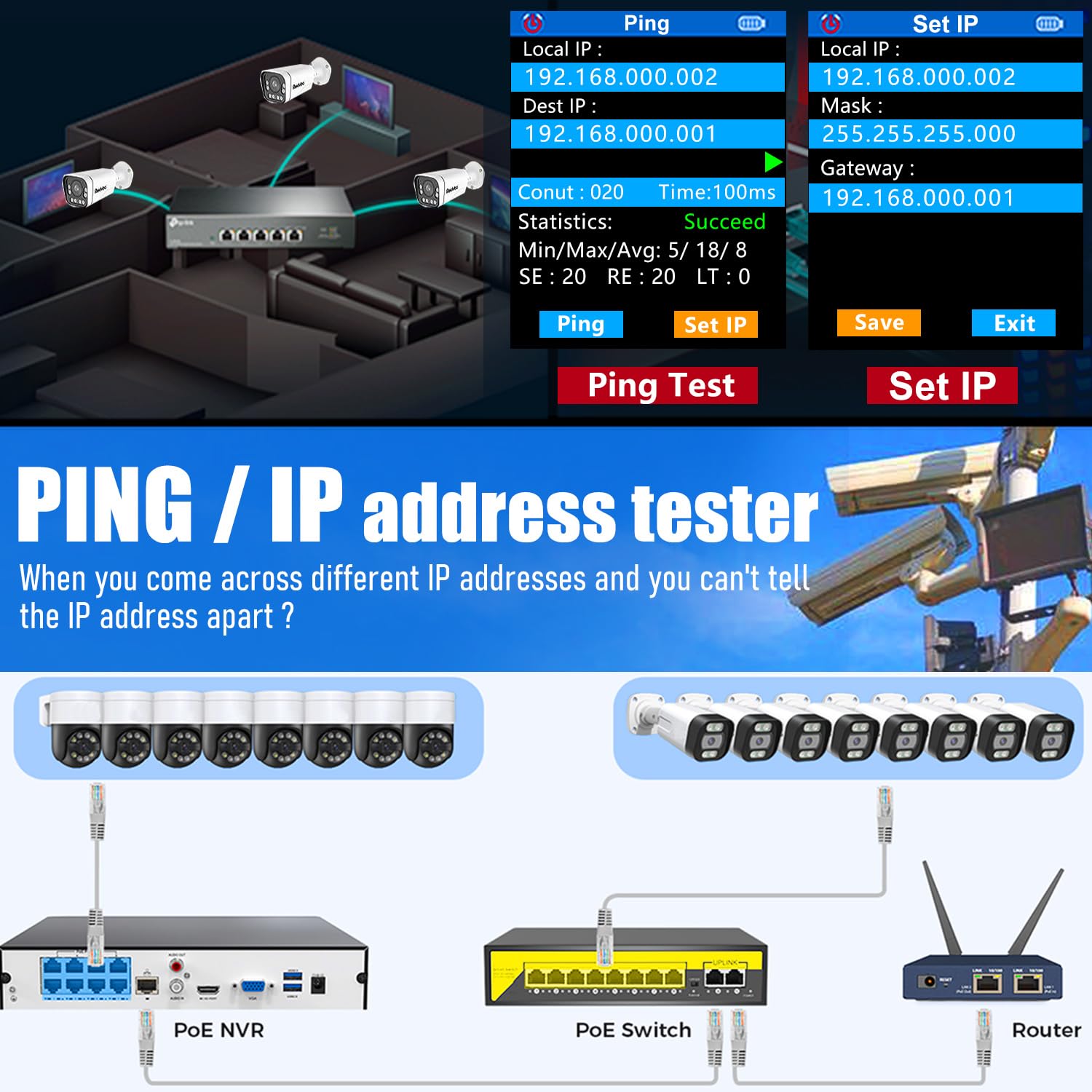
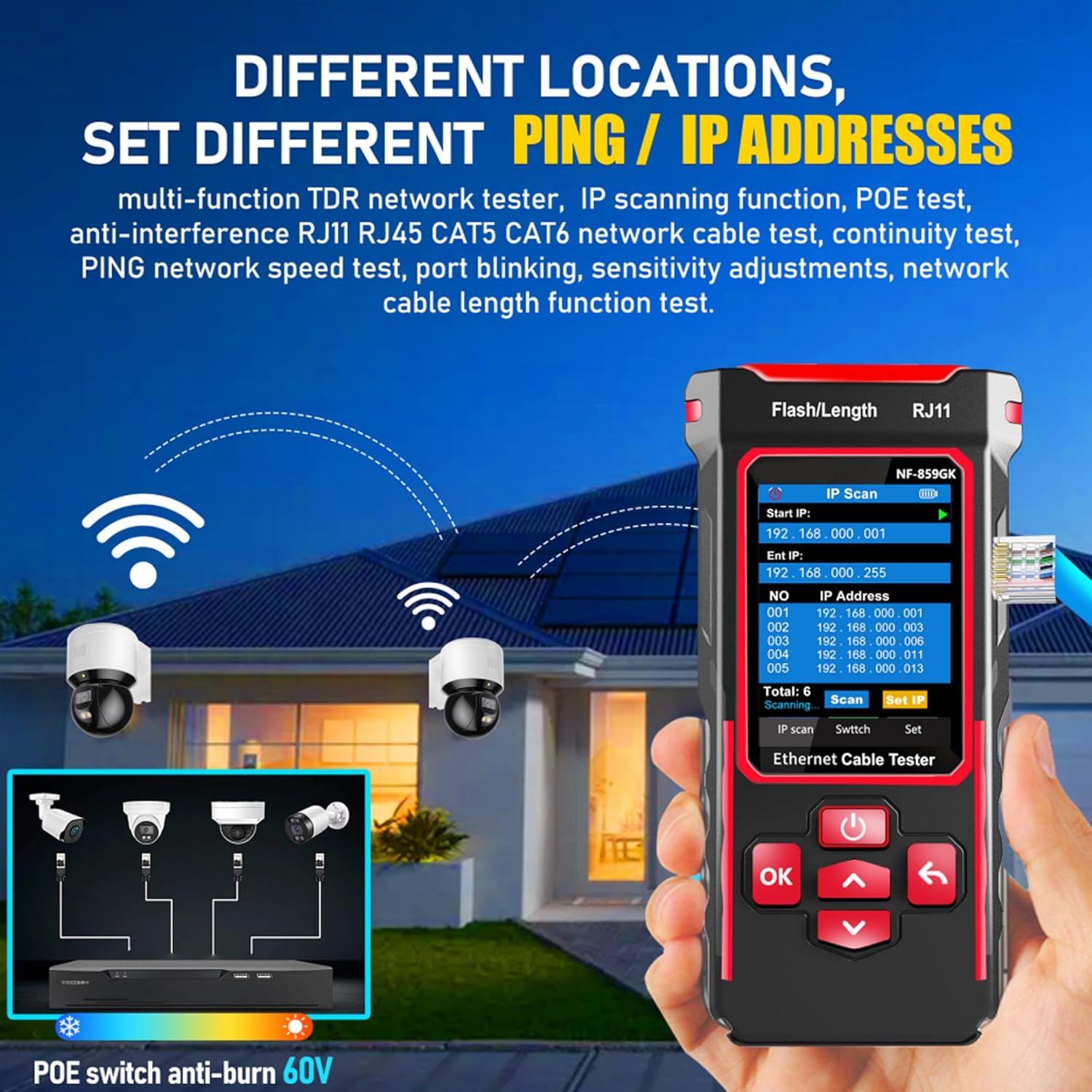
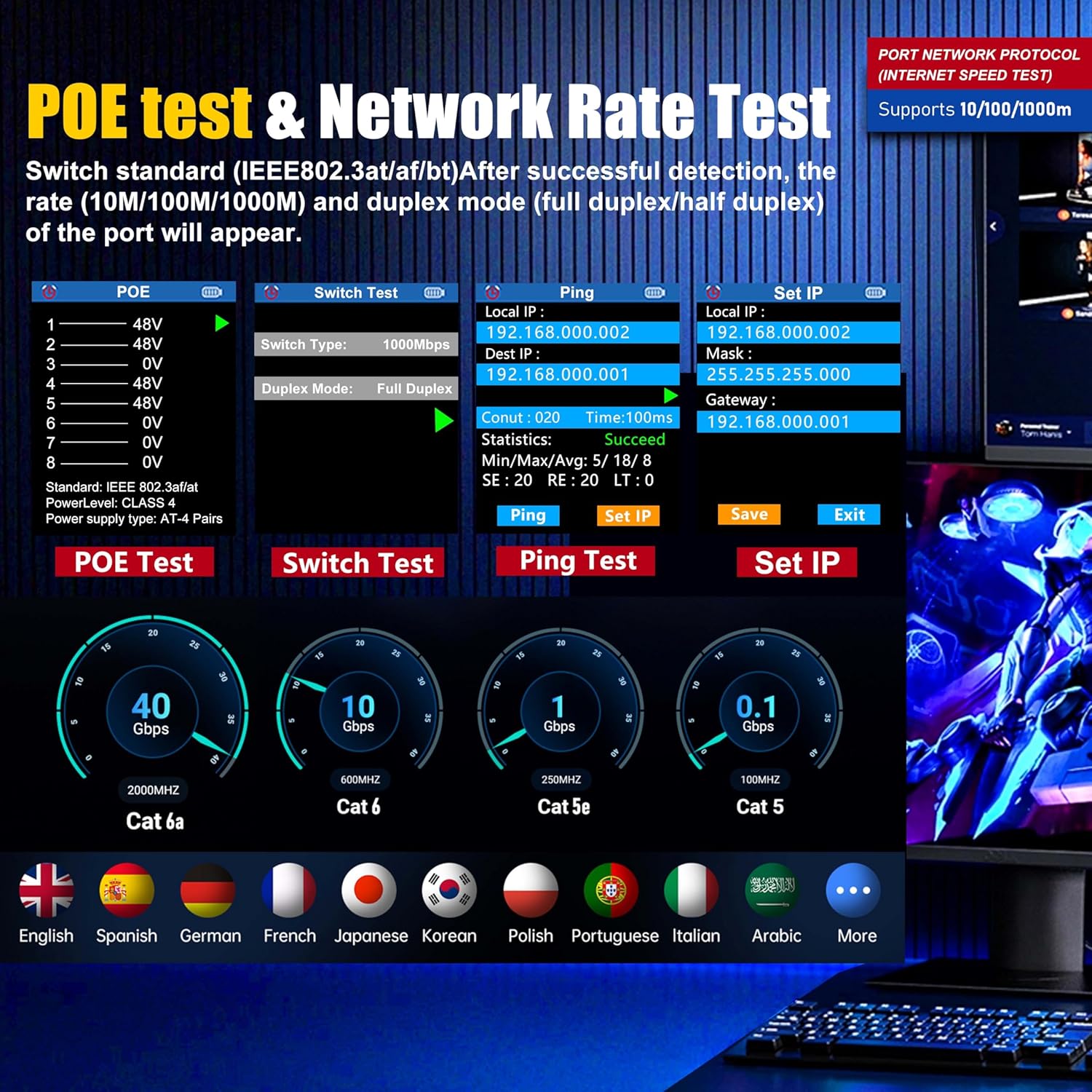
🎁【IP/PING Network Speed Diagnostics】Verifies LAN connection integrity through multi-location PING tests. Measures server/IP address scanning, displays IP addresses, and identifies network speed bottlenecks. Simultaneously checks cable continuity and data transmission stability to swiftly troubleshoot network lag and connection drops, ensuring efficient office/engineering network operations.
🎁【Portable Durability + Wide Compatibility】The lightweight, handheld design ensures easy portability. The receiver works with multiple transmitters including NF-859GT/GS/GE/GK, making it suitable for engineering cabling, enterprise network maintenance, and home networking. Dual RJ45/RJ11 interfaces support various cable types, making it an essential tool for technicians and a thoughtful holiday gift for IT professionals. Customer service available for online responses within 24 hours.
🎁【NVC /LED LIGHT】NF-859GK easy to accurately locate the target cable, LED lights solve the problem of working in dark environments,widely used in engineering cabling, network and equipment maintenance and A perfect gift for friends and family
🎁【PORT FLASHING】The indicator light on the connection port in the NF-859GK device flashes to help accurately locate the cable. Displays port information, including operating speed, duplex mode, and negotiation settings. Port lights flash on the same screen to show the port’s operating speed, making it easy to pinpoint lines and ports.
🌹Equipped with IP scanning capabilities as a core IP testing tool, it’s the go-to device for enterprise IT administrators tasked with managing server rooms or office networks: rapidly identify duplicate IP addresses, detect specific IP URLs, and resolve IP-related glitches that disrupt daily office operations. For security communication engineers installing or maintaining surveillance systems, the POE testing function accurately identifies POE power supply wires, ensuring stable power for IP cameras during outdoor/indoor (security deployment).
🎁NF-859GK tester The Ping network speed test feature caters to internet café operators and campus IT staff: diagnose slow network performance in crowded internet cafes or ensure smooth connectivity in campus computer labs and multimedia classrooms. For home DIY enthusiasts upgrading broadband or setting up home networks, the intuitive connection testing simplifies verifying whether self-crimped RJ45 plugs are properly wired—no professional expertise required.
🎁Cross-model compatibility makes it not just a workhorse, but also a practical holiday gift for tech-savvy colleagues, friends, or family members in IT, engineering, or facility management. From professional server rooms and commercial wiring sites to internet cafes, schools, and home workshops—this upgraded TDR network tester revolutionizes your network testing experience, resolving diverse network issues efficiently wherever you need it.

Bill Farhood –
Really helpful tool!
After you get used to it, you can really troubleshoot with the scanner, use the built-in TDR, verify continuity, ping devices, etc. All in all a very very useful tool.
Casual –
Great Price, Mostly Works, Confusing Learning Curve
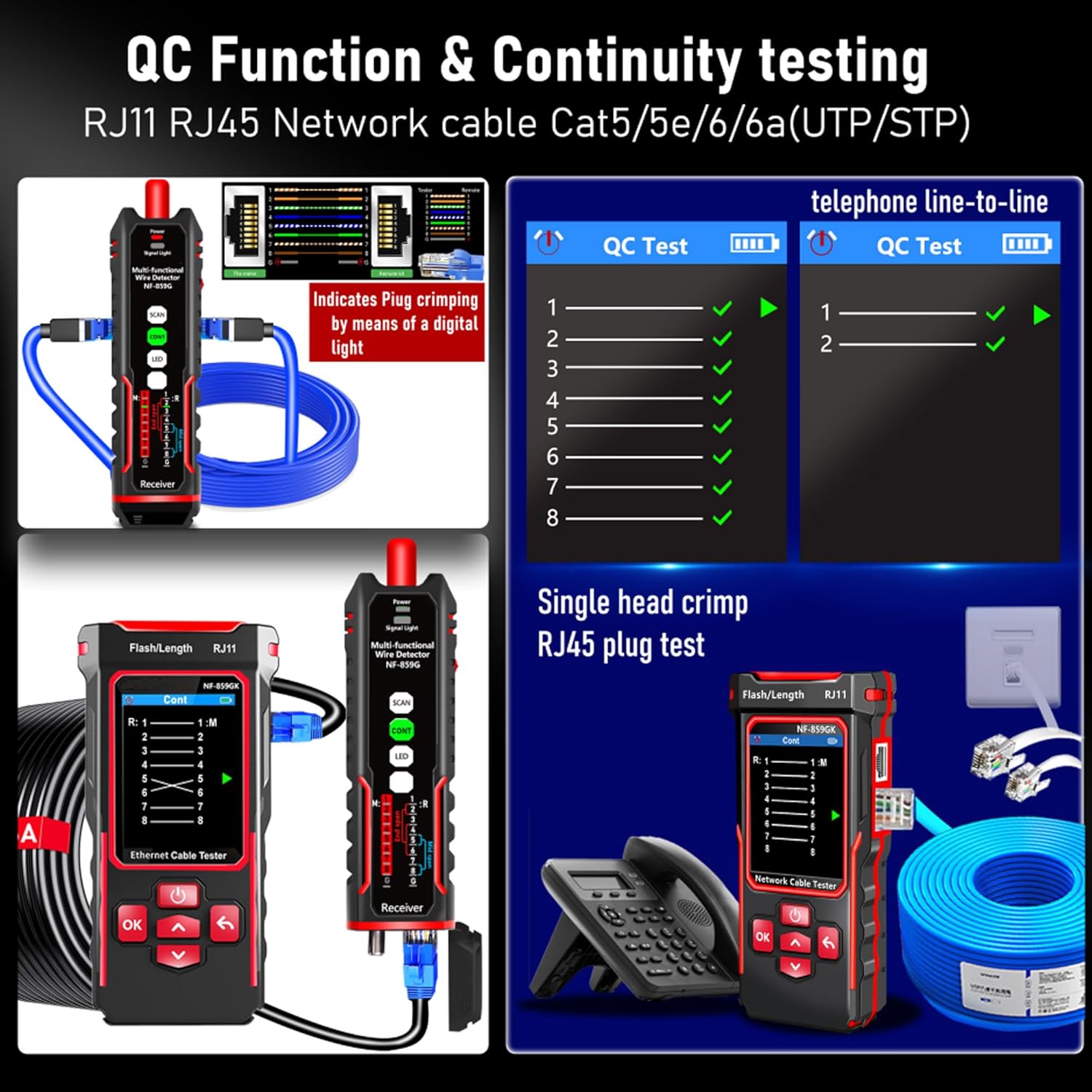
This is extremely useful, but also very, very confusing. It’s a great price (my coworkers guessed it would be five times the cost, and didn’t even believe me when I told them the price until they looked for themselves), but the build feels very cheap. The manual and on-screen instructions are poorly translated, and sometimes say the opposite of what they mean. There are seven (seven!) RJ45 ports between the two pieces, and each function can only be performed with one of them on each side, which leads to a lot of plugging and unplugging as you go through the tests, though it generally does a good job of pointing you to the correct ones to use with arrows on the screen and labels printed on the ports.This is what I’ve found for each function, and the problems I’ve run into:Cont – There are two ways to check the continuity/pinouts of a cable with this product: using the tester and the remote wand together, one on each end of the wire; or if you have access to both ends of the wire in one spot the wand can run the test all by itself. Unfortunately, each method uses different ports. The wand-only method uses the ports labelled “CONT-M” and “CONT-R” on the sides of the wand, while the long-distance method uses the “CONT-A” port that is hidden under an unmarked cover on the base of the wand. While the port itself is labelled, the label is also under the cover. If you use the long-distance method with either of the other two “CONT-*” ports it reports all pins shorted together.Scan – This tones wires in two ways: digital or analog. The digital scan works well, but the range seems to be very low: you have to physically touch the wand to the wire to get a hit. The probe on the wand is too thick to fit inside an RJ45 jack, and it won’t sound if you press it as far in as you can get it; you have to access the back of the patch panel or plug a cable into the jack and then touch the cable. The analog scan is terrible: very short range, faint, and covered by a lot of static. I tried using my old wand with this toner, and the signal was strong and clear – this new wand was so bad I thought it was defective and sent it in for replacement. The replacement behaved the exact same.Port Flash – Works well.Length – The manual doesn’t say, but it has a minimum length limit that’s something like 4 meters. It fails with the message “Cable Open or beyond range,” and the manual doesn’t say which port on the wand to use to complete the circuit. It turns out none of them work, because while the error message complains “Cable Open,” it actually is required to be open. If it’s plugged into anything on the other end (wand, switch, device) the test fails. Because I believed the error message was accurate, I thought this was defective also, until the replacement exhibited the same behavior.POE – Works well.Ping – Works well, though entering IP information manually is frustrating and unintuitive. First, because the button highlighting looks backwards to me, so I always click the wrong thing first (dull gray is selected; bright blue is not – except while setting the IP address numbers, when it’s the reverse); second, because the up/down buttons move the cursor along the address while the OK button changes the selected number and the Back button confirms. It’s just weird, and the place where you set how many ping attempts you want to send is labelled “Conut.”IP Scan – Works well, but has the same UI problems as Ping.Switch – This one is disappointing. It claims to be “Link Speed Testing,” but it doesn’t actually test the link speed, it only reports the speed the switch is set to.Despite everything I still really like this product. You can’t beat the price, and it does almost everything it says it does, but it was very frustrating figuring all of this out. I hope this review can shortcut the pain of the learning curve for the next person.
Leon J Conner –
Cable tester
Just make sure you read the instructions well. It works pretty well, and not tough when you follow the directions.
Javier Mene –
Todo perfecto
Todo Ok
ReviewersAnonymous –
Moving from a 12 year old Tripp Lite tool to this was a shock
If you are not familiar with Amazon Vine, it is basically Amazon trading free* products for honest reviews. You see a lot of Vine reviews that are cookie cutter and based on templates. I aim to make my reviews honest and non-cookie cutter (other than this intro and disclaimer).* These items are not actually free as Vine members pay income tax on the items they receive. Therefore, I will never order something from Vine unless I actually intend to use it. I think this is important for readers to understand because it means I will never order an item just to provide a fake five star review to a company. If I review something as good, it means I actually enjoyed using it or it fills its intended purpose correctly. Items that don’t meet my expectations will be reviewed accordingly.Why I ordered this item: I do cable installs frequently for work, and the old Tripp-Lite tool I have is getting pretty rickety. That tool was over $600 when I bought it. I wanted to see if a cheaper model could hang.Likes:* Wowsers, this is the biggest upgrade I can imagine.* The old unit generated reports and this one does not, but other than that this new one is superior in every way.* It has new features that I have wanted (PoE testing) and the visual output is almost infinitely better than the basic display on my old unit.* I mostly use cat6 tests and toning, and this device does those very well. I toned three cables in our walls out and they worked like a champ. I also tested a cat5e cable that was working but only at 100Mbps and found out that it had a short.* I will definitely use the PoE testing component as we hit PoE cameras all the time that have power issues, but I didn’t have any PoE devices at home for me to test.* USB-C charging on both parts! The old one used 9v batteries.No likes:* The reports would be nice I guess, but I feel that the visual output on this more than makes up for a lack of exportable reports. I did not deduct a star for this because other than the first time job I used my old tester on, no client has ever wanted reports.Would I pay full price for this product: Yes, 100%.Final thoughts: If I had known I could get one of these for $130 I would have ditched my old unit years ago. This thing is crazy and will be an extremely valuable addition to my toolkit.
Kevin D. –
Bad Quality and Poor Customer Support
Bought this to do simple continuity checks on Ethernet cables. Never worked the first time I tried to used it in the field. Called Amazon to see about an exchange and was put on hold until I gave up. Poor customer service from Amazon and bad Quality from this product. Please don’t waist your time on this product.Zero stars.
FIBER TECH 1 –
Useful product but needs inprovement.
Toner works great, light meter needs to be set so it doesn’t change settings.
Brian Persaud –
I rate it a 3 for a few reasons. 1 – the innovation and price for a value network tester, 2- a few functions work but not that accurate, the accessories included at least they tried. Honestly, I thought this would be an awesome tool for my networking needs but it short fall my expectations. Sadly so I had to return it. The tone generator part works but doesn’t work when the end of the cable is on a switch like Cisco or unifi. The cable length tester isn’t that accurate as it is close but missed a few feet or more. The manual covers a few models and it is not in details on how to use the function dedicated to my tester just highlights of the usage, there is no ip ping, the cable quality check works good, cannot detect hub or switch location via cable just to the end of the connected switch or router, even to that is a guessing game at times, love the display and the rechargeable battery but for professional use no. Would be nice to have it touch screen and an on board guide. Some more improvements needed to be done to the device and wish if they have a pc interface and firmware update as well. Would love to keep it if these functions work well. I only used it twice and had to let it go. We have a six month project to network a whole complex and this tool would be awesome if it works accurately. The fibre optic part is a hit and miss especially on long runs, wish they would improve on that and speed check plus to detect internet and coupler or where the cable is broken like how many feet away etc. that is my take on it. Hope the next gen model improves on this and I may consider it in the future.
Vlad –
Toner does not work, and seller wont return my messages about a refund.This is the 2nd device I bought from Noyafa. The first one was a cheaper network tester. Found out it wouldn’t work half the time so I threw it away. Bought this one to see if its better as its a new product of theirs – nope, still garbage.Spend the money and buy a proper device from a reputable company even if it costs 3-4x times more.