

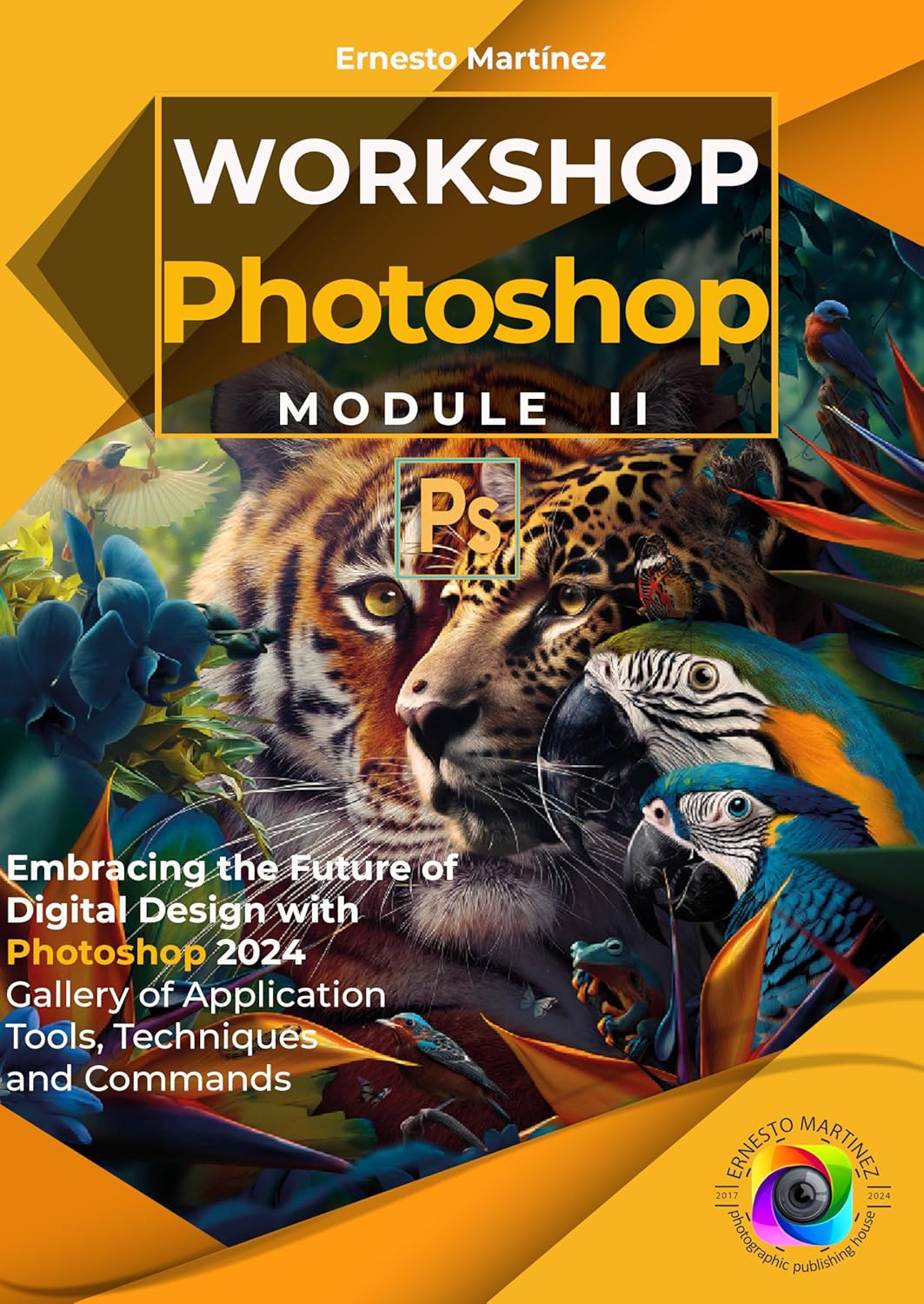
Welcome to the book “Photoshop workshop. Module II” A complete guide for design and digital art enthusiasts. This work is born from a passion for creativity and the desire to train people of all ages and levels of experience so that they can master one of the most powerful tools in the world of design and digital publishing.
During decades, Photoshop It has been a fundamental tool for designers, photographers and artists around the world. But we know that, for many beginners, the learning curve can seem intimidating. Therefore, this book has been created with the purpose of making the learning process clear, accessible and, most importantly, fun.
On the pages that follow, you will find detailed instructions, step-by-step tutorials, and hands-on exercises designed to help you master all the essential tools and techniques in Photoshop. From basic image adjustments to creating complex photographic compositions, this book will guide you through the entire learning journey.
Our goal is that by the end of this book, you will not only feel comfortable using Photoshop, but also be inspired to explore their creativity and apply what they have learned to their own projects.
With this presentation of the second installment of “Photoshop Workshop” (Module 2), we cover in detail all Functions, Commands and Tools of adobe Photoshop, in version 25.6 (2024).
Throughout its pages, you will learn key aspects ranging from an introduction to the toolbar, including a detailed review of its main tools and what’s new in the latest update. We will know all the tools to make selections, including; select object and select subject, selection frames, quick selection, Selection through color gamut, Selection through color channels and how to refine our selections in the Select and Mask workspace.
We will know all the tools to retouch and improve our images, including; Remove tool, Adjustment Brush, Healing Brush, Clone Cap, Free Transform… We will see the painting, text and navigation tools.
Furthermore, we will review the automatic adjustments we can make to an image and the professional adjustments using non-destructive adjustment layers. We will delve into the use of filters, working with layers and using Photoshop Selections.
Due to how complex learning this software is, we have divided the book into “Photoshop Workshop” in 3 modules.
Module I: General architecture of the program, basic concepts and how to handle ourselves within the application.
Module II: Gallery Tools, Commands, Filters, Layers, Selections, Masks.
Module III: Techniques for Editing, Manipulation and Composition of digital images.
We thank you for joining us on this learning journey and hope you enjoy the process as much as we enjoyed creating this book.
Let’s immerse ourselves in the wonderful world of Photoshop and discover everything this amazing tool has to offer!
ASIN : B0D9517ZS8
Accessibility : Learn more
Publication date : July 8, 2024
Language : English
File size : 27.0 MB
Screen Reader : Supported
Enhanced typesetting : Enabled
X-Ray : Not Enabled
Word Wise : Not Enabled
Print length : 342 pages
Page Flip : Enabled
Book 2 of 3 : Photoshop Workshop
Best Sellers Rank: #3,500,147 in Kindle Store (See Top 100 in Kindle Store) #131 in Photography Darkroom & Processing #290 in Darkroom & Photo Processing #1,209 in Photography Equipment (Kindle Store)
Customer Reviews: 5.0 5.0 out of 5 stars (1) var dpAcrHasRegisteredArcLinkClickAction; P.when(‘A’, ‘ready’).execute(function(A) { if (dpAcrHasRegisteredArcLinkClickAction !== true) { dpAcrHasRegisteredArcLinkClickAction = true; A.declarative( ‘acrLink-click-metrics’, ‘click’, { “allowLinkDefault”: true }, function (event) { if (window.ue) { ue.count(“acrLinkClickCount”, (ue.count(“acrLinkClickCount”) || 0) + 1); } } ); } }); P.when(‘A’, ‘cf’).execute(function(A) { A.declarative(‘acrStarsLink-click-metrics’, ‘click’, { “allowLinkDefault” : true }, function(event){ if(window.ue) { ue.count(“acrStarsLinkWithPopoverClickCount”, (ue.count(“acrStarsLinkWithPopoverClickCount”) || 0) + 1); } }); });
 Master The Basics of Photoshop: - 12 Best Photoshop Tips and Tricks for Beginners eBaydiy Tools
$2.99
Master The Basics of Photoshop: - 12 Best Photoshop Tips and Tricks for Beginners eBaydiy Tools
$2.99
 Adobe Photoshop CS5 One-on-One eBaydiy Tools
Original price was: $49.99.$31.03Current price is: $31.03.
Adobe Photoshop CS5 One-on-One eBaydiy Tools
Original price was: $49.99.$31.03Current price is: $31.03.
Photoshop workshop. Module II: Embracing the Future of Digital Design with Photoshop 2024 Gallery of Application Tools, Techniques and Commands. eBaydiy Tools
$9.99
🚚 Free Shipping on orders over $75+
📦 Arrives: Mar 22 - Mar 24
🛡️ 2-Year Professional Warranty Included
Guaranteed Safe & Secure Checkout

Reviews
There are no reviews yet.