

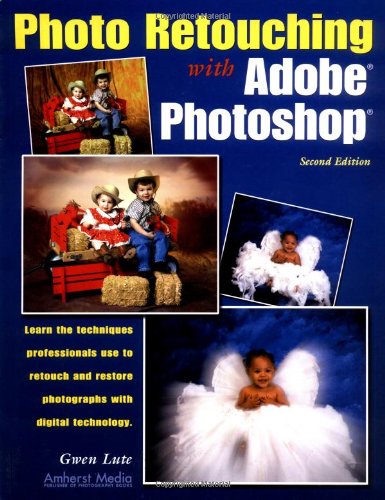
This updated manual teaches the specialized techniques needed for correcting photos using the latest version of Adobe Photoshop. With Photoshop, the skilled photographer’s ability to retouch photos has become almost limitless. Included are professional techniques aimed specifically at photographers and photo-imaging enthusiasts. Photographers will learn how to restore damaged photographs, correct blemishes, change backgrounds, and add or subtract people from an image. Important advanced techniques are also covered, including vignettes, important hardware requirements, and managing files. Filled with practical examples, this book teaches everything from input via scanning or digital photography, to image manipulation, to final printed output.
Publisher : Amherst Media
Publication date : August 1, 2002
Edition : 2nd
Language : English
Print length : 128 pages
ISBN-10 : 1584280808
ISBN-13 : 978-1584280804
Item Weight : 1.09 pounds
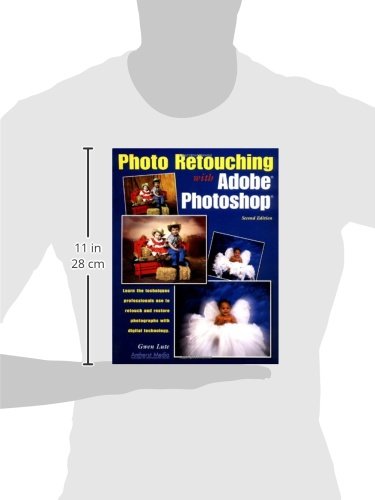
Dimensions : 8.56 x 0.34 x 11.1 inches
Best Sellers Rank: #9,763,151 in Books (See Top 100 in Books) #598 in Imaging Systems Engineering #875 in Adobe Photoshop #1,576 in Design & Graphics Software Books
Customer Reviews: 4.1 4.1 out of 5 stars (10) var dpAcrHasRegisteredArcLinkClickAction; P.when(‘A’, ‘ready’).execute(function(A) { if (dpAcrHasRegisteredArcLinkClickAction !== true) { dpAcrHasRegisteredArcLinkClickAction = true; A.declarative( ‘acrLink-click-metrics’, ‘click’, { “allowLinkDefault”: true }, function (event) { if (window.ue) { ue.count(“acrLinkClickCount”, (ue.count(“acrLinkClickCount”) || 0) + 1); } } ); } }); P.when(‘A’, ‘cf’).execute(function(A) { A.declarative(‘acrStarsLink-click-metrics’, ‘click’, { “allowLinkDefault” : true }, function(event){ if(window.ue) { ue.count(“acrStarsLinkWithPopoverClickCount”, (ue.count(“acrStarsLinkWithPopoverClickCount”) || 0) + 1); } }); });
 Layers: The Complete Guide to Photoshop's Most Powerful Feature eBaydiy Tools
Original price was: $44.99.$13.78Current price is: $13.78.
Layers: The Complete Guide to Photoshop's Most Powerful Feature eBaydiy Tools
Original price was: $44.99.$13.78Current price is: $13.78.
 Master The Basics of Photoshop: - 12 Best Photoshop Tips and Tricks for Beginners eBaydiy Tools
$2.99
Master The Basics of Photoshop: - 12 Best Photoshop Tips and Tricks for Beginners eBaydiy Tools
$2.99
Photo Retouching with Adobe Photoshop eBaydiy Tools
Original price was: $29.95.$13.94Current price is: $13.94.
-53%🚚 Free Shipping on orders over $75+
📦 Arrives: Mar 22 - Mar 24
🛡️ 2-Year Professional Warranty Included
Guaranteed Safe & Secure Checkout

C. Sartell –
Five Stars
love it
Luis Fernando Ochoa –
Five Stars
Very good
“ipixguru” –
Very Nice Book Helped Me immensly.
I’ve read the other reviews and quiet frankly I feel that they are not only unfair, but seem a bit one sided. Most of the ones that gave the first edition a bad rating and then blasted the book don’t even have the decency to try the second edition which was a complete re-write and much better than the first edition.As I understand it Adobe has asked Mrs. Lute to provide an insert for the next version of Photoshop Express. Do you think Adobe would ask Mrs. lute if she was as bad as the lame reviews seen here?I really enjoyed the book, and it helped me figure out a big problem with Layers and Masking, which has helped to quadruple my referrals.The big question here is why has Amazon failed to have a different set of reviews for the second edition? I don’t feel that Amazon is providing proper customer service by showing reviews for the wrong book.I’m a professional photographer specializing in Virtual Tours for Real Estate, Bed and Breakfast Inns, Hotels, and Private Clubs. And Gwen Lute’s second edition of Photo Retouching with Adobe Photoshop was one of the best Photoshop books I’ve read.
tlb –
Good for entry level PS users
I was somewhat as disappointed as Martin with this book. My expectation was a book with greater depth. However, I do think that an entry level Photoshop user would find it, as Marilyn did, a useful book and that’s who I would recommend it to.
Marilyn Dalrymple –
Difference of opinion
Photo Retouching with Adobe PhotoshopBy Gwen Lute Amherst Media, Inc.I noticed one negative review of this book and am surprised. I had quite a different experience reading Photo Retouching with Adobe Photoshop. This book is very well written. It makes Adobe Photoshop easy for even a beginner like me. I followed the directions for a couple of the tasks explained in this book and had no problem getting the results I wanted. Chapters cover topics from “a Historical Perspective” of photo retouching to marketing your work. Lute explains computer terms, such as plug-ins, hard drives, RAM, and external hard drives. Suggestions for buying a computer are offered along with what hardware and software may be best for your purposes. Capturing the digital image is discussed as are scanning techniques. Then the fun begins–and I do mean fun. Just learning Adobe Photoshop myself, I know how frustrating it is to follow directions when working in Photoshop. After working for hours, getting the effects wanted in your photograph seems impossible. Not a problem with Photo Retouching with Adobe Photoshop. Each step is clearly explained and illustrated. It is impossible to get lost or forget a step if you follow the script. For instance, chapter three (“Restoring an Image”) talks about “Using a Layer as a Mask.” Accompanying the text for each project are charts, photographs and the list of Adobe Photoshop tools as they will be seen on your screen is illustrated. The first section tells the reader how to remove an unwanted object from a picture. Fourteen easy-to-follow steps take you through the process. Several more projects are discussed and illustrated and each of the twelve chapters, subjects and projects are just as thoroughly explained and illustrated. Author and photographer Gwen Lute is a photo retoucher with over thirty-years of professional experience. Along with these talents, she lectures to professional photographers on traditional and digital retouching methods. Because I actually worked on my own projects following the instructions in this book, I can say without reservation this is a helpful and valuable book.
DJR –
99% Waste of Time
Before reading Photo Retouching with Adobe Photoshop by Gwen Lute, I had read the following books on the subject:- 5 stars: Photoshop Restoration & Retouching (Katrin Eismann).Exceptional book; one of the best PS books I’ve read on any topic. Check the reviews.- 3.5 stars: Photoshop Retouching Handbook (Carol Braverman). Pretty good.- 1.5 stars: Retouching Old Photographs – Photoshop Methods and Solutions (Michael Kiteley). Serious problems. See my review under that title.In retrospect I should have quit while I was ahead.Compared with the offerings above, the Lute book is a sham (and a shame). Poorly written, frequently incomplete explanations, very little useful detail, no accompanying CD or web-site for example images, lots of “white border” per page to make it appear “thicker.”I wouldn’t recommend it for beginning, intermediate nor advanced PS users. I literally sold this book on the second hand market two days after receiving it.I noticed there’s an updated version of this book on the horizon (projected availablity: 2nd half of 2002). At this point I would not even remotely entertain the thought of acquiring it unless I read many, many stellar reviews proclaiming a complete rewrite.Most of the other reviews for this book are right on. Don’t waste your hard earned $ on this one regardless of your PS skill level.You may be thinking, “So why didn’t YOU pay attention to the other reviews before buying this book?” Fair question…I’m a PS knowledge junkie… I LOVE to read about and learn new Photoshop techniques. Though I read the not-so-flattering-reviews before taking the plunge (like you are doing right now), I *hoped* they were too harsh. I *hoped* I’d find a few golden nuggets that would be useful to me. Bottom line: It was about the most useless PS book I’ve ever read (my personal library consists of over 30 PS books).My advice: If you’re interested in this topic, give serious consideration to the first book listed above and some consideration to the second. If you pass on the last one and this offering, you’ll be a much happier camper.
Amazon Customer –
Adobe Photoshop retouching photos
Very good step-by-step instructions with pictures and illustrations of tools make this an easy but effective how to reference book. I reccommend it.