





From the brand

Autel Lead in Auto Diagnostics
Highly Rated (100K+ ratings) . #1 Seller. Top Brand
MK808S 20% off Spring Sale Now
2026 MK900: 40+ Hot Service
2026 Autel Newest 1M Series
Click Now – Fall Sale 20% Off!
Click Now – Fall Sale 20% Off!
Click Now – Fall Sale 20% Off!
Click Now – Fall Sale 20% Off!
Click Now – Fall Sale 20% Off!
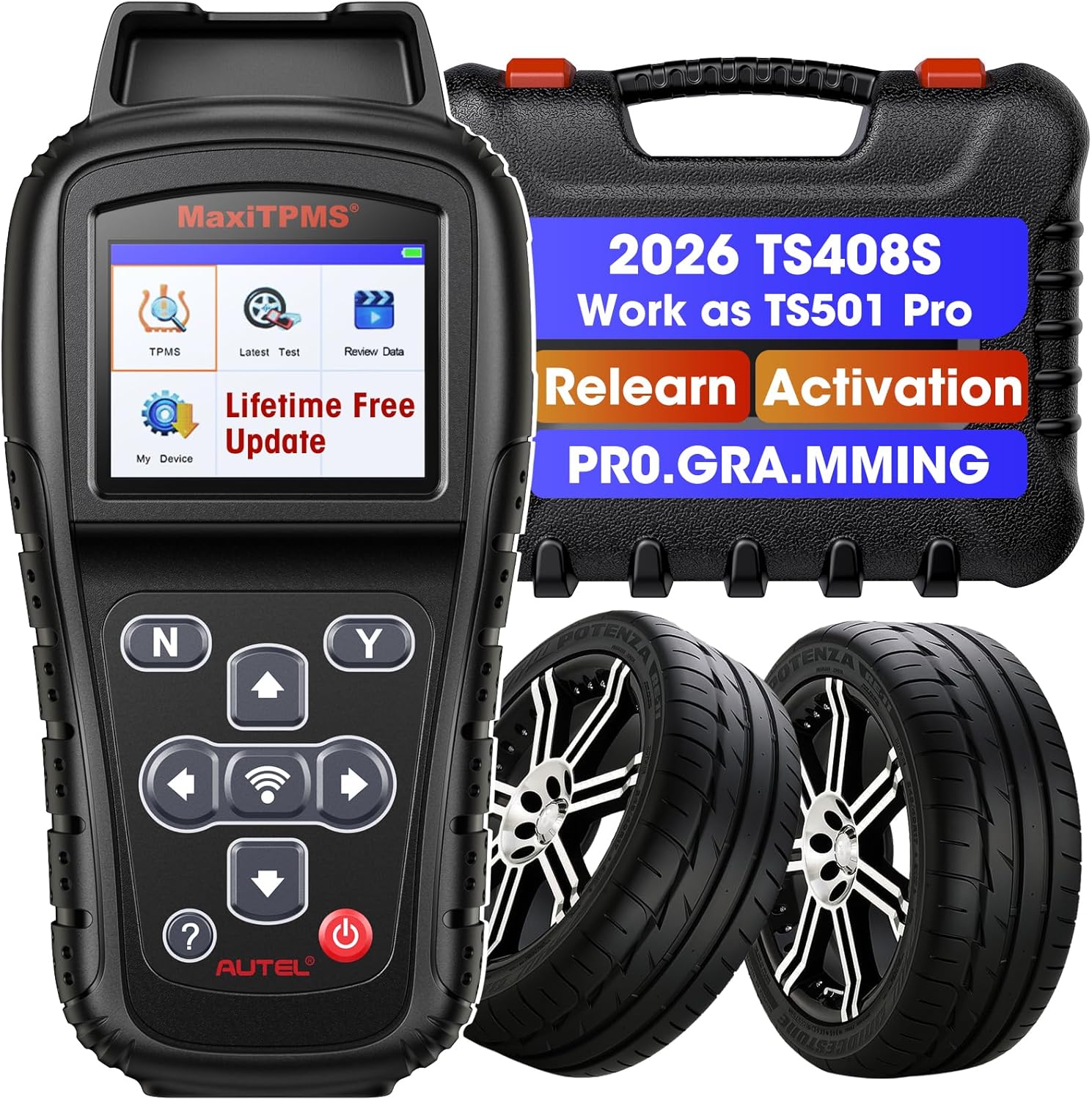
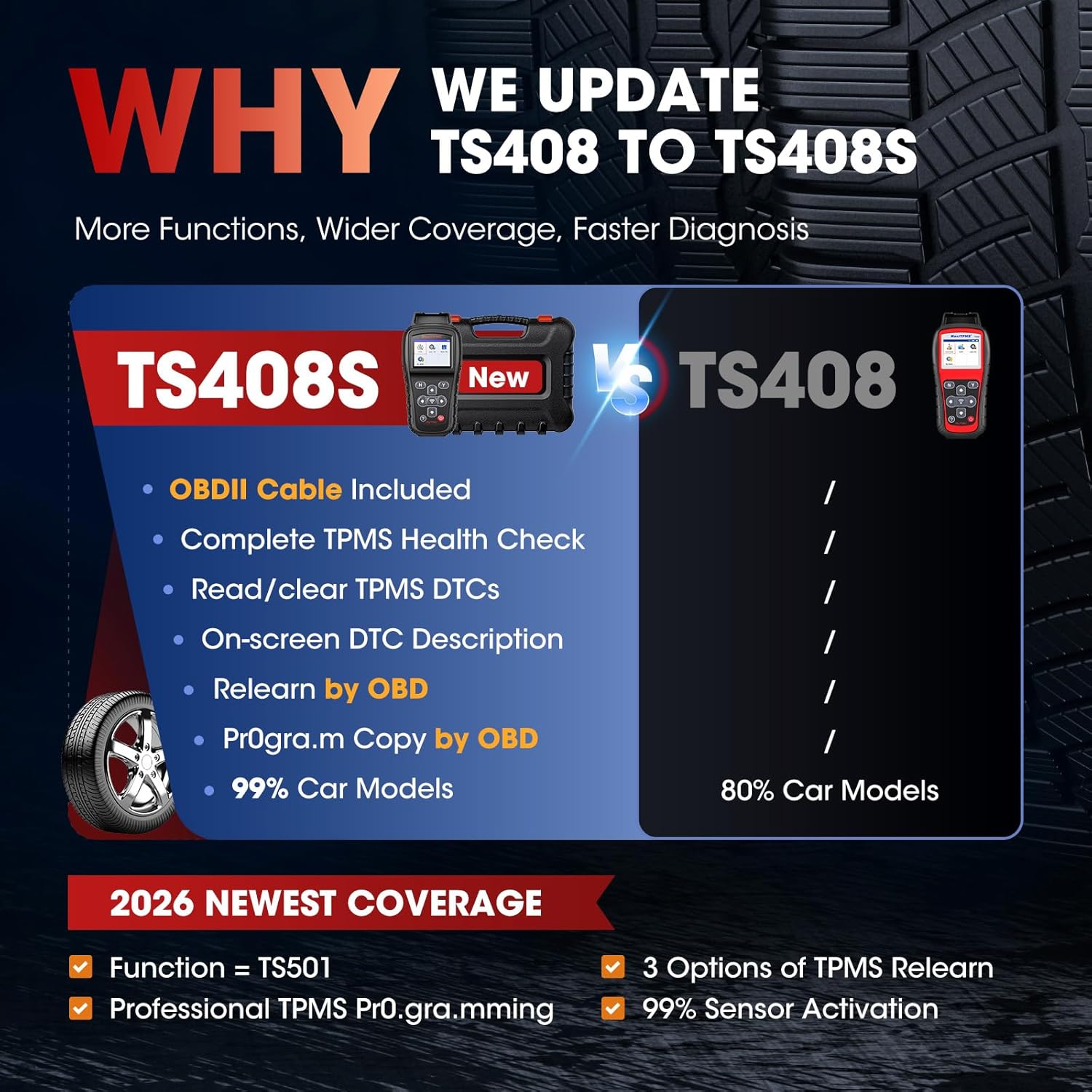
【2026 All-in-1 TPMS Scanner – Autel TS408S】The upgraded TS408S combines the best of TS501, TS408, and TS401, covering 99% of vehicles with lifetime F-R-E-E updates. It offers full TPMS services: program MX-Sensors, activate and relearn all sensors, reset TPMS lights, diagnose TPMS health, test frequency, and customize tire pressure. Perfect for DIYers and pros. ✅Please register and update the device before first use.
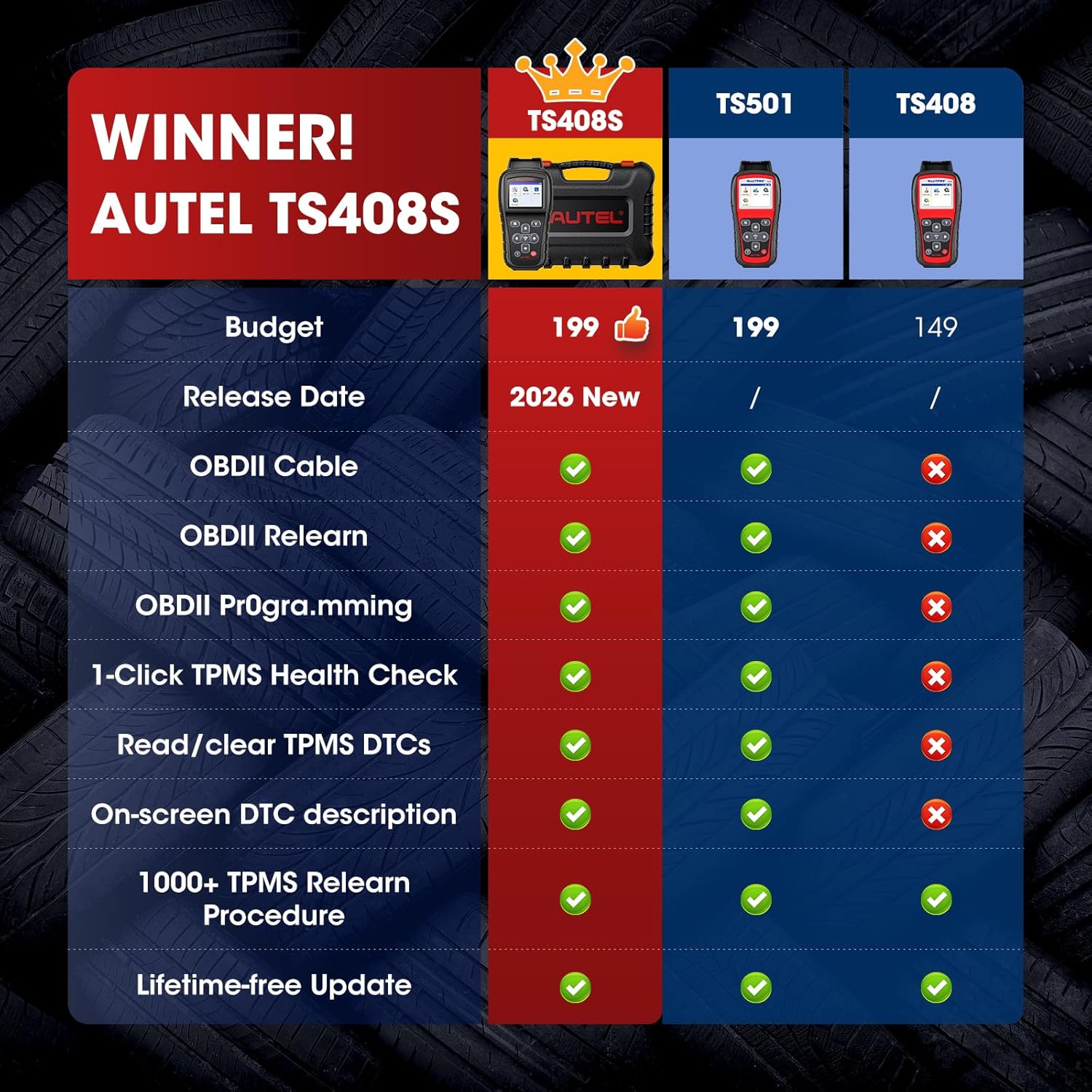
【Why Choose TS408S Instead of TS501 or TS508WF?】Looking for the most cost-effective TPMS tool? TS408S shares identical hardware and software with TS501 PRO and TS508WF but costs around $90 less! The only difference: TS408S removes “Quick Mode” but allows direct access to “Advanced Mode” via the TPMS menu. Save money without sacrificing any function! With TS408S, you get professional-grade TPMS service at the best value—no compromises, no regrets.
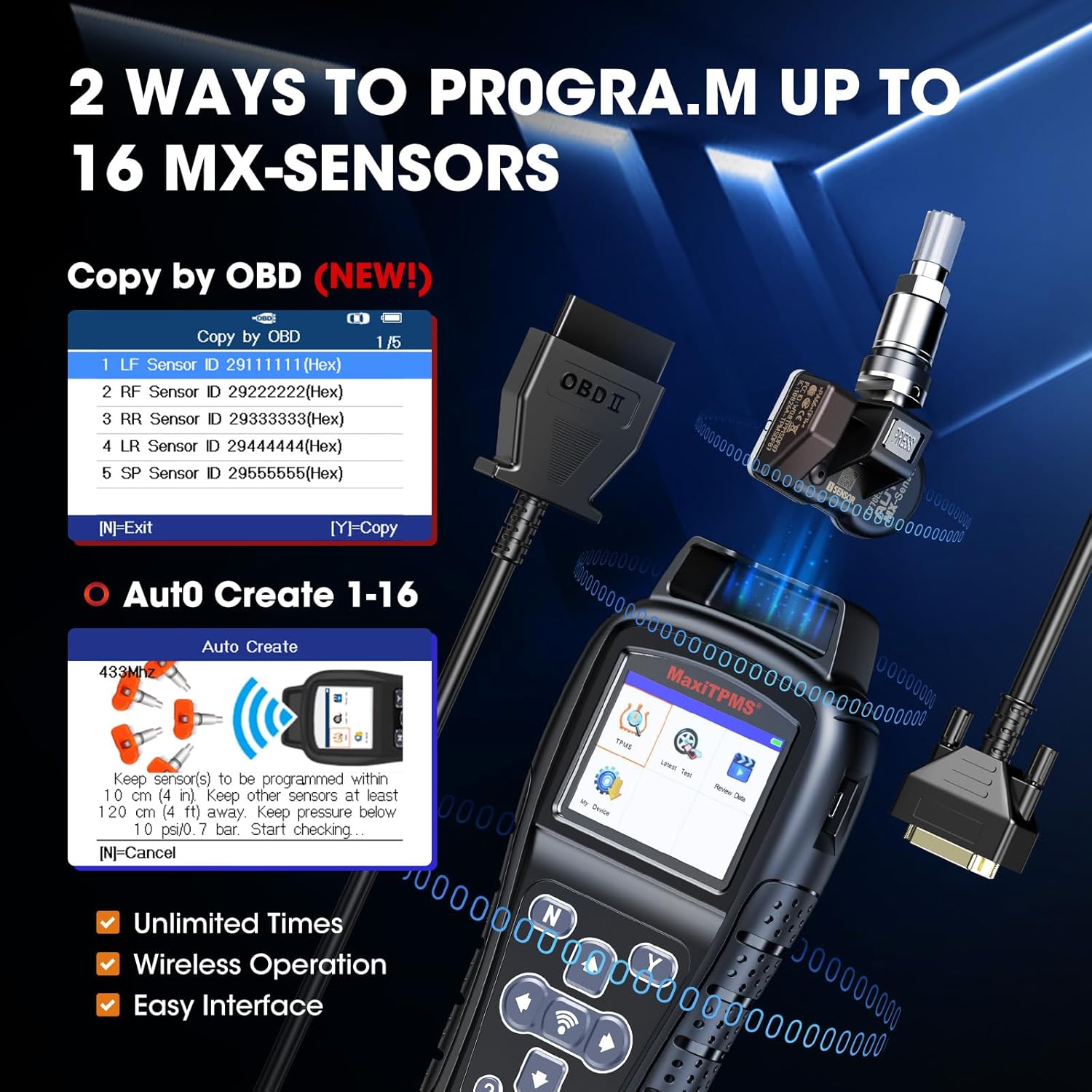
【2 Advanced TPMS Programming Methods】TS408S offers two powerful ways to program Autel MX-Sensors, helping you replace faulty or low-battery TPMS sensors easily. 👍Auto Create mode lets you program 1–16 sensors at once, greatly improving efficiency (average programming time: 6–8 seconds/sensor). 👍Copy by OBD reads the old sensor ID directly from the vehicle and writes it into a new MX-Sensor, ensuring seamless replacement. No more dealership visits—do it all yourself with confidence!
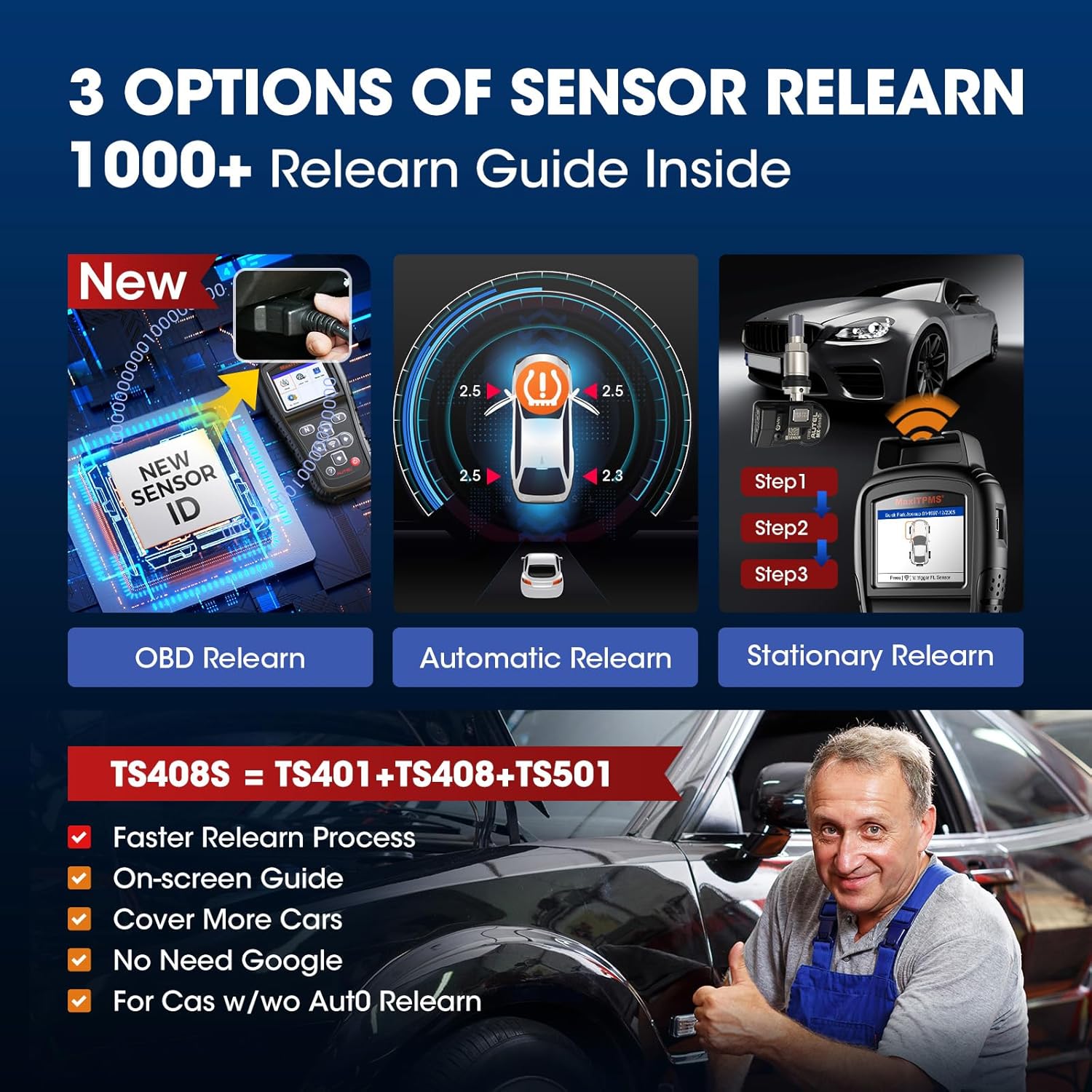
【Relearn All OE & Aftermarket Sensors Fast and Easy】After installing new sensors, you must relearn them to the car to clear TPMS warning lights. TS408S supports three relearn methods—Stationary, Automatic, and OBD Relearn—covering virtually all vehicle brands and sensor types. Whether you are handling a simple tire rotation or full sensor replacement, TS408S provides guided, step-by-step procedures to make relearn simple and successful every time.
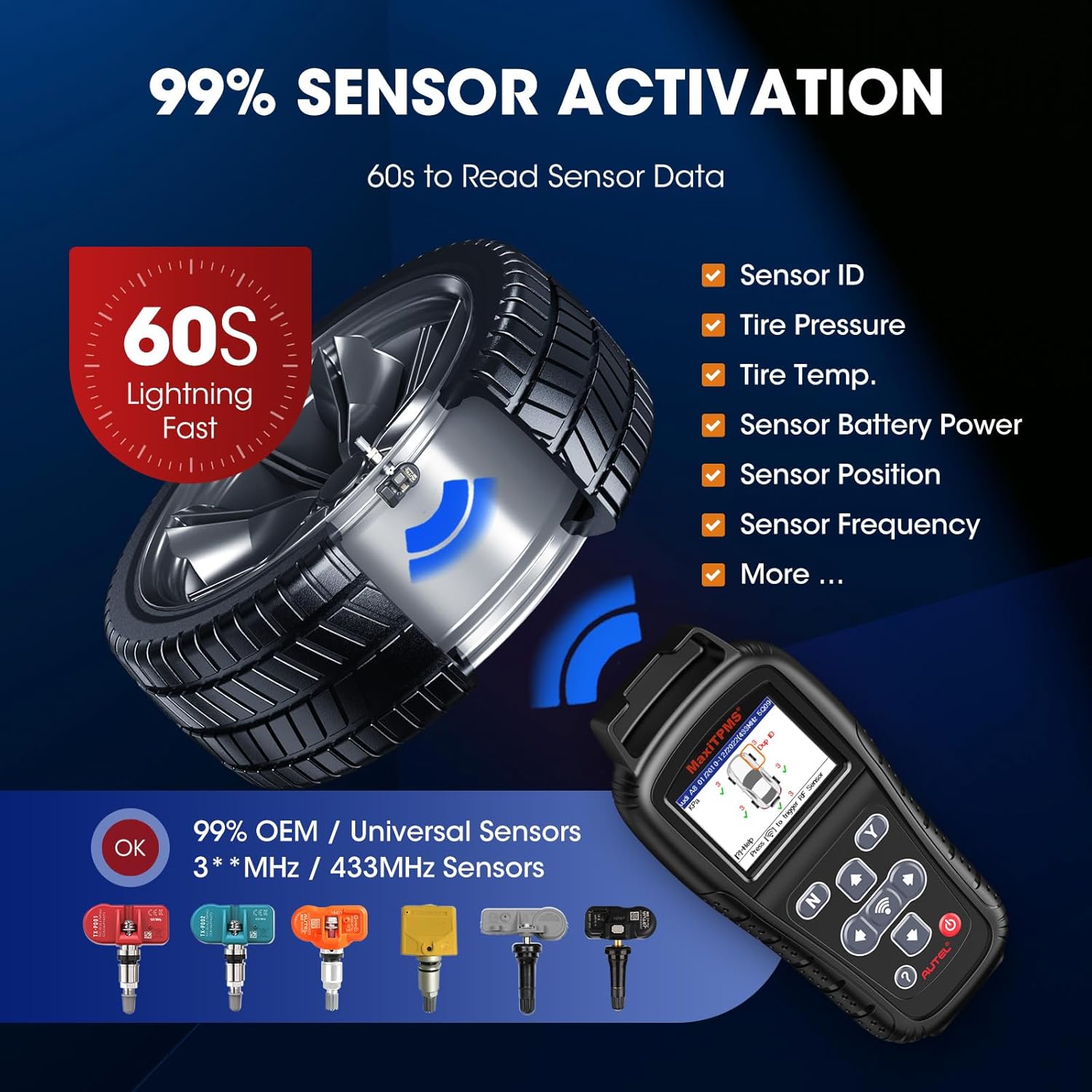
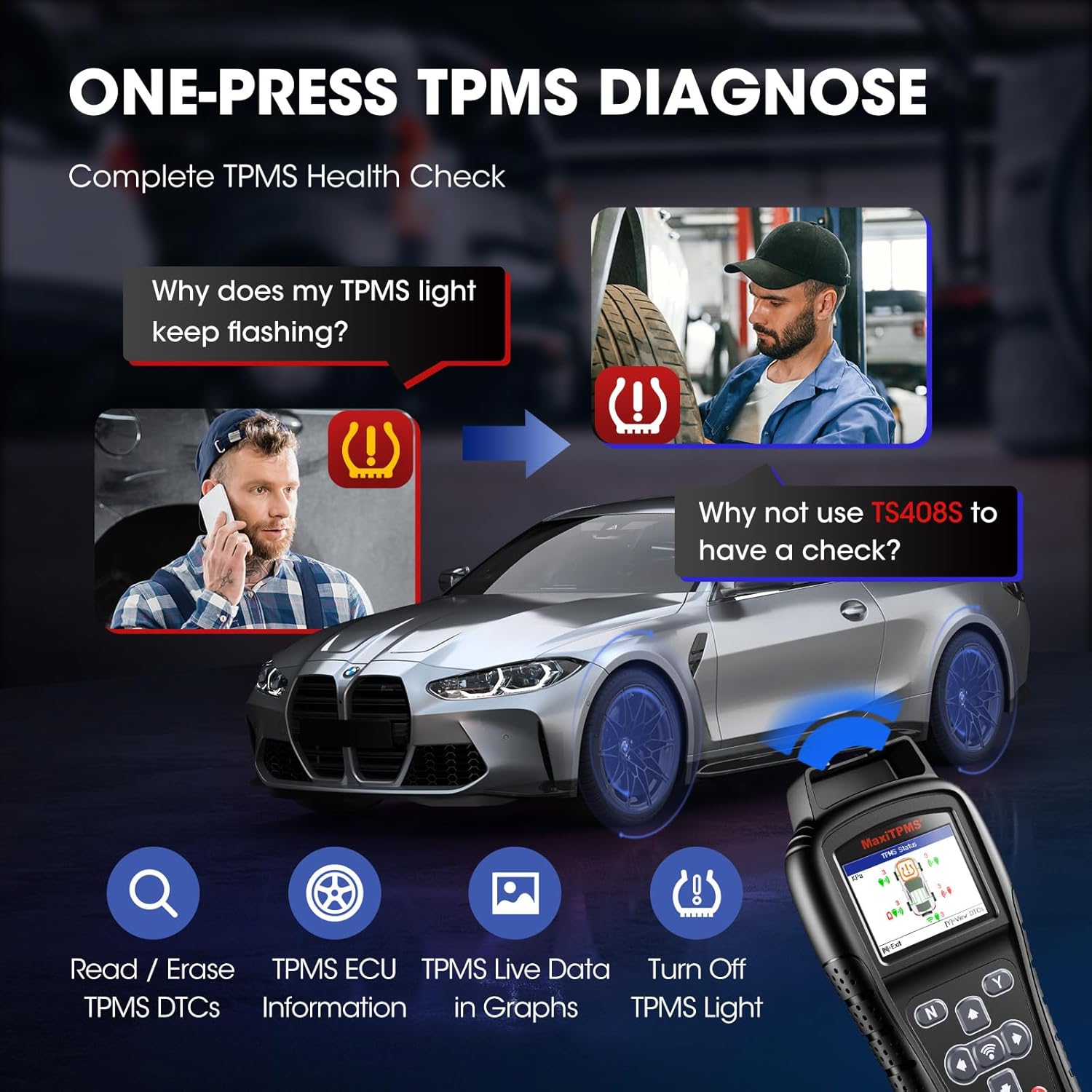
【Complete TPMS Activation, Diagnosis & Reset Functions】TS408S can wirelessly activate 99% of OEM and aftermarket TPMS sensors on the market. It reads detailed sensor data like ID, pressure, temperature, battery status, and frequency. Plus, it connects to the car’s OBDII system to read and clear TPMS DTCs with clear fault code descriptions. Full TPMS health check, sensor cloning, ID input, and MX-Sensor programming are all built-in. One tool, complete TPMS service—no more guesswork!
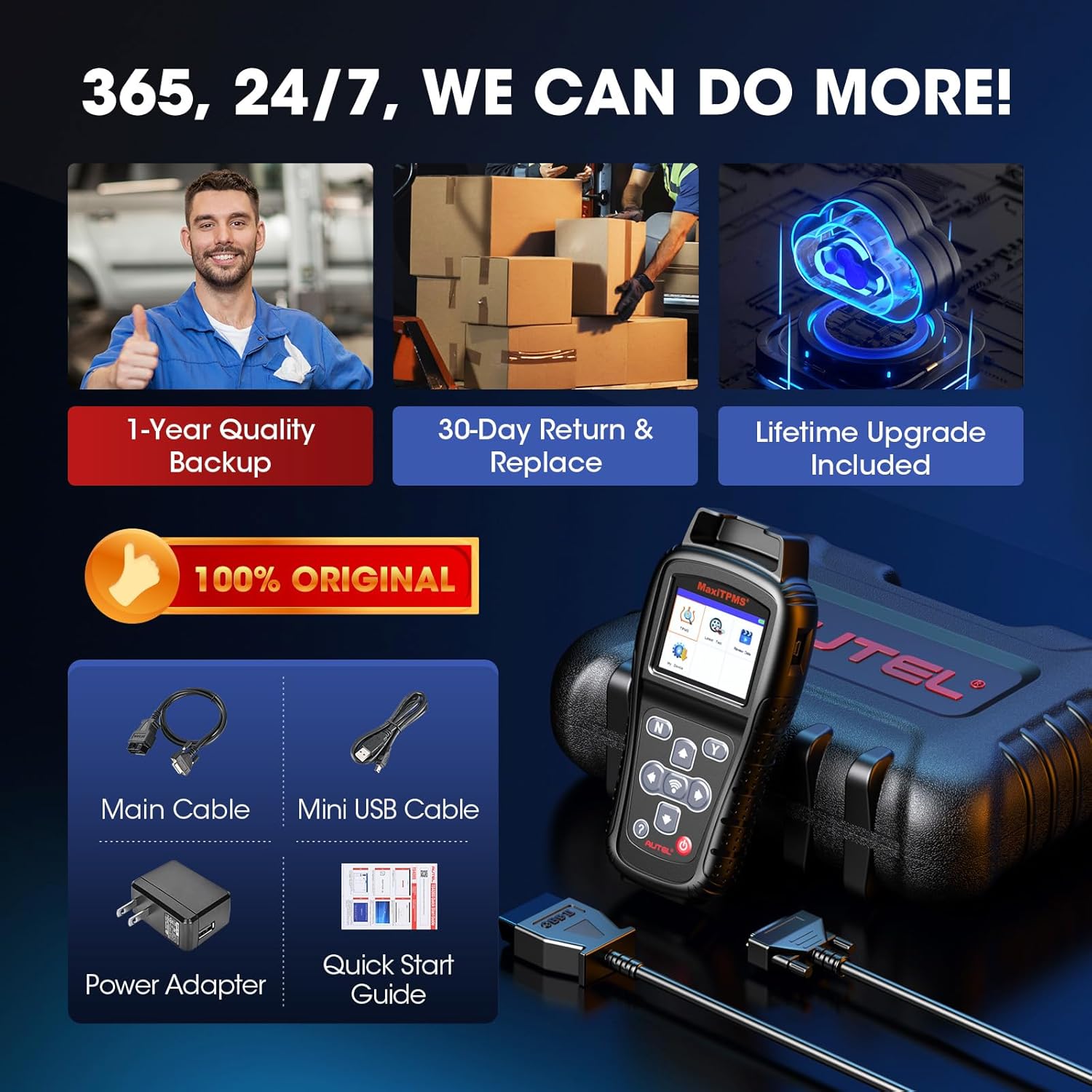
【2026 Newest TS408S, 24/7/365 Service】100% original Autel TPMS tool with 24/7 technical support, covering weekends and holidays. Comes with a 30-day return or replacement guarantee for worry-free purchase. 💝Note: ①For vehicle compatibility, feel free to reach us ②TS408S only programs Autel MX-Sensors. MX-Sensor options can be further supported if needed.

Jrg –
This item saved me $hundreds!!!
This tool was a money saver. I purchased 4 autelMy sensors . Had no idea that I would need this programmer. The shops I went to refused to program these sensors. I was advised I could purchase their sensors for $180 a piece. Mind you I own a 2017 GMC Canyon slt diesel. Every where I went wanted more and more money. It’s sickening to think that these prices are made up. Not only that . If I did spend the $180/ tire it wouldn’t be an oem sensors . It would’ve been a third day party aftermarket sensor . Price gouging in effect. So I found this tool. Most people so understand that after market sensors need to be programmed. First I used the ts408 to copy the old sensors. If your doing this yourself . Do not let the shop take your old wheels/tires. For me the new tires were already on the truck. My old wheels and tires were in the garage. So I deflated all 4 tires to 10lbs. Walked around the truck scanned each sensor bamn programmed . Next would be the relearn process. However there are a few ways to do this. Since my truck is newer all I had to do was turn the truck on and the tpms system did everything else. I hope this helps. Copy old sensors with scanner , scan new sensors either before they are installed or after doesn’t matter . Make sure you mark the wheels and sensors so you know where they belong upon installing. The ts408 is a great tool. Super easy. Note: sensors do go to sleep. It is highly recommended that you deflate tires to 10lbs. Most people can’t figure out how to get the sensor to read. Some people say let 10 seconds or air out. If your installing new wheels and and meaty all terrain tires. That won’t be enough. The sensor programmed the second it hit 10lbs on que.I hope this helps. Note : as for copying old sensors it doesn’t matter the brand name. It will copy a lot of different oem / aftermarket sensors. it will only program clone your autel mx sensors. “Copy old sensors / program new sensors”
Reviewer guy –
Worked great
Awesome. It worked great. Programmed to my vehicle.
Derek –
Great product
I work at a Chevrolet dealership, in the used car department and I found this tool to work really well for me. Easy to use, quick to power up and battery has great life so far.
Christian Medrano –
Great, easy to use
Great tool, easy to use. Easily copies TPMS IDs from OE Sensors, clones them onto new sensors. One thing to note, you have to use Artel TPMS sensors to reprogram. It can’t reprogram other brands of sensors.
David Lo –
No windows update for me.
Ok just for the scanner do not own a Windows PC to update bummer just had to register at LA county library. Already had vehicle listed in startup mode without update unit made in china I figure if I had a newer vehicle in the future that had tpms sensors monitoring in case they do I will be buying another unit I’m not a Windows user more of a Macintosh laptop PC.
mswlogo –
Not worth the price and very poor instructions
All I needed was a “Relearn” tool for rotating tires in 2019 Chevy Volt (which is ridiculous these days, most cars need nothing for rotating or swapping winter tires Jeep, VW, Tesla need nothing). Anyway you can buy a relearn tool for GM/Ford as little as $10.00 on Amazon. I thought I’d get a better tool for future diagnostics. Boy was I mistaken. This thing steered me so far off course. I go into the “Relearn Procedure” which turns out to just be how to do it, but that isn’t very clear. The instructions were similar to my car but slightly different. After putting the car in Relearn mode. The instructions (in the TP408) says “now use a relearn tool” for the next step. I thought this was a relearn tool. It also said or “let air out of the tire”, I tried that and it didn’t work. Finally I decided to just try a simple TPMS scan and that’s all the car needed. Took 45 minutes to figure that out. Without a hint from the tool. It’s going back and I’ll buy the $10.00 version.Due to being harassed and bribed by this company I’m change my review from 3 stars to 1. I reported the harassment to amazon and they did nothing.
Kevin L Hudson –
Did exactly what it was supposed to do and Discount Tires couldn’t and a pleasant surprise.
I bought this after having tires and TPMS sensors replaced by Discount Tires. I had bought the Autel MX Sensor 1 Sensor. Which is a drop in replacement for most sensors in both the 315MHz and 433 MHz ranges. The OEM Tesla sensors were going to cost $250.00 each. This was the price at both Discount Tires and Tesla service center. I bought a pack of 4 of the sensors for $100.00 after verifying with Tesla Service center that they would work. My Tesla is out of warranty, except for the battery.I took them to Discount Tires to have them replaced when I had the tires replaced. DC did replace the sensors, but the old ones were so old, that they could not be read to copy the ID’s to the new ones. And apparently their TPMS sensor tool was unable to program the old sensor ID’S (which is printed on each sensor) manually.So I bought this TPMS programmer for another $145.00. Since the same company makes the MS-Sensor 1 Sensor.Before purchasing though, I did watch youtube videos to familiarize myself with the product and determine if I felt I could do it myself. Then I placed the order. It arrived just when I expected it to.The instructions that came with it recommended registering the device online and downloading the software. Those instructions also only mentioned a Windows version of the software and only had instructions for that. I am a Linux and Mac User. So That gave me pause. But I did proceed with at least registering the device. Figured I could write something in Python to do the Firmware install with a little hacking. I have done that with other devices.After registering, (which involved obtaining the devices registration authorization code. The method by which was buried in the instruction manual), I was pleasantly surprised by the fact that a MacOS version was available.After installing the updated firmware, following the instructions in the manual picking up after the the Windows installation part, I was able to get on with the business of programming the original ID’s into the new sensors. I did stumble the first few times on the first sensor. After all, I had not done this before. But I did finally get that first one to take. Note. Point the programmer at the side wall just above the valve stem. That helps with the programming taking on the first attempt. After that, it was simply a matter of following the instructions for manually copying the ID in the manual, but selecting you make, model and year of your vehicle. In my case, 2013 Tesla Model S. After that that TPMS warning message did finally go away. It did reappear a few times after that. But it has finally gone for good. Well, for at least 2 weeks now.I gave 4 stars for was of use because it would be nice for the online registration program to guide one through obtaining the registration code, or have the registration code on the quick start guide, rather than buried within the device itself.
Thomas C –
The tool can scan and recognize a new TPMS sensor but it cannot communicate this new ID to the vehicle because it doesn’t have an OBD connection.If you have a clonable sensor then this tool can make your new sensor appear to be the one you’re replacing. In that case, you have to program the sensor before putting it into the tire of course.So very limited usage.Having to return it for the one with the OBD connection.Addendum: I ended up buying the Autel TS 501 and it works perfectly with the OBD cable. I also wanted to mention that the Autel support team reached out to me. That shows a lot of belief in their product. If your vehicle can be programmed without an OBD cable then the 408 might be good for you. The 501 was the right one for me.
Marty Shipton –
Worked perfectly for my Subaru Forester.I bought this because the dealership and the tyre shop couldn’t fix my TPMS issues…. sigh.It turns out they had 2 sensors with the same code, I gave all the sensors fresh codes and synced to the ecu, now it works fine.
BOTMAN –
I decided to purchase the MAXITPMS TS408 tyre pressure sensor tool because I already own three diagnostic tools which allow me to program TPMS sensors so I did not need the more expensive TS508.Let me explain.When I use my Diagnostic tool to go into programming a Tpms sensor on a ford focus the diagnostic tool will ask you to activate the front left sensor and the others in turn. I use the TS408 to carry out the sensor activation and use my diagnostic to program the new oe sensor to the vehicle. However if you purchase the Autel Maxi tpms sensors you can use the TS408 to read the sensor you are replacing for the hex code or if the sensor is damaged you can read the hex printed on the sensor itself. Then use the TS408 to program the Autel sensor with the same code so basically clone the damaged sensor. When fitted to the wheel the vehicle will see the new sensor as if it was the original and no programming to the vehicle will be necessary. So the TS408 can clone original sensors to Autel Sensors but cannot clone Oe to Oe which the TS508 can do through the OBD port. . TS408 is a great little tool and cheaper than the TS508 if you already own a diagnostic that programs Tpms and if you do not have a diagnostic then id recommend you purchase the TS508 as this will do everything without the need for a diagnostic tool. Hope this helps
mapouille08 –
Quand on sais s en servir le top. Par contre à savoir que cela fonctionne qu avec des valves autel de remplacement. Vs ne pouvez pas reprogrammer 1 valve bosch par ex…
Eric León –
Muy bien el equipo, ha funcionado sin ningún problema tanto en la parte de probar sensores como en la parte de progración tanto manual como automática.